SOLID Principles

SOLID principles are used to design software which is understandable, flexible and maintainable

There are 5 design principles used to design the software

I created a project which explains all these principles. I added folders and added BEFORE/AFTER and violation classes with V as ISPVAdvancedCustomer – this means InterfaceSegregationPrincipleViolation

1. Single Responsiblity Principle: It states that each module should have only one responsibility

Look at the below code.
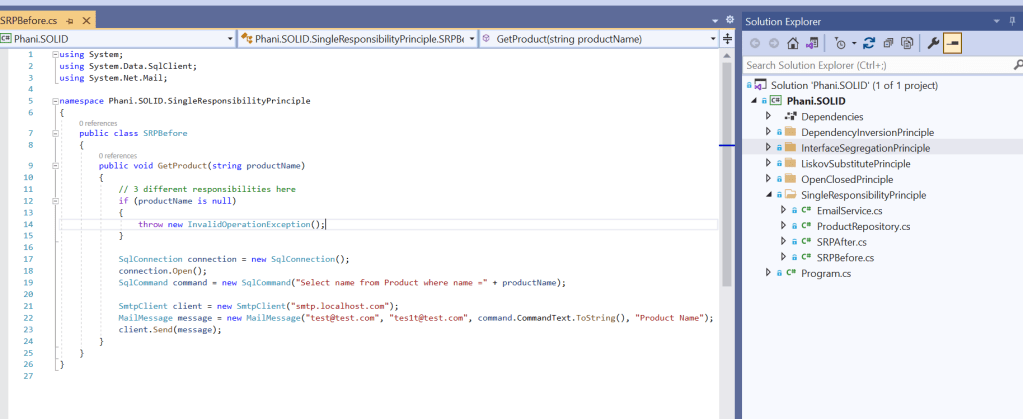
Here you can see, SRPBefore class has 3 responsibilites.

  1. Throwing exception if product is null
  2. SQL Query to get product
  3. Sending Email

It simply violates our SRP principle as it has 3 responsibilities.

If SQLConnection is changed to other DB types like Oracle or SMTP client is changed, it will reflect this class.

So we need a way to not depend on these things. See the below code.
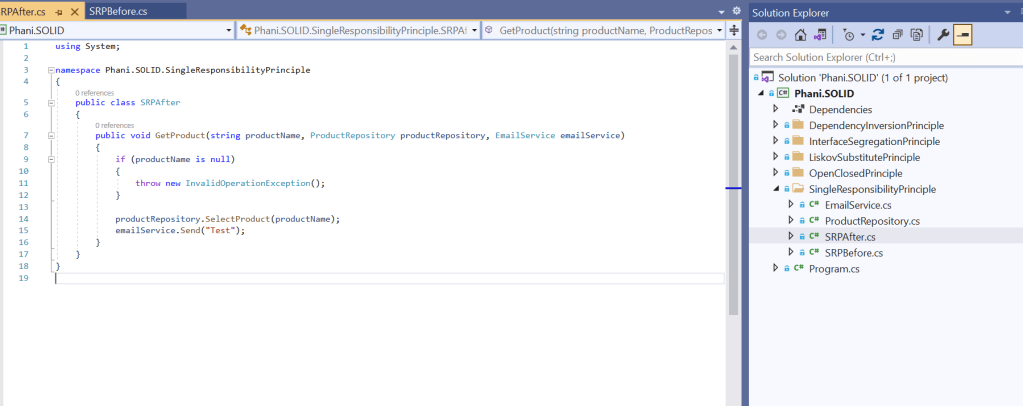
Here you can see we are not depending on database types or SMTP clients as these are passed by the client. So if any DB/SMTP changes, it doesnt affect this code.

2. Open Closed Principle: It states that software entities like modules/classes are opened for extension but closed for modification

If any new requirements come, we need to add the changes easily without affecting the working code .

See below code which violates OCP

Here you can see 3 if conditions to check for a product type

if new producttype is introduced we are going to add another if condition where we are changing the working code.

To fix this, we need to inherit the product type needed

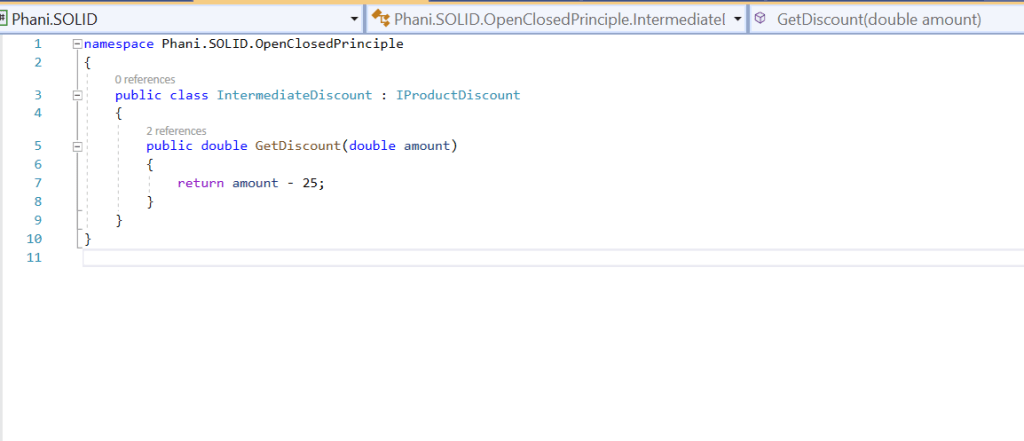
Here I created 3 product discounts like
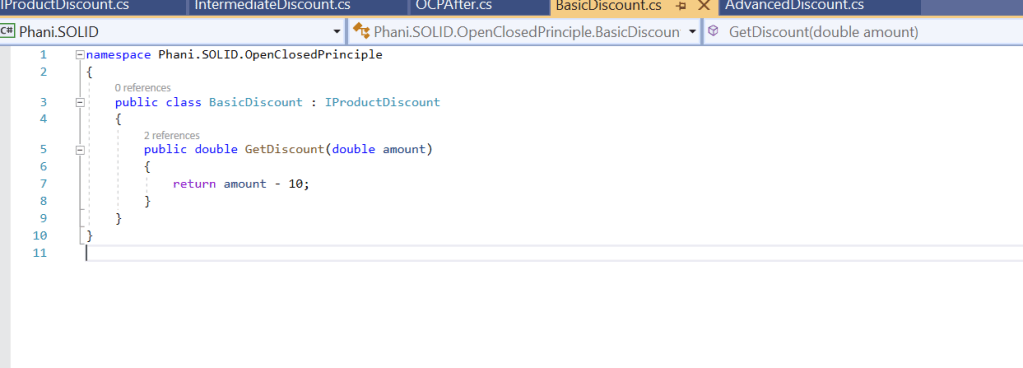
So they inherit IProductDiscount to get discounts.

So after adding these changes, we will be passing the needed product discount by the client as
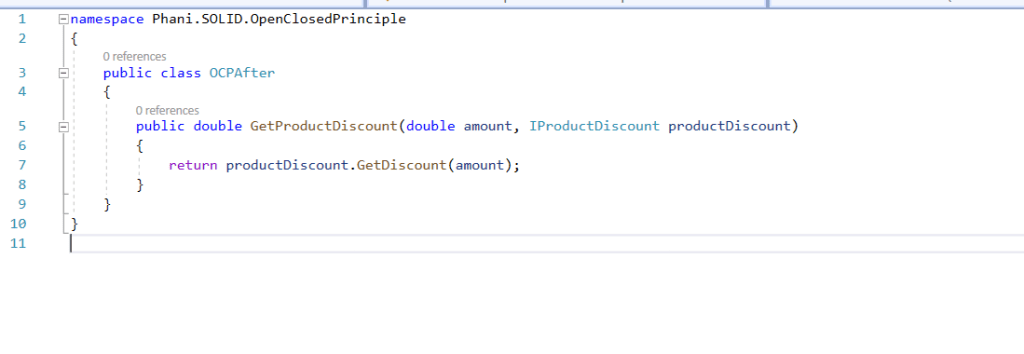
3.Liskov Substitue principle: As the name says, If X is a subtype of Y, then objects of Y type should be replaced by object of X type

See below LSP violation code
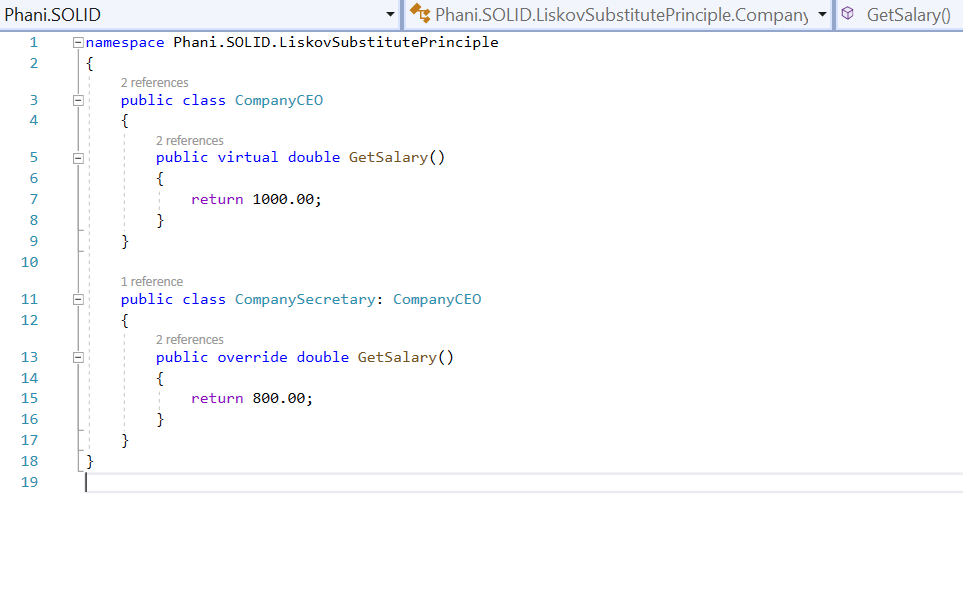
See the below after changing code.
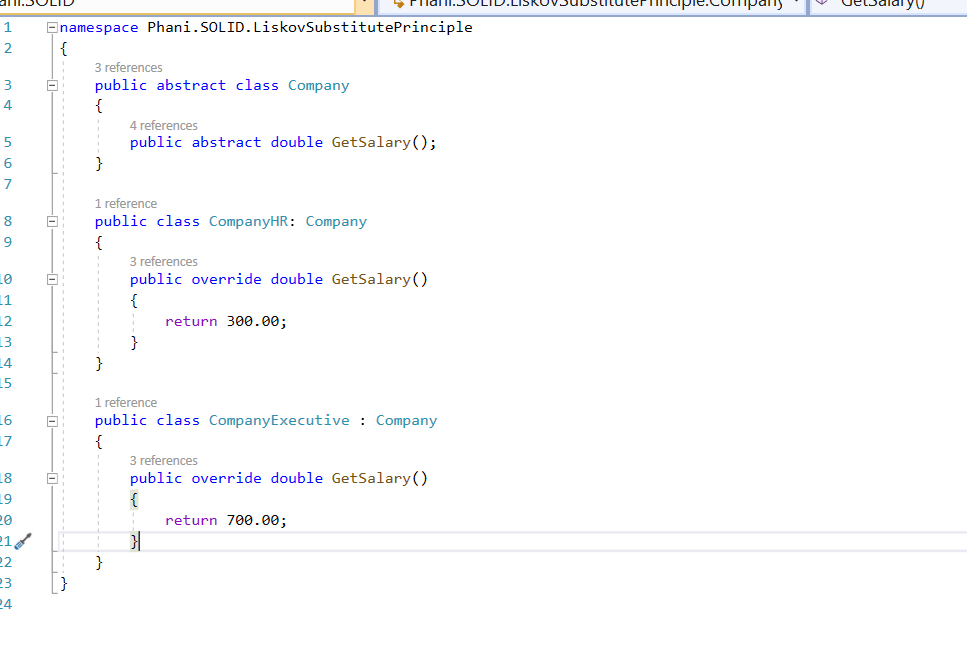
We will be fixing this as:
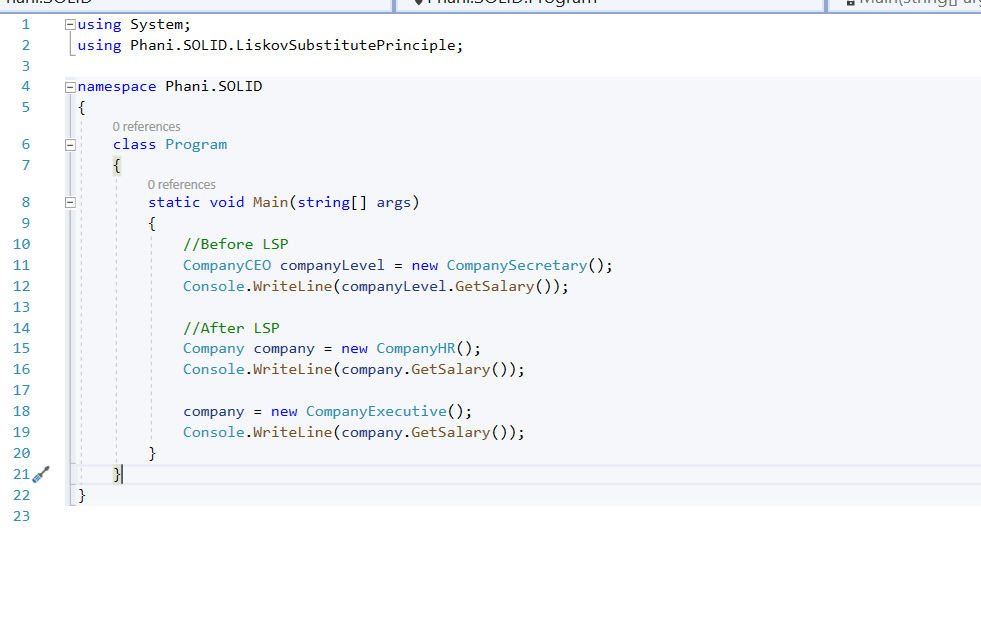
4.InterfaceSegregationPrinciple: It states that Clients should not be forced to implement any methods where they dont use.

As creating interface which is too big to handle , we need to create simple and small interface where each interface serving one purpose

If you see below interface there are 3 methods to get voucher discounts
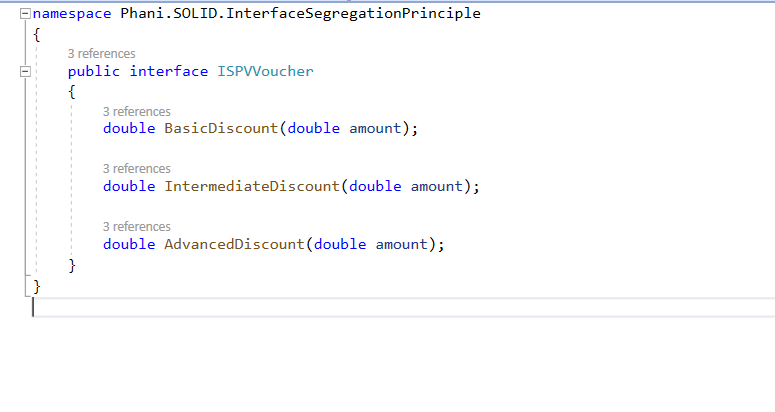
for Basic Customer, he only needs implementation of BasicDiscount method. He doesnt need to know about Itnermediate/Advanced.

See below code which violates ISP
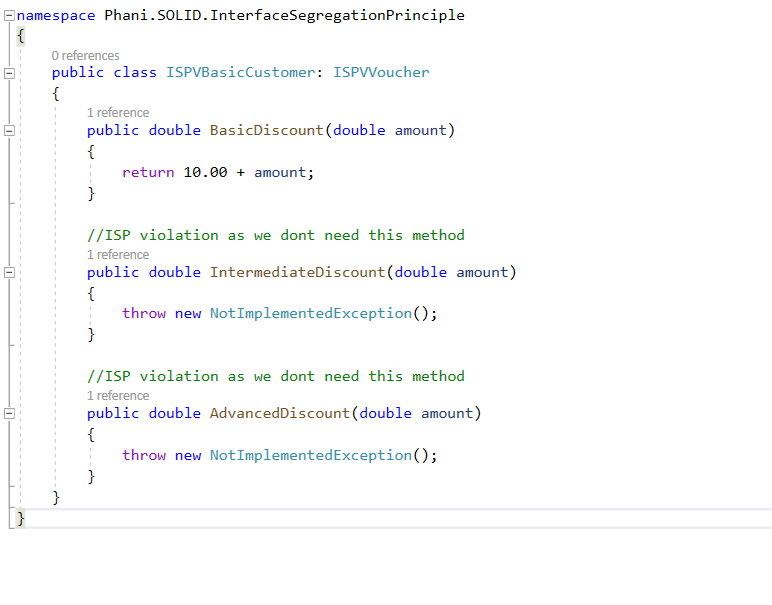
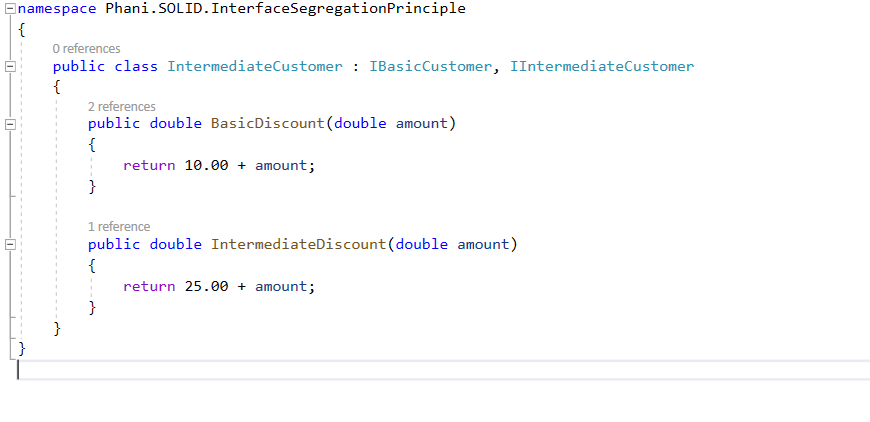
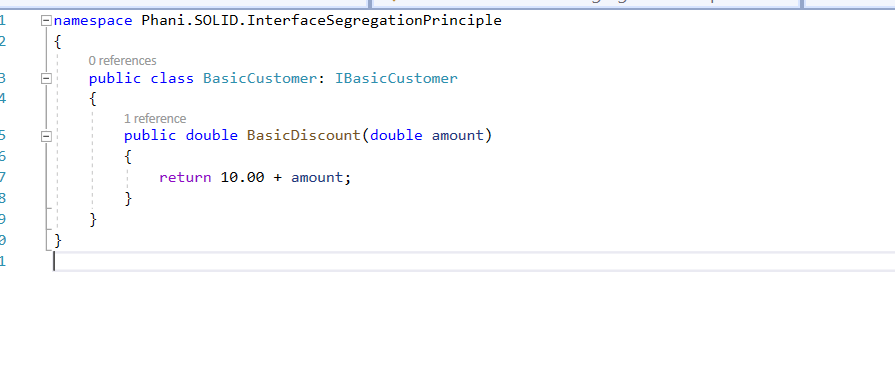
To fix this we need to create separate intefaces for Basic/Intermediate/Advacne d customers like:
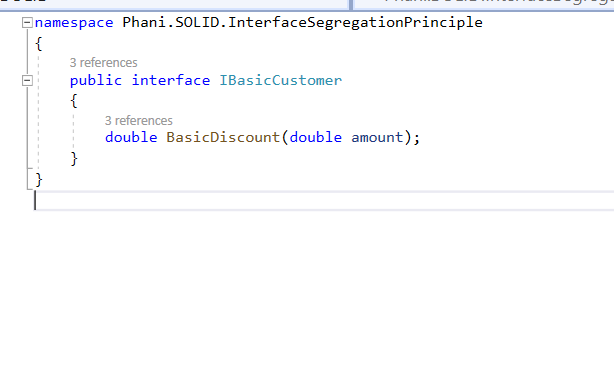
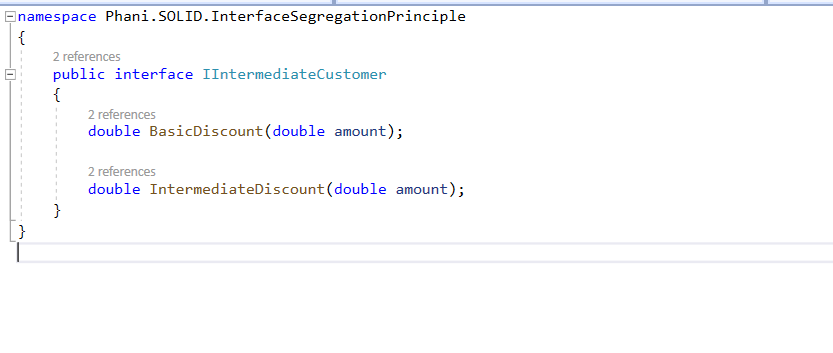
Now to fix this violation, Basic Customer client needs only Basic discount method
5.Dependency Inversion Principle: It states that high level modules should not depend on low level modules where they need to depend on abstractions. Abstractions should not depend upon details. Details should depend upon abstractions.

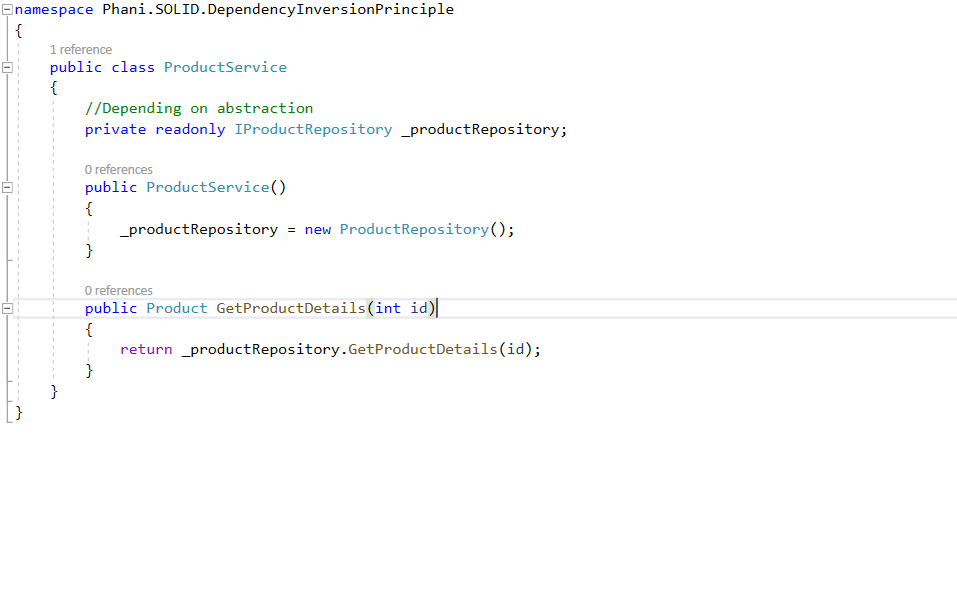
so to say we need an non-concrete interface/abstract class where we can’t create instance of it

See below code for DIP violation:
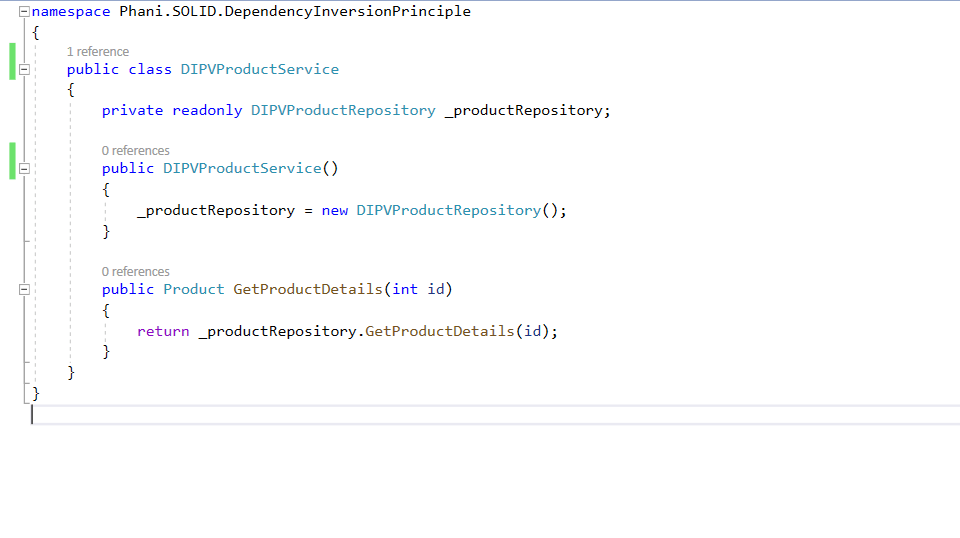
to fix DIP violation we need to create an interface of non concrete where we depend on abstraction
Code in my Github: https://github.com/pbndru/Phani.SOLID
Dockerising Asp.Net Core Applications

Docker is like a build container which will create/deploy/run applications

we can build all dependencies of an application into a package and ship as a docker image.

Once we have the image then we can run a container in any machine which runs docker. so we dont need to worry about other machine configurations. Like in our companies we have different environments like DEV/TEST/INT/QA environments.

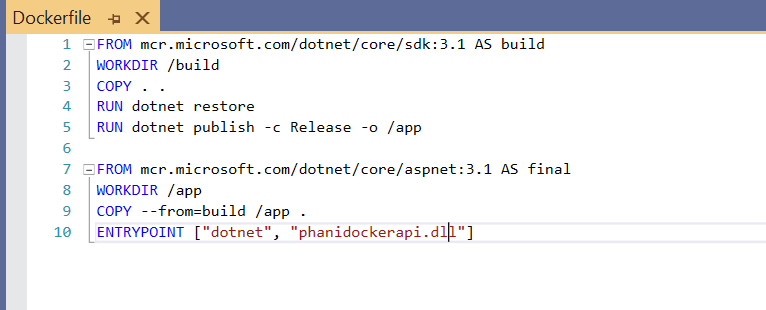
Create an Asp.Net Core application and create a dockerfile in it with no extension. I installed Docker Desktop in my machine and run it

My DockerFile is configured as below:

you can read from docker hub for more info about how to use these tags

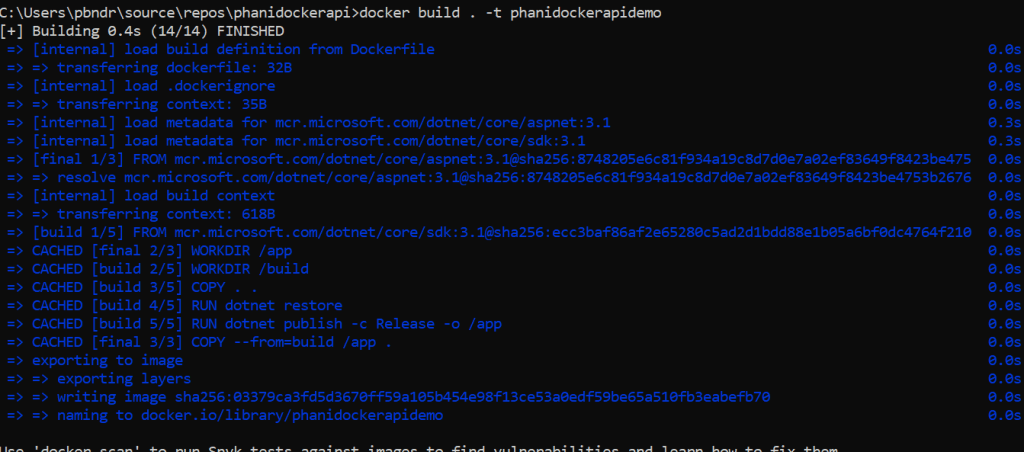
Now, we have our app and a dockerfile where we can build and package our code. Now lets create a docker image

Use docker build. -t phanidockerapidemo as below

-t tag is optional . it add a tag to our image

Now check the image created using docker images

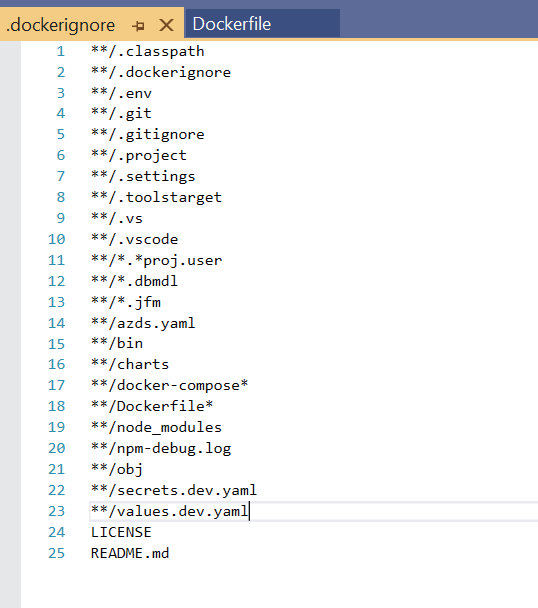
Here, you can see phanidockerapidemo image is created with size 208MB. we need to look at size for the load. use dockerignore to ignore files like bin,obj and more

Now we are ready to run our app, use the command

docker run -e message=”phani docker demo” -p 8080:80 phanidockerdemo

‘e’ tag is to add an environment variable into our running container. Message is optional

‘-p’ tag is for mapping from my host port to container port. Here 8080 is my host listener.

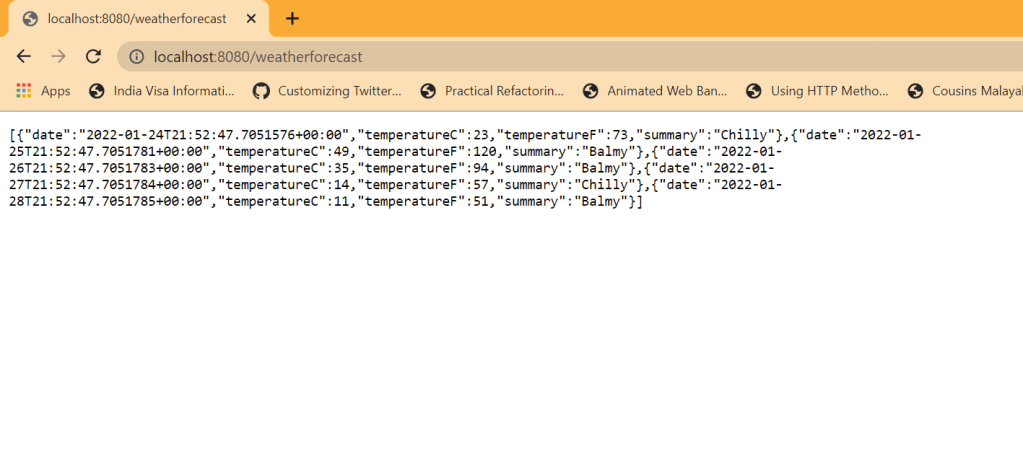
Now just browse our app. you will see our app will be running without running VS

You can do more like push your docker image to docker hub, tag it and share the image.

Code from my Github: https://github.com/pbndru/phanidockerapi

Asp.Net Core API Custom Exception Handler

Exception Handling is important to handle any type of system errors, some known /unknown errors.

Usually when we deal with code we will throw an exception in try-catch block to catch exceptions

Like below we throw the exception

try {

//code

} catch(Exception ex) {

// do semthig with exception

}

When exception occurs, we see stack trace for the exception . sometimes the exception contains lot of unncessary information which looks bit confusing and the exception wont be structured

We need to make sure every exception is handled and error response and data is handled correctly

.Net core has its own native error handling. we can also build our own custom exception handler to catch and handling the errors. This custom one will listen to all request and responses

We will be enabling this middleware exception handler before all usage calls

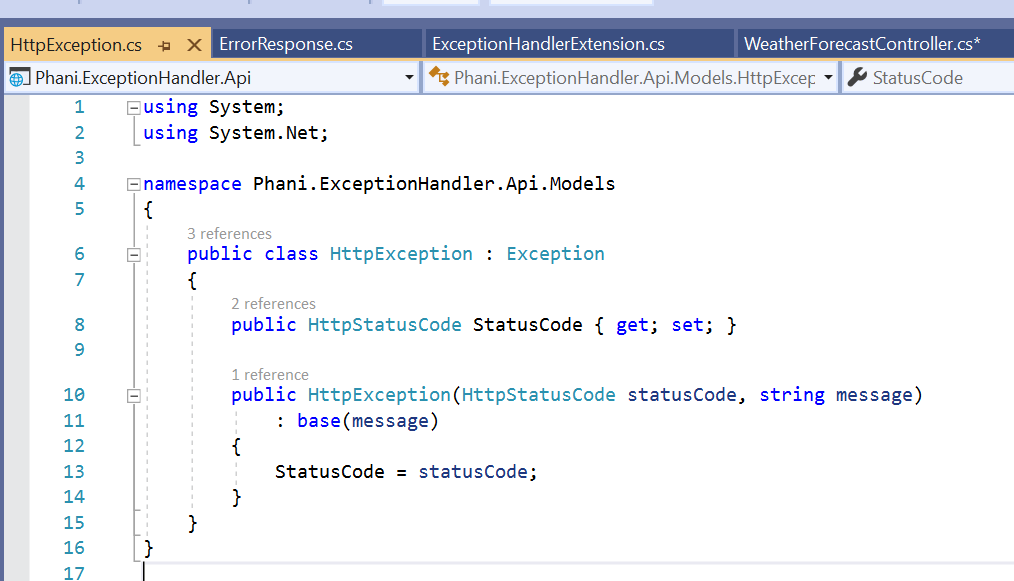
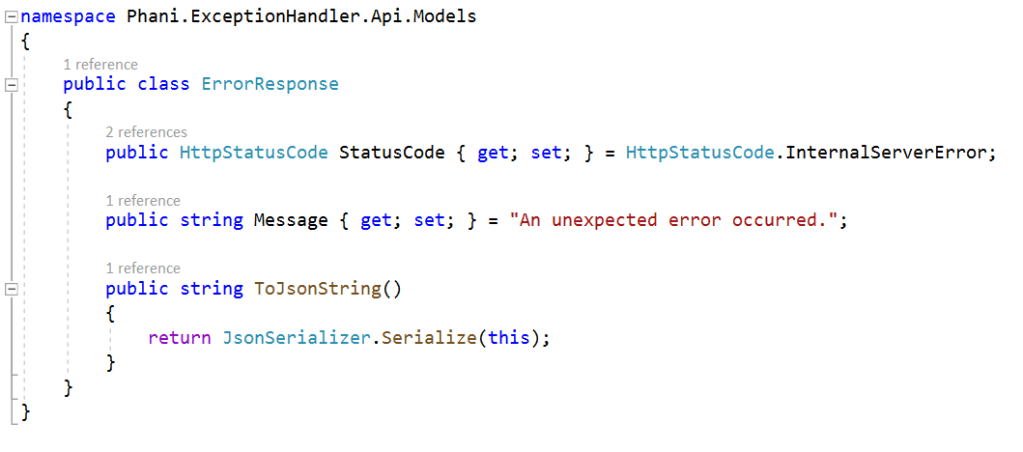
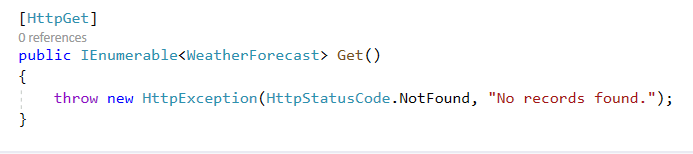
I created custom HttpException, ErrorResponse and ExceptionHandlerExtension for handling exceptions

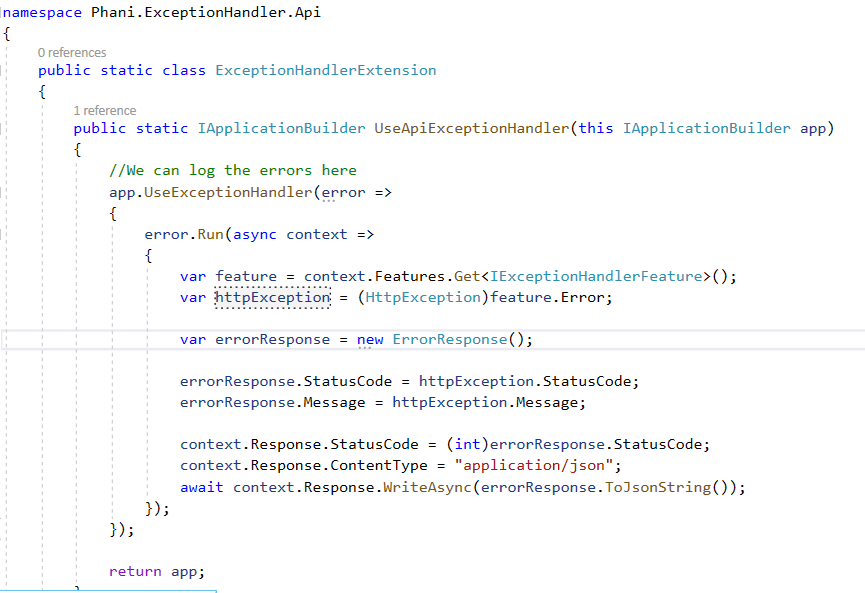
Now, i created custom exception handler

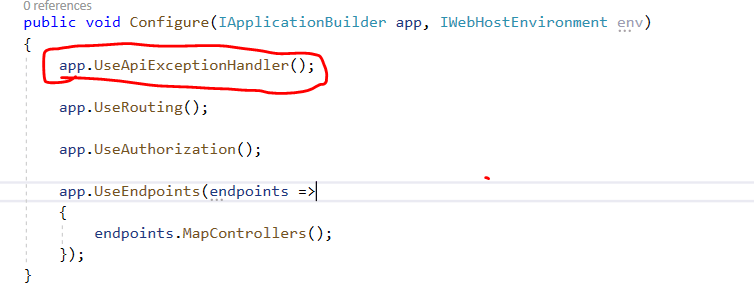
Now, call this expcetion handler from startup configure method and use it as first call

app.UseApiExceptionHandler();

Now, throw an exception in code

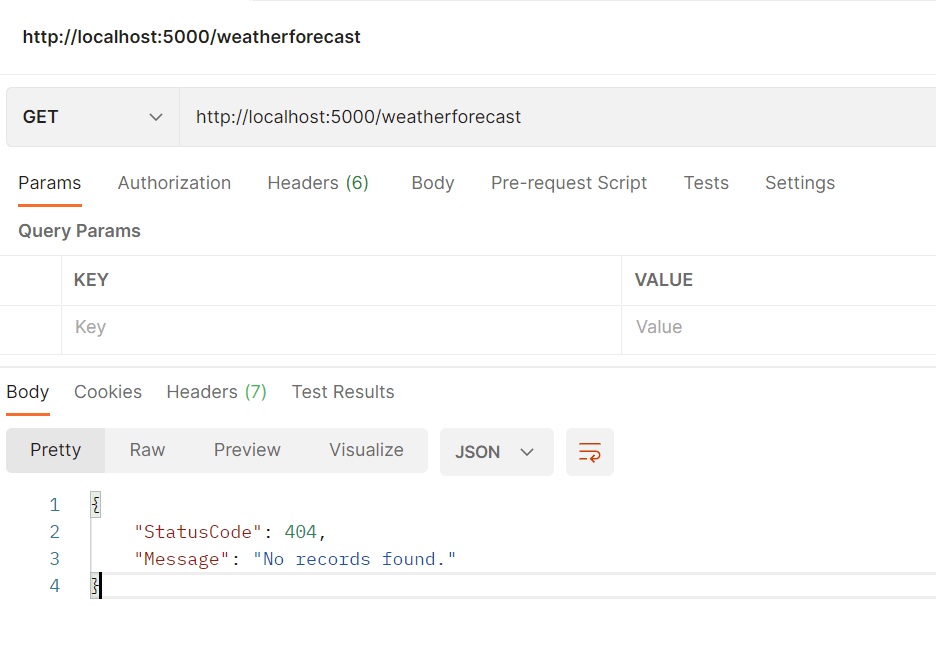
and run in postman and you can see a proper response as:

If you throw without custom exception you see the message “an unexpected error occured.” with statuscode 500

By throwing proper custom exception with proper status code it will help us to find any issue.

Code in my Github: https://github.com/pbndru/Phani.ExceptionHandler.Api

Asp.Net Core Background Service

In priveous article about Hosted service, we have seen how the service run in background

code for hostedservice in github: https://github.com/pbndru/Phani.HostedService

We can do many tasks in background like updating database status to complete

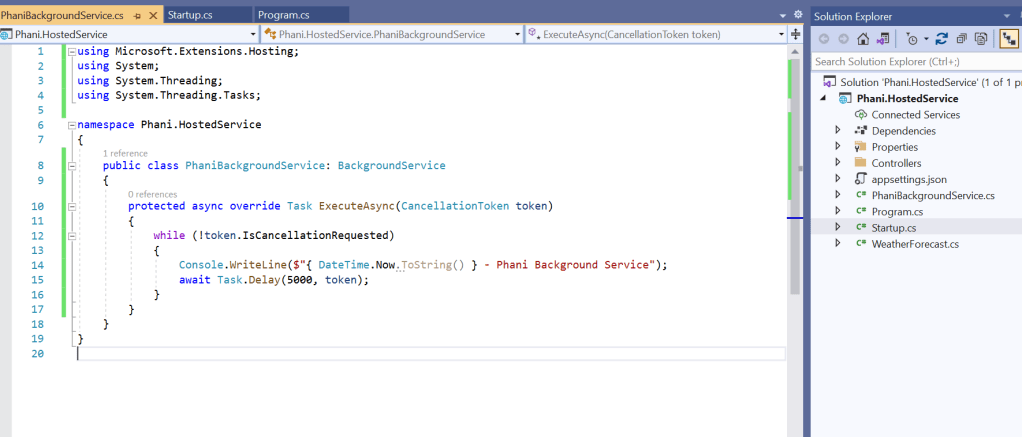
Here when we use BackgroundService we will override the ExecuteAsync method

The difference between HostedService and BackgroundService is BackgroundService by default takes care of Start and Stop Async

code in my github: https://github.com/pbndru/Phani.BackgroundService

Asp.Net Core Hosted Services

Asp.Net core hosted background service run in the background of the application.

We can do many tasks in background like updating database status to complete

We can implement it by using Hosted or Background Services

Here lets use Hosted service and see how we can run background service while app is running

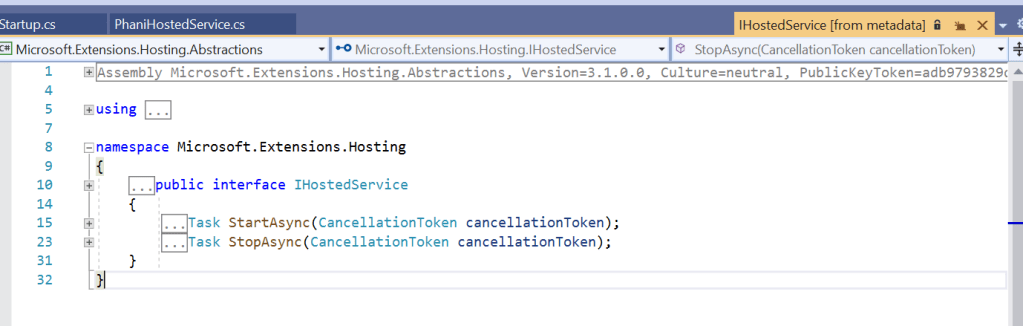
IHostedService is the one which provides two methods for starting and stoping the service

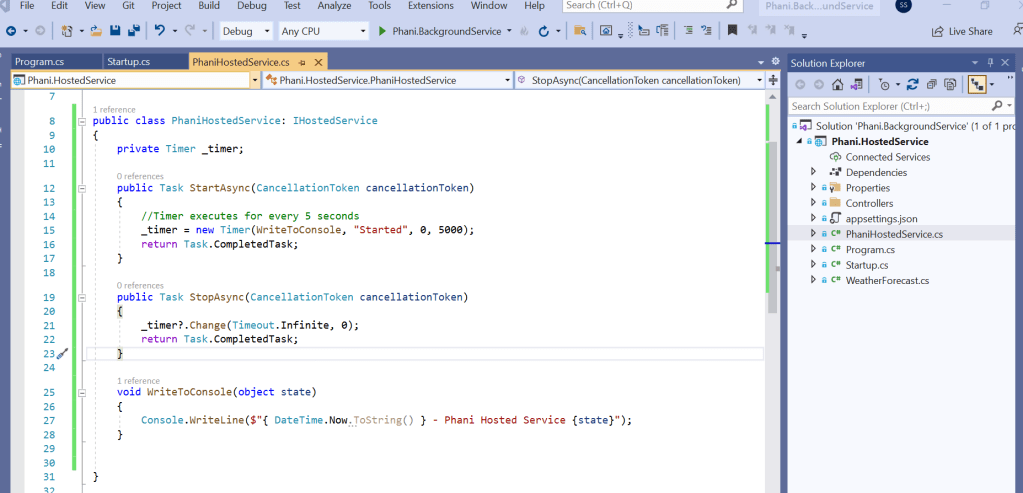
Now lets start using this service by using a simple timer in our class

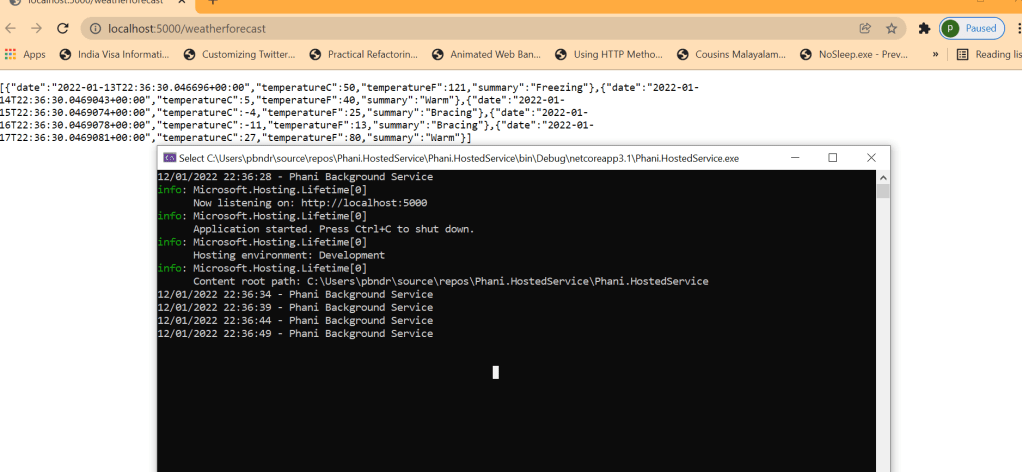
Lets execute this service in background for every 5 seconds and see how it writes to the console

We need to add the hosted service class to the configure service section

services.AddHostedService<PhaniHostedService>();

Now change the project setting to the project name and run.

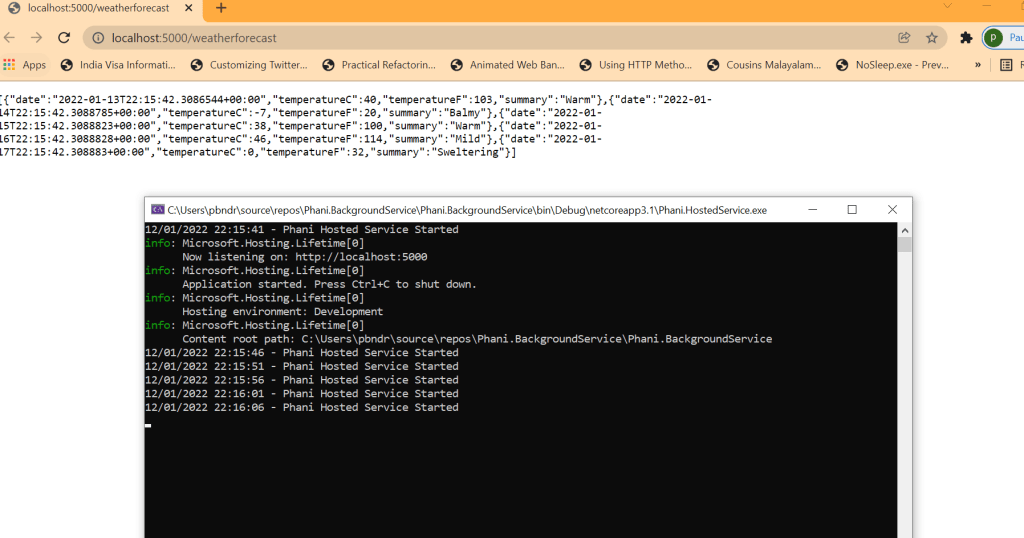
From the image you can see the app is running and also our background hosted service is running for every 5 seconds.

code in my github: https://github.com/pbndru/Phani.HostedService

Asp.Net Core API – Nlog

There are lots of logging pacakges available.

Nlog is one of the logger many projects use.

Lets quickly look at the simple code to see how it logs and where the logs store

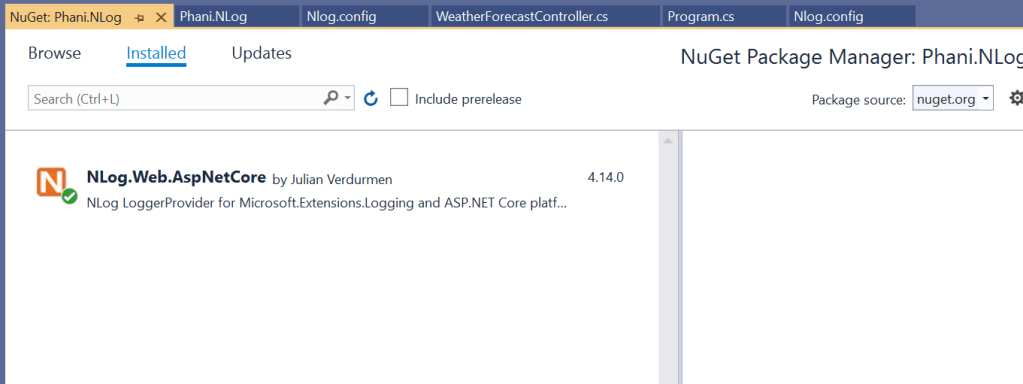
Install the Nlog below package

Create a Nlog.config file in the project and add below code and specify the log path in this file

<targets>
    <!-- write logs to file  -->
    <target xsi:type="File" name="allfile" fileName="c:\temp\nlog-${shortdate}.log"
            layout="${longdate}|${event-properties:item=EventId_Id}|${uppercase:${level}}|${logger}|${message} ${exception:format=tostring}" />
</targets>

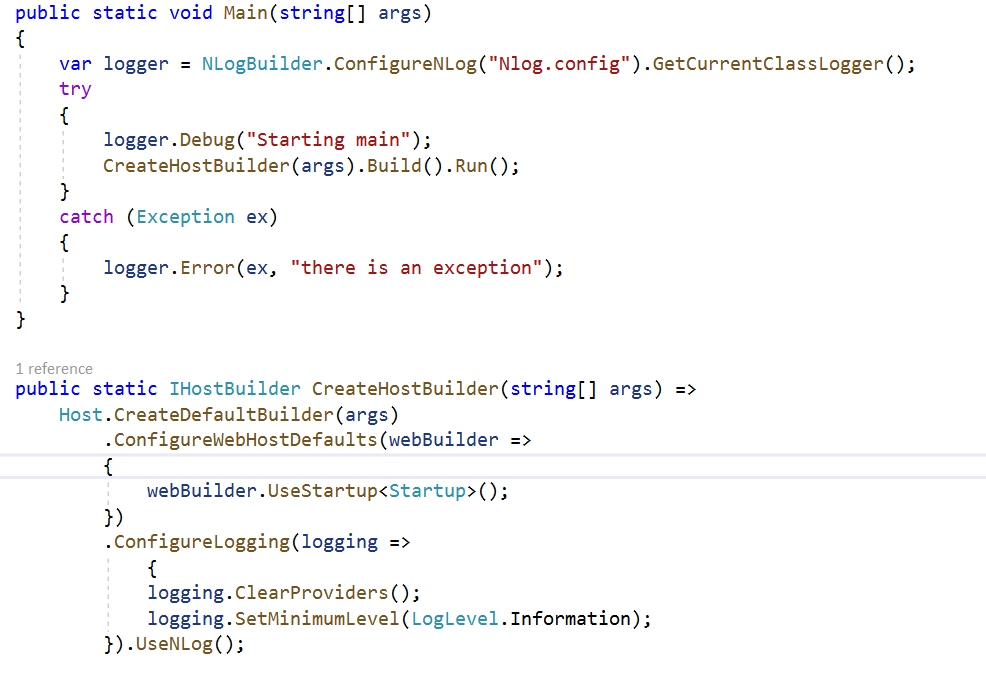
Now in the program add the log builder and configure the logging .

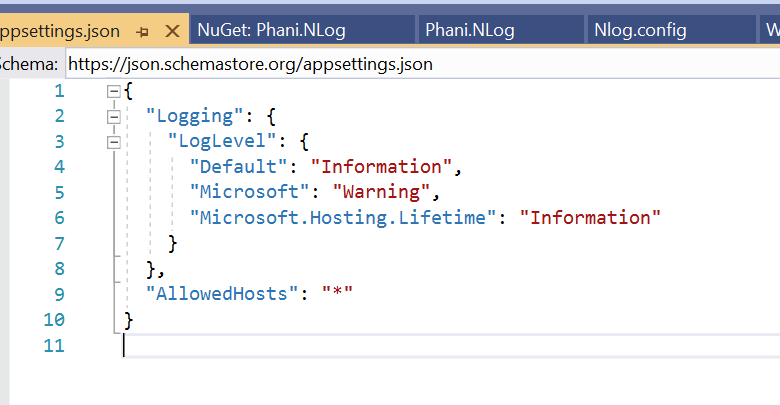
you can changethe log levels like trace, but when changed chagne in appsettings.json too

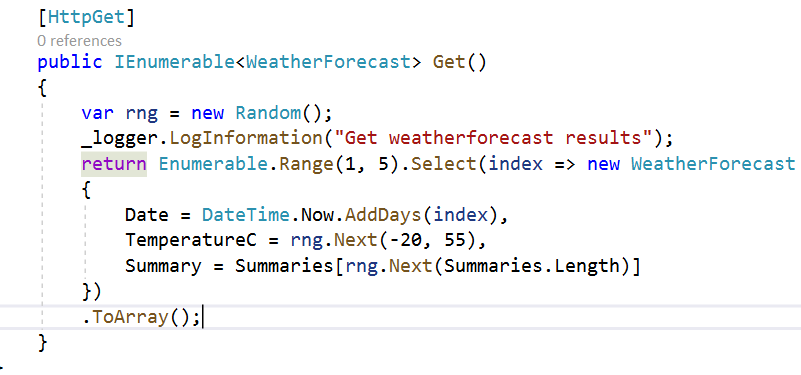
We almost done. Now just add the logger whereever you need like

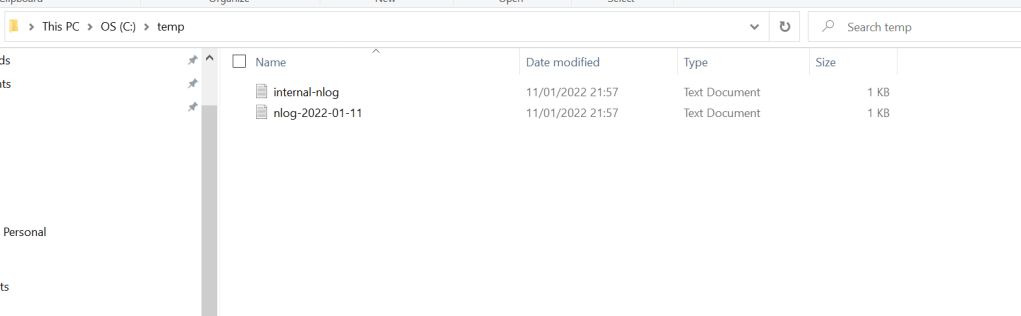
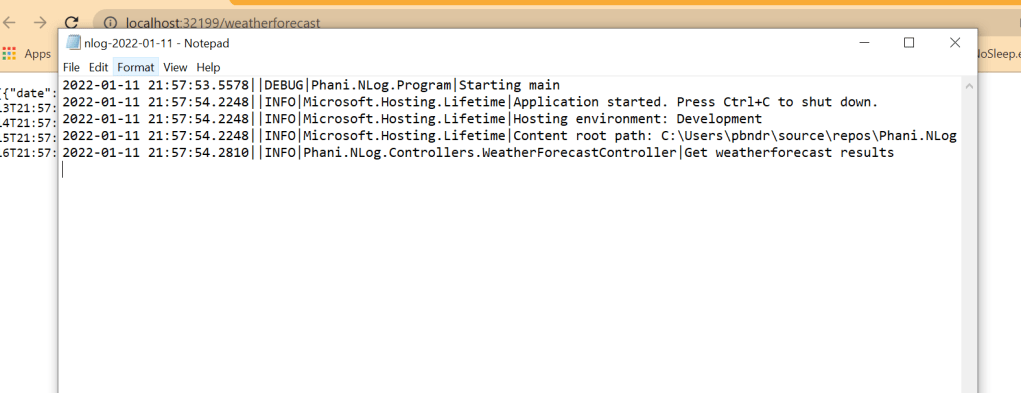
Now run the application and you can go to the path specified in nlog config file . here my path is in temp folder

Once open the nlog file and you can see the list of logs by date specified

code in my github: https://github.com/pbndru/Phani.NLog

Asp.Net Core API with Swagger

When Developers consumes API, they need to understand whats the purpose of API. so we need API documentation.

So we have Swagger tool which is a OpenAPI tool which provides the documentation needed. It helps developers to document quickly and easily.

There is a Swagger UI which is a UI representation

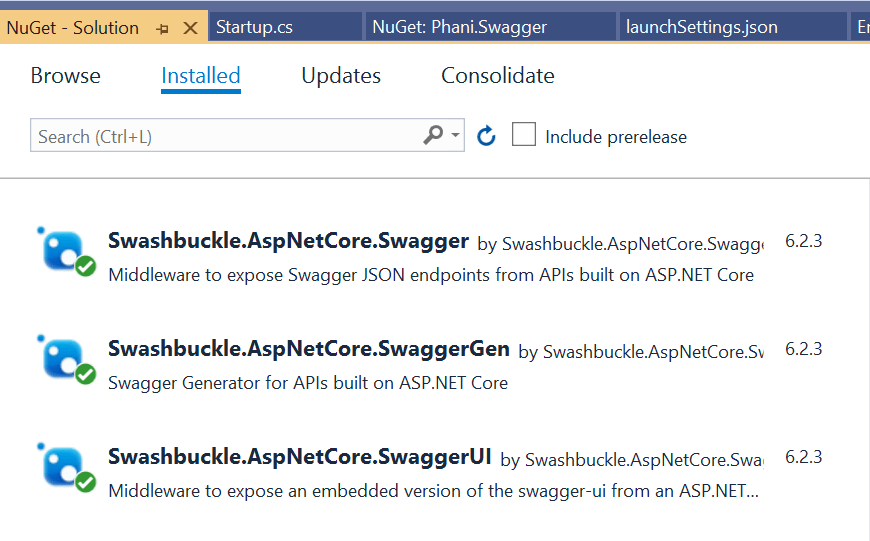
To use Swagger, we need to have the below 3 nuget packages installed

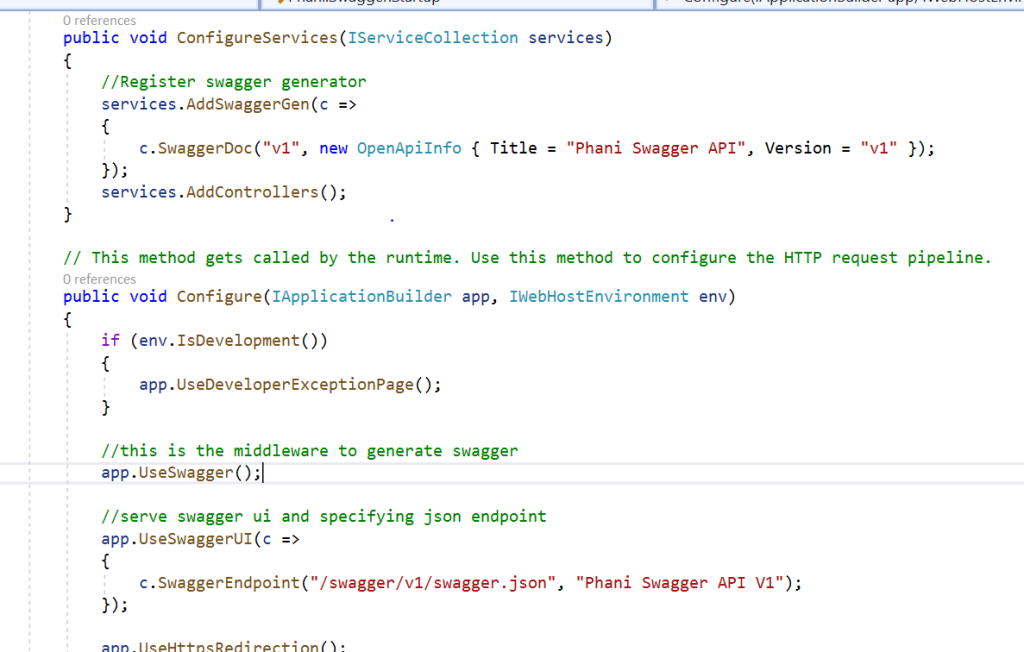
Once installed, we need to configure like below

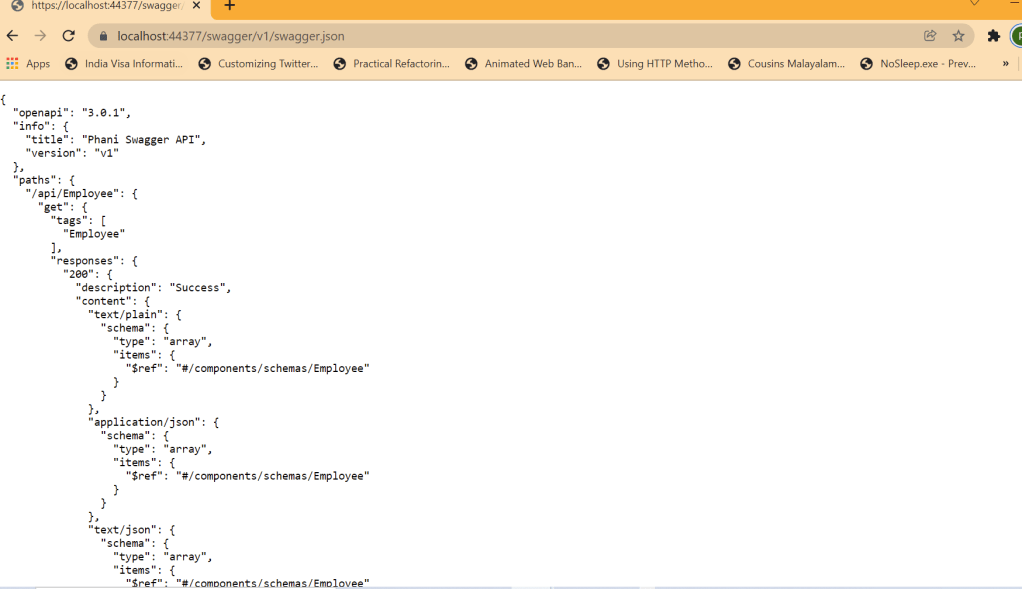
Now run the app https://localhost:44377/swagger/v1/swagger.json and can see that a document describing the endpoints is generated

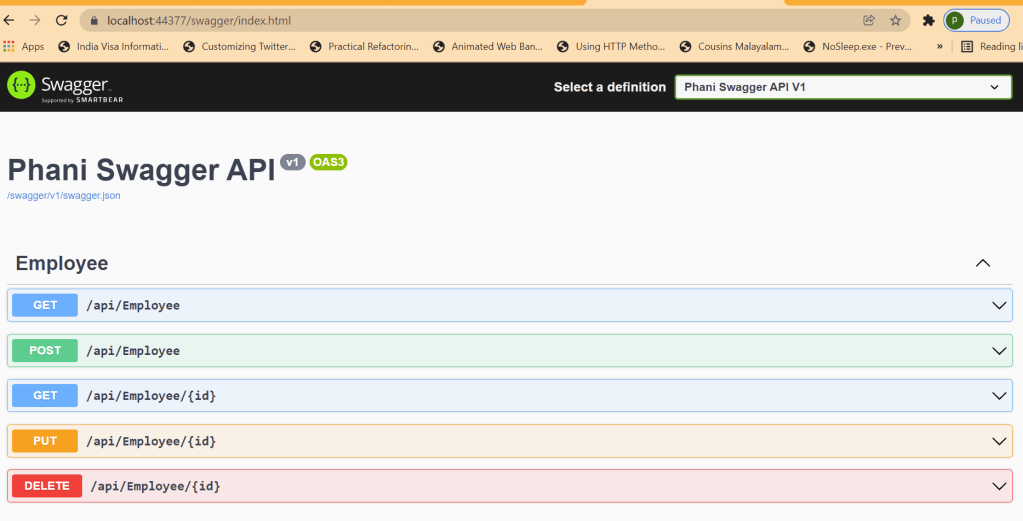
Swagger UI can be run by changing url to https://localhost:44377/swagger

Note: the port 44377 will be different to your local

You can click Try it out and can see the results with Status codes, Request and Responses.

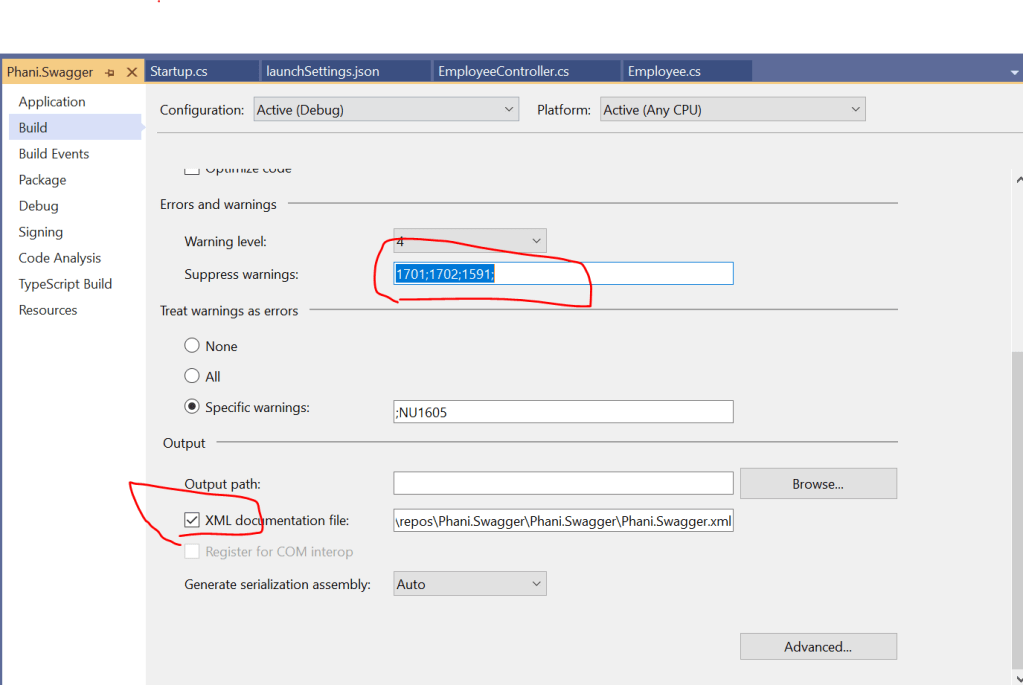
Now we can enable XML comments for the summary of the actions by changing the project build. Here add 1591 to supress warnings in the controller

and configure xml comments in the services as:

// Set the comments path for the Swagger JSON and UI.
            var xmlFile = $"{Assembly.GetExecutingAssembly().GetName().Name}.xml";
            var xmlPath = Path.Combine(AppContext.BaseDirectory, xmlFile);
            c.IncludeXmlComments(xmlPath);

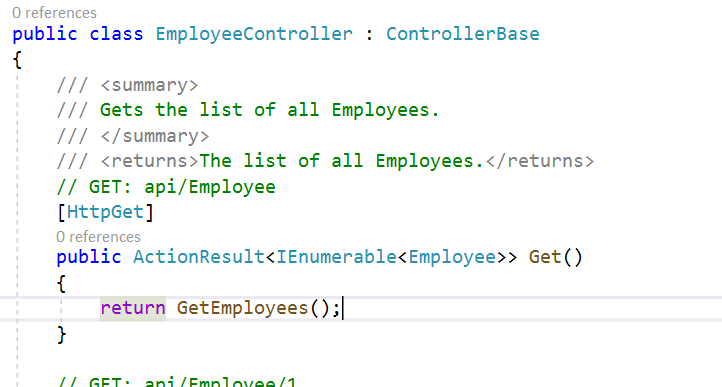
Add the summary for any controller you need

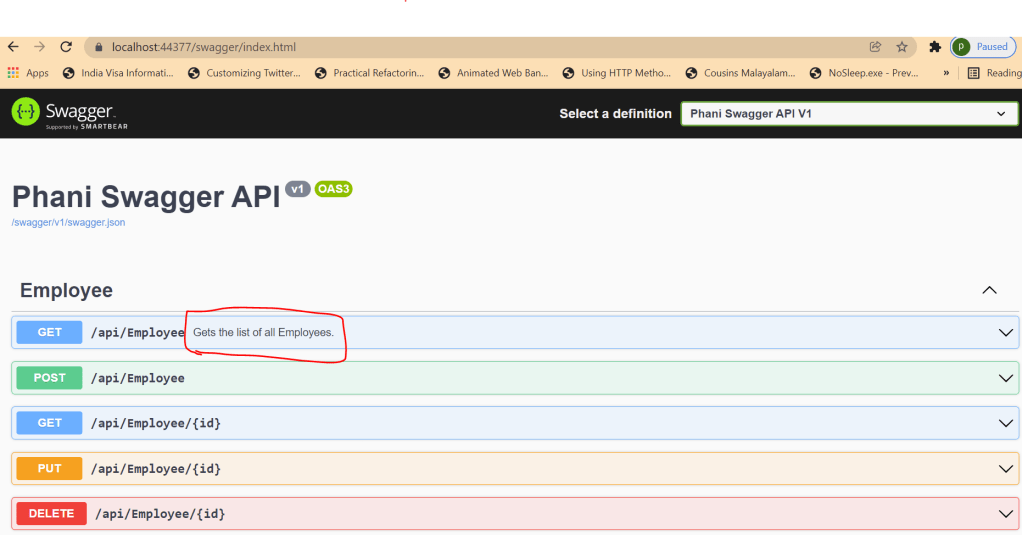
Now run the app and can see the added summary description for the endpoint

You can add more like ResponseType for the endpoints, and css changes for the swagger.

Code in my github: https://github.com/pbndru/Phani.Swagger

Asp.Net Core API with Unit Testing

We will be using XUnit for unit testing an asp.net core api

Its a simple employee CRUD api and we will be writing basic unit tests to cover the api code.

It gives better understanding about how to test an API code

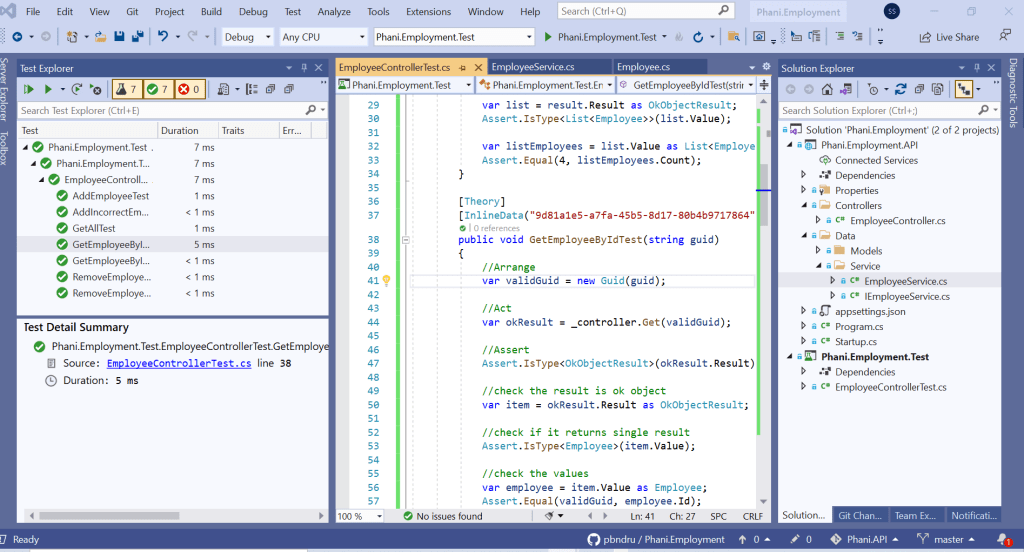
Below is the screenshot of all the test execution results

I will quickly go through the test code

EmployeeControllerTest is a test class where all the tests are done here

Here we will be testing Get all employees, Get employee by id, Adding employees, Removing employees.

Also we will be writing tests for incorrect results like get incorrect employee id and more scenarios. i added some comments which will be easy to understand.

InlineData is the one which will be using for passing as parameter to the object. We can have n number of parameters.

Act,Arrange,Assert are the test definitions about how to setup the object

We can write more tests here. Also we can use Mock, Fake and Stubs when testing network, real database. I will write a separate articl about this

A simple question people usually ask is how many tests i need to write and how can i make sure the tests cover the code?

No one can answer how many tests you need to write. It depends on the coverage result. So your code coverage needs to be atleast 80%. Usually more will be better.

Another question people usually ask is how can you know its less than 80% and i can checkin the code and complete my feature work?

After checkin the code , when the builds run at this stage it checks for code coverage. CI/CD can use tools like SonarQube to stop checkin the code before minimum coverage is achieved.

If you use TDD approach your code will be in better testable state.

Code can be found in my Github: https://github.com/pbndru/Phani.Employment