When Developers consumes API, they need to understand whats the purpose of API. so we need API documentation.
So we have Swagger tool which is a OpenAPI tool which provides the documentation needed. It helps developers to document quickly and easily.
There is a Swagger UI which is a UI representation
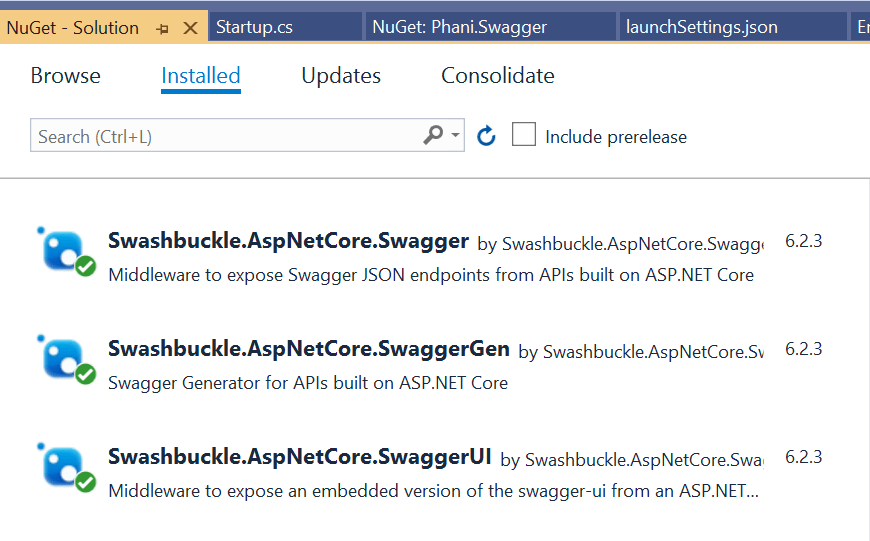
To use Swagger, we need to have the below 3 nuget packages installed
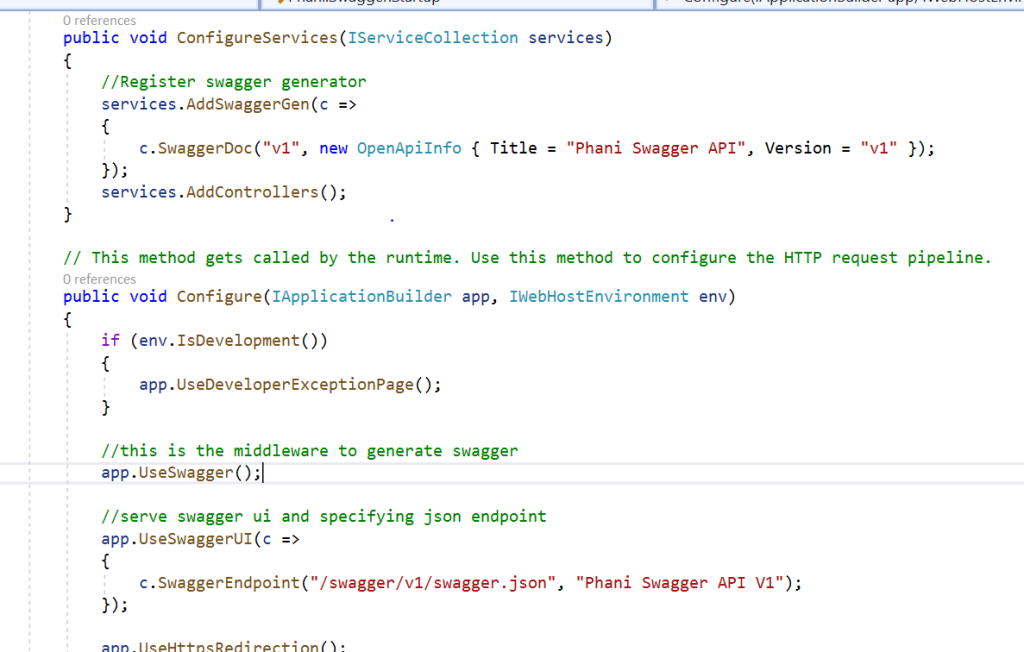
Once installed, we need to configure like below
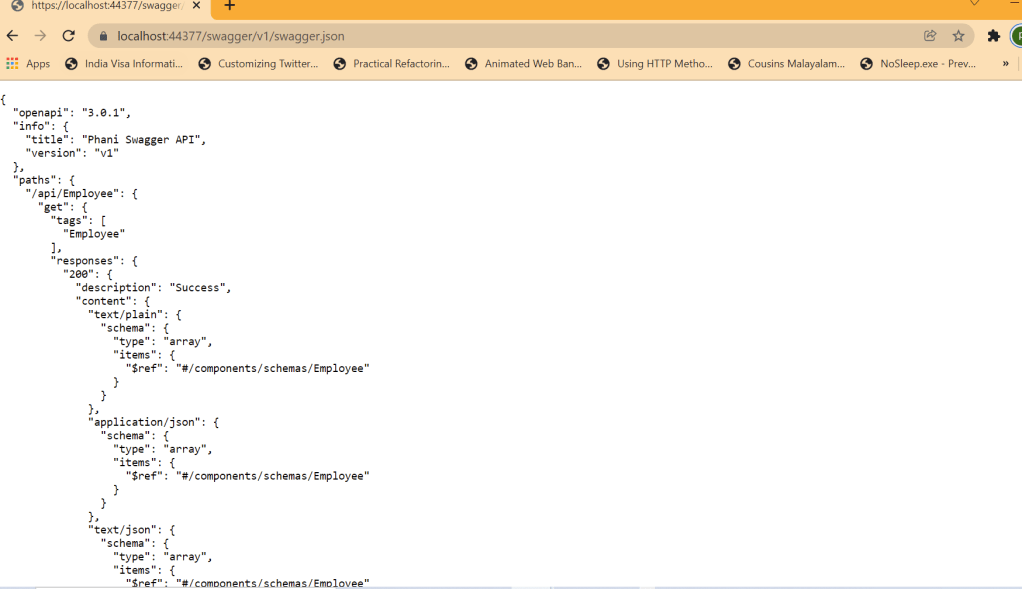
Now run the app https://localhost:44377/swagger/v1/swagger.json and can see that a document describing the endpoints is generated
Swagger UI can be run by changing url to https://localhost:44377/swagger
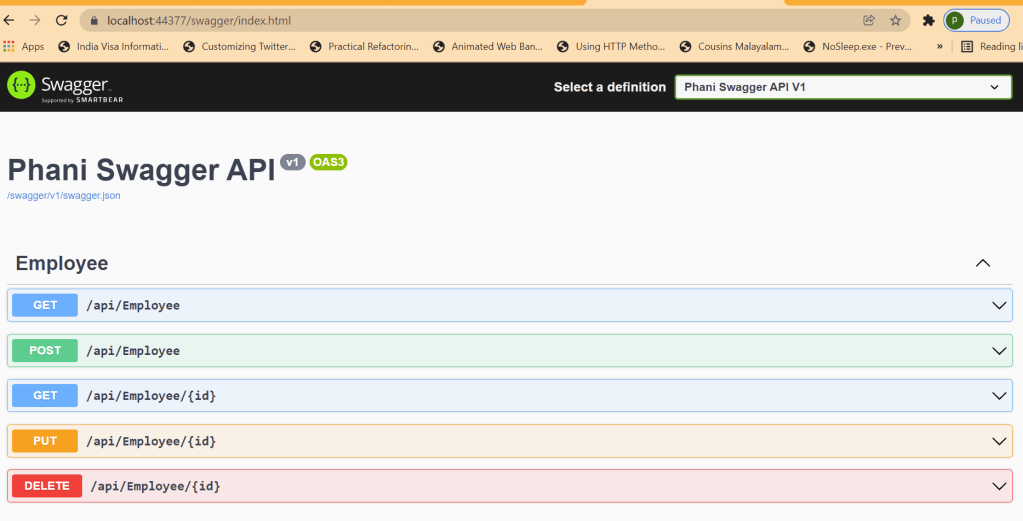
Note: the port 44377 will be different to your local
You can click Try it out and can see the results with Status codes, Request and Responses.
Now we can enable XML comments for the summary of the actions by changing the project build. Here add 1591 to supress warnings in the controller
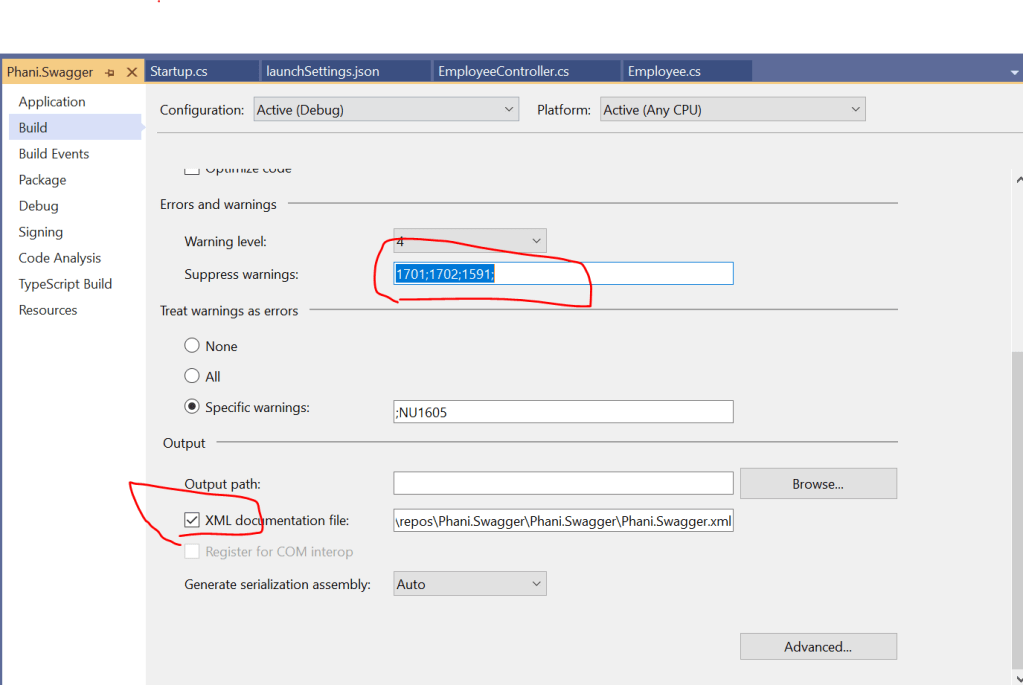
and configure xml comments in the services as:
// Set the comments path for the Swagger JSON and UI.
            var xmlFile = $"{Assembly.GetExecutingAssembly().GetName().Name}.xml";
            var xmlPath = Path.Combine(AppContext.BaseDirectory, xmlFile);
            c.IncludeXmlComments(xmlPath);
Add the summary for any controller you need
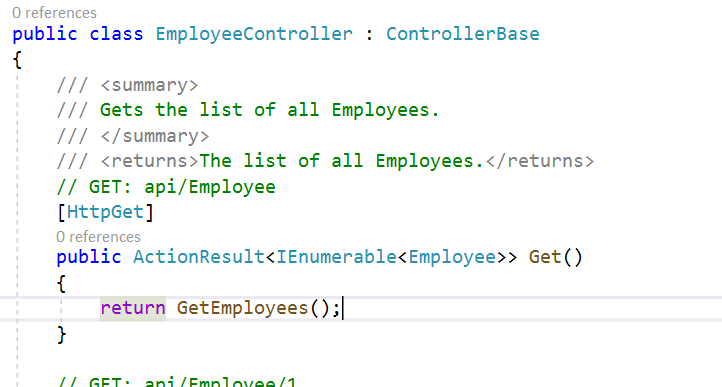
Now run the app and can see the added summary description for the endpoint
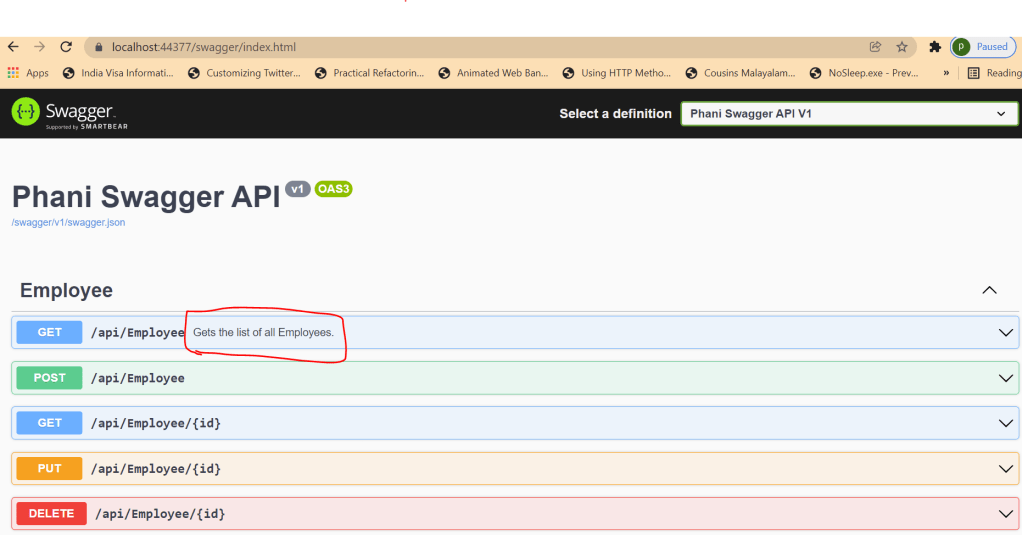
You can add more like ResponseType for the endpoints, and css changes for the swagger.
Code in my github: https://github.com/pbndru/Phani.Swagger
 Phani Bandaru