Asp.Net core hosted background service run in the background of the application.
We can do many tasks in background like updating database status to complete
We can implement it by using Hosted or Background Services
Here lets use Hosted service and see how we can run background service while app is running
IHostedService is the one which provides two methods for starting and stoping the service
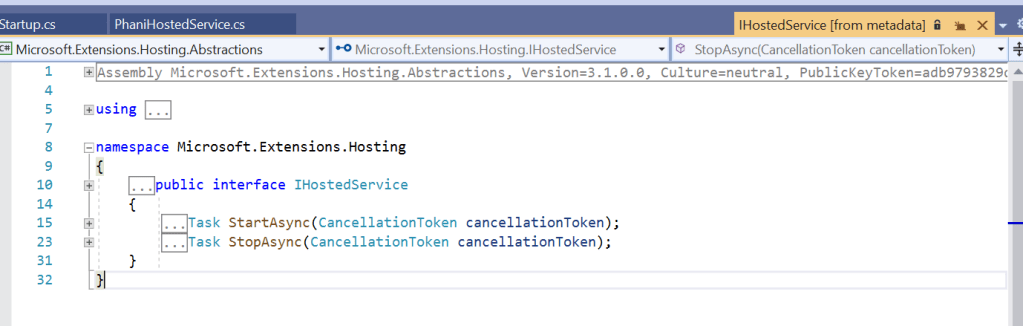
Now lets start using this service by using a simple timer in our class
Lets execute this service in background for every 5 seconds and see how it writes to the console
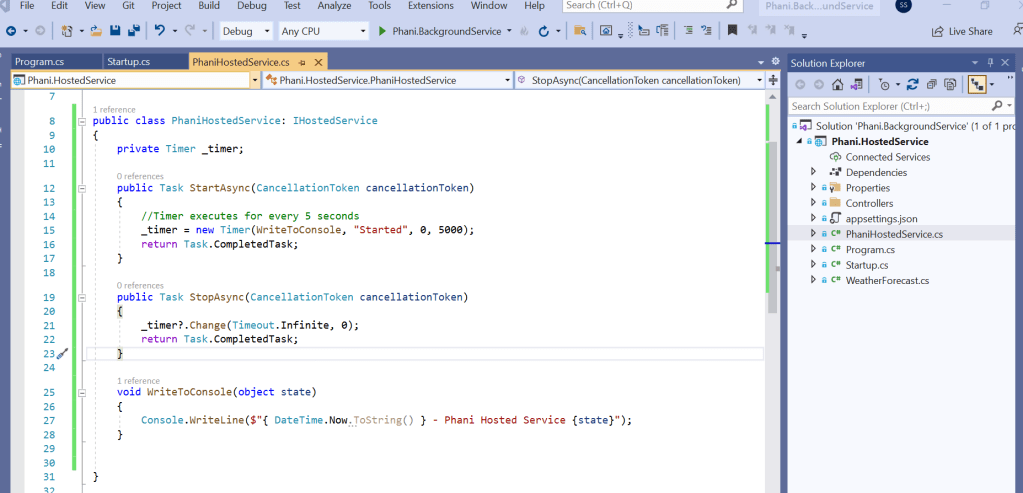
We need to add the hosted service class to the configure service section
services.AddHostedService<PhaniHostedService>();
Now change the project setting to the project name and run.
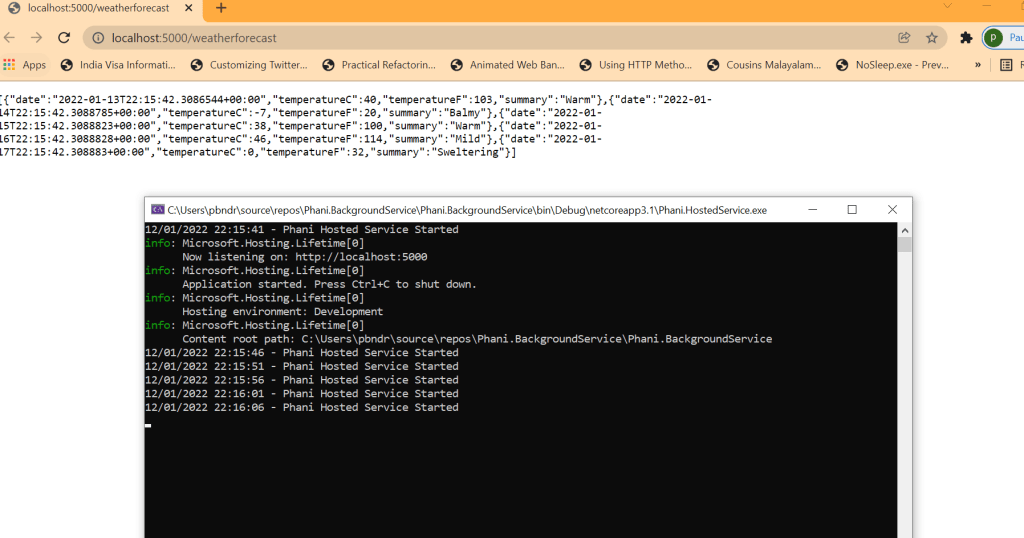
From the image you can see the app is running and also our background hosted service is running for every 5 seconds.
code in my github: https://github.com/pbndru/Phani.HostedService
 Phani Bandaru