Docker is like a build container which will create/deploy/run applications
we can build all dependencies of an application into a package and ship as a docker image.
Once we have the image then we can run a container in any machine which runs docker. so we dont need to worry about other machine configurations. Like in our companies we have different environments like DEV/TEST/INT/QA environments.
Create an Asp.Net Core application and create a dockerfile in it with no extension. I installed Docker Desktop in my machine and run it
My DockerFile is configured as below:
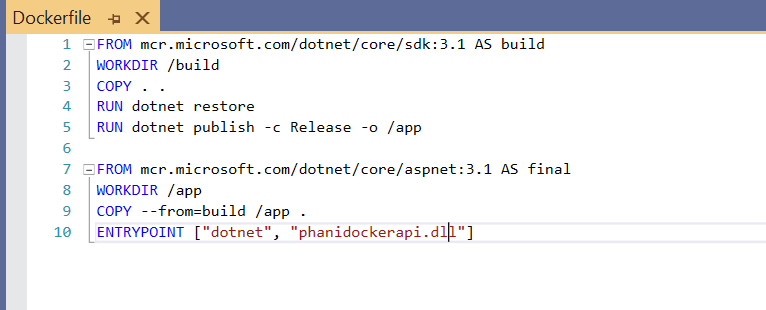
you can read from docker hub for more info about how to use these tags
Now, we have our app and a dockerfile where we can build and package our code. Now lets create a docker image
Use docker build. -t phanidockerapidemo as below
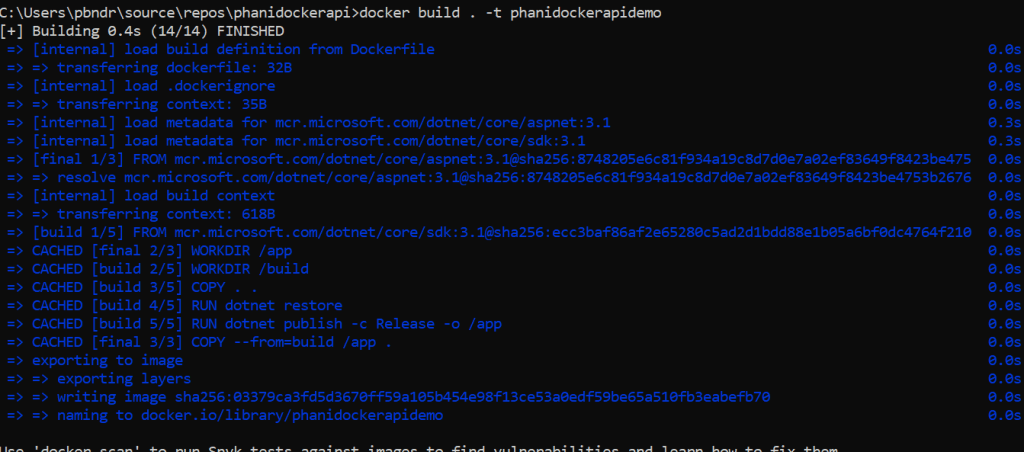
-t tag is optional . it add a tag to our image
Now check the image created using docker images

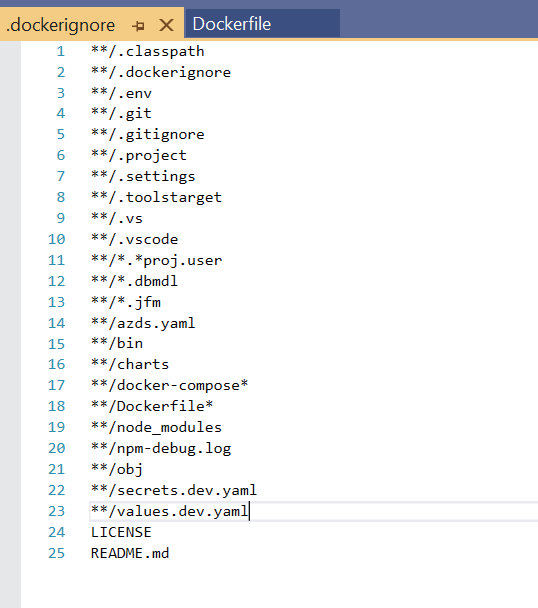
Here, you can see phanidockerapidemo image is created with size 208MB. we need to look at size for the load. use dockerignore to ignore files like bin,obj and more
Now we are ready to run our app, use the command
docker run -e message=”phani docker demo” -p 8080:80 phanidockerdemo
‘e’ tag is to add an environment variable into our running container. Message is optional
‘-p’ tag is for mapping from my host port to container port. Here 8080 is my host listener.
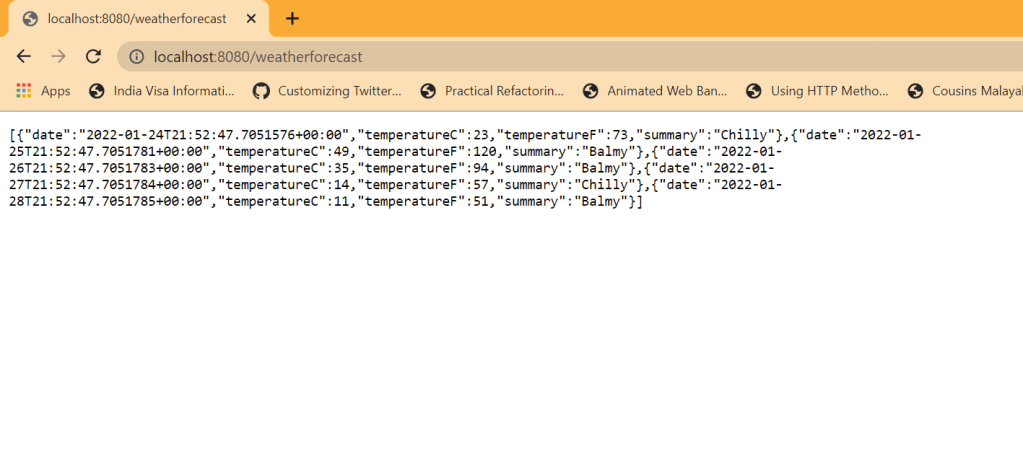
Now just browse our app. you will see our app will be running without running VS
You can do more like push your docker image to docker hub, tag it and share the image.
Code from my Github: https://github.com/pbndru/phanidockerapi
 Phani Bandaru