Terraform

Terraform is to automate infrastructure process

I am using VSCode to write terraform code

once you created the terraform files,

inititalise the code

run terraform init – which will create working directory and install all plugins and modules

run terraform plan – will preivew changes before applying them

run terraform apply – which will apply all the changes

Now you will see in console

+ shows creating respource 

– deleting resouce 

~ modifying resouce 

now run terraform apply it says refreshing 

i will show codebase .

a provider needs to be created which can be aws or azure

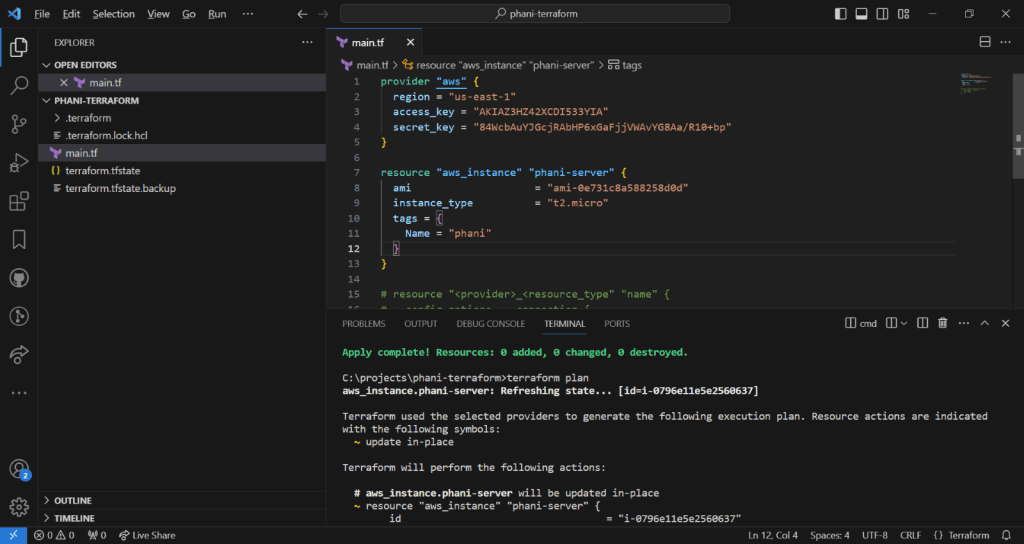
i want to create aws instance and modify that instance by adding tag

tags = {
  Name = "phani"
}

Now run terraform apply, you can see update in place with tild symbol
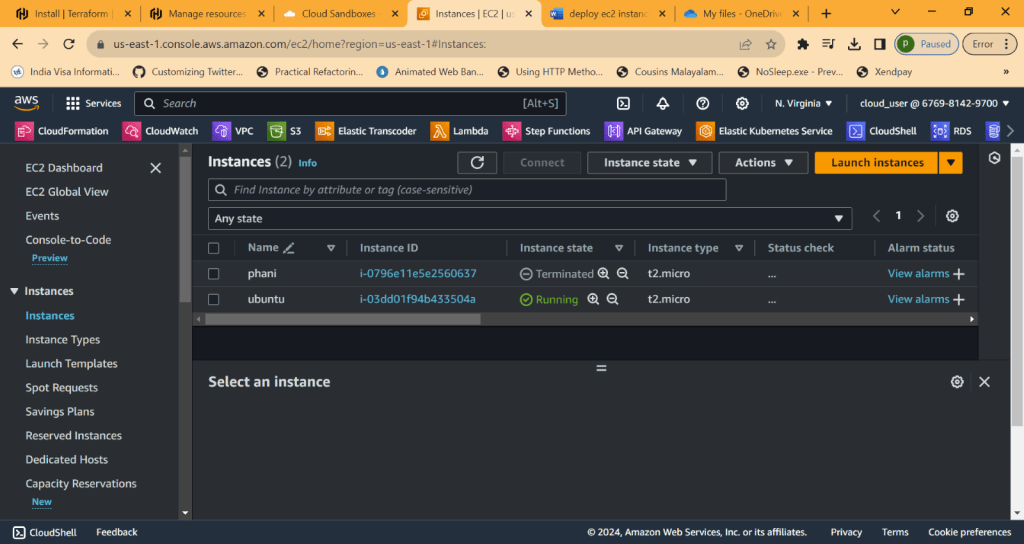
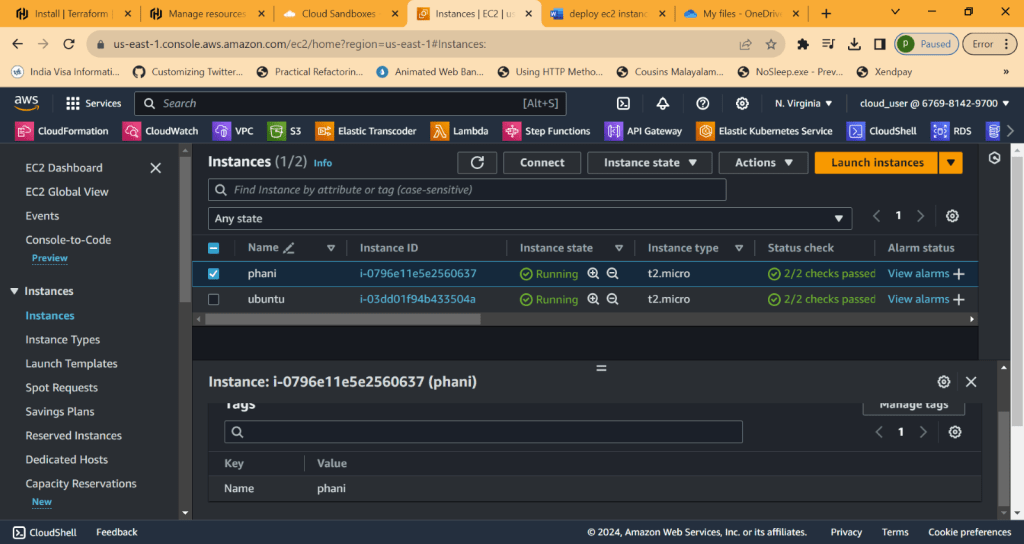
Now go to AWS and check it
Now lets desroy,  phani-server resouce is going to destroy 

Terraform destroy
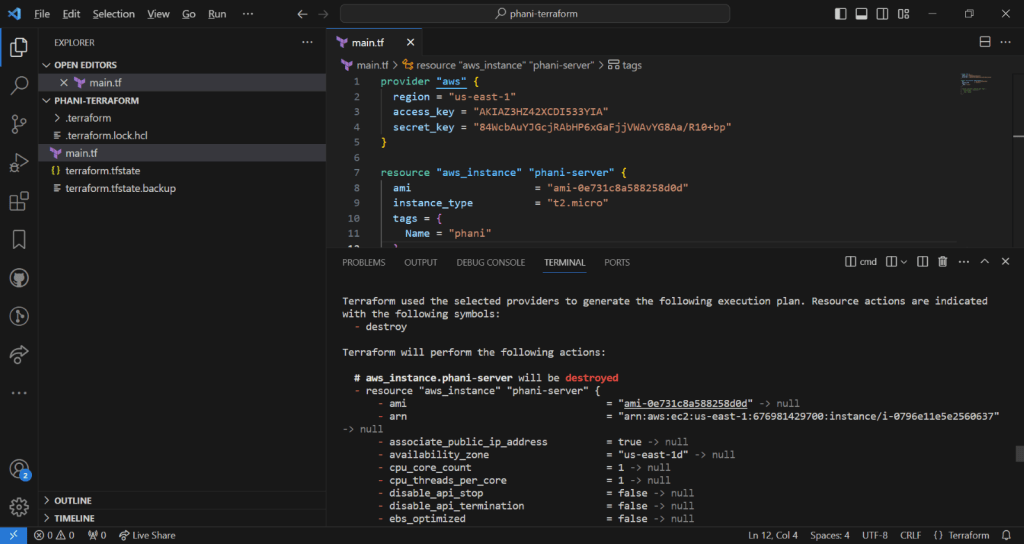
Now its terminated 

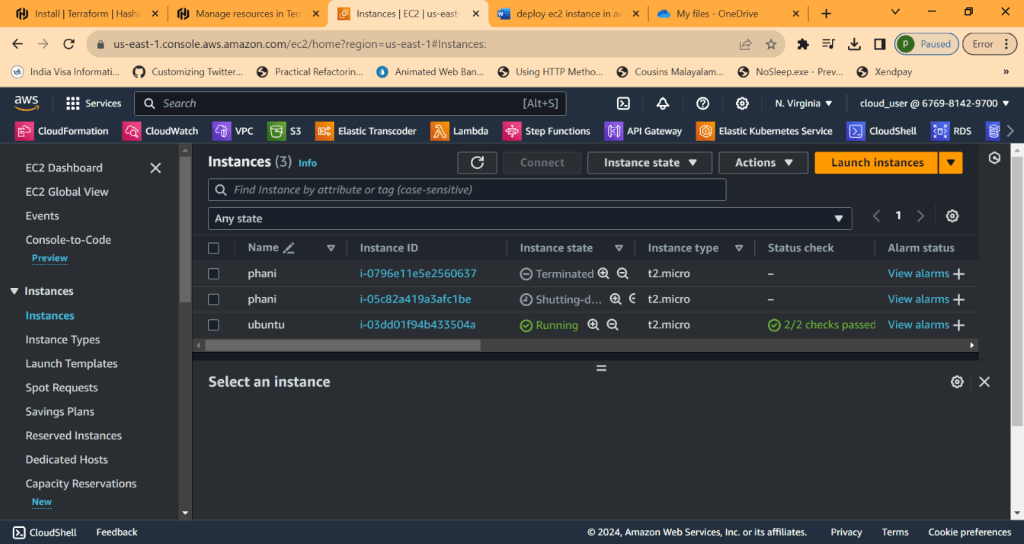
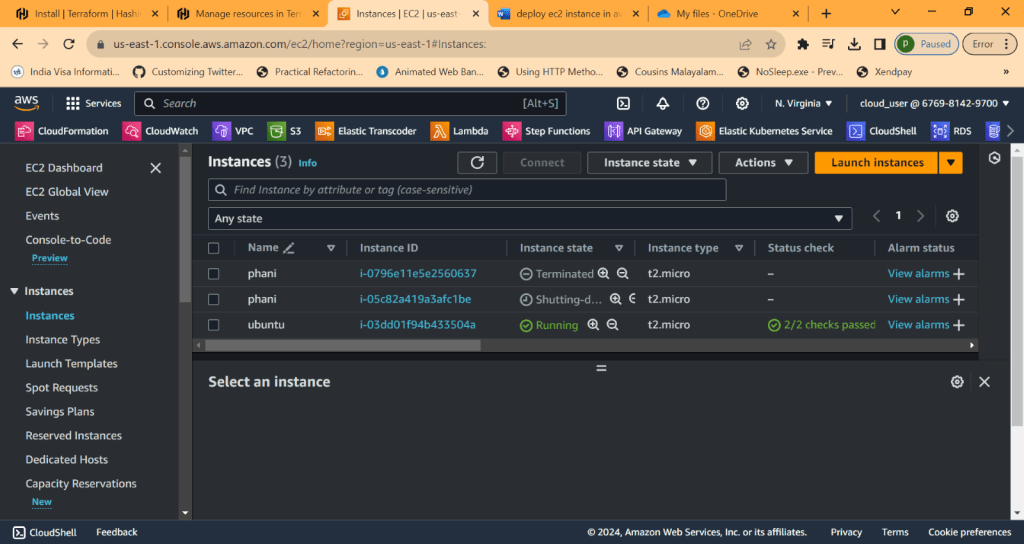
Now terraform apply again, which will deploy resource . created new one which shows as running. old one will be terminated

Now if you comment code in resource, terraform is intelligent enough to understand there are no rsources 

It will destroy
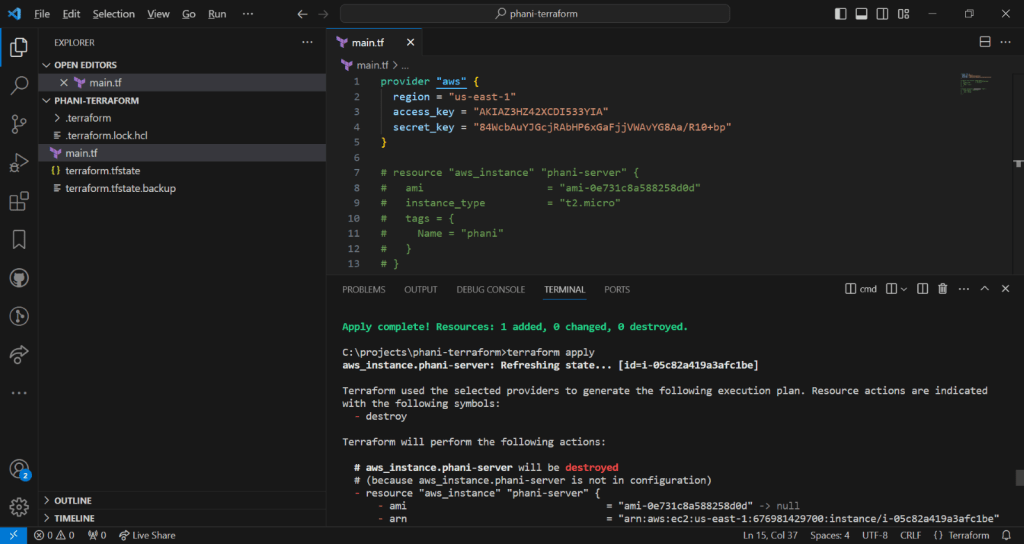
Unitl now we done deploying aws instances

Lets see other resources 

Now lets create subnet in vpc 

To quickly check it, 

Type terraform aws subnet in google

for subnet, we need to get vpc id. Terrform is intelligent to get it when typing

  vpc_id     = aws_vpc.phani_vpc.id 

Now run terraform apply and see all changes applied 
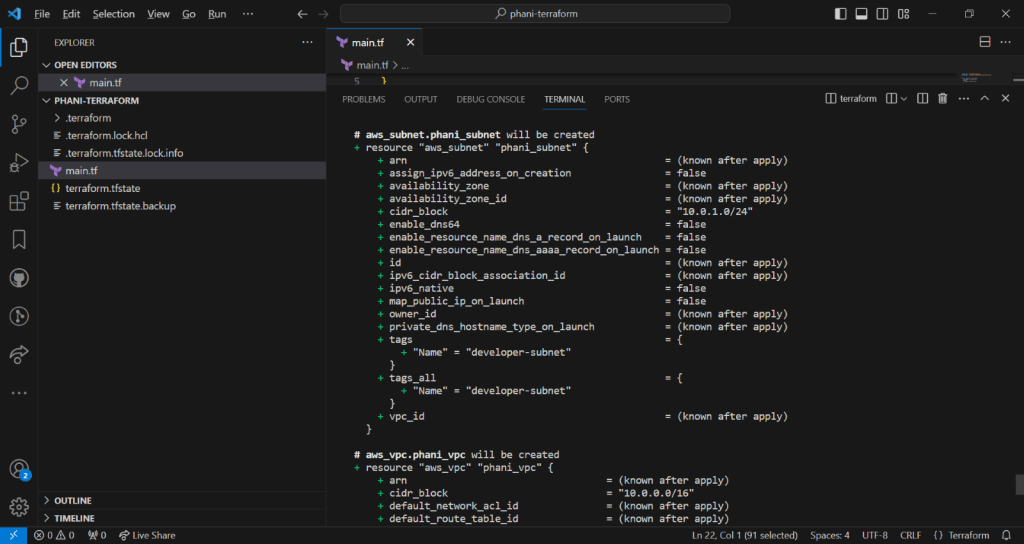
Now you can see aws subnet and aws vpc created
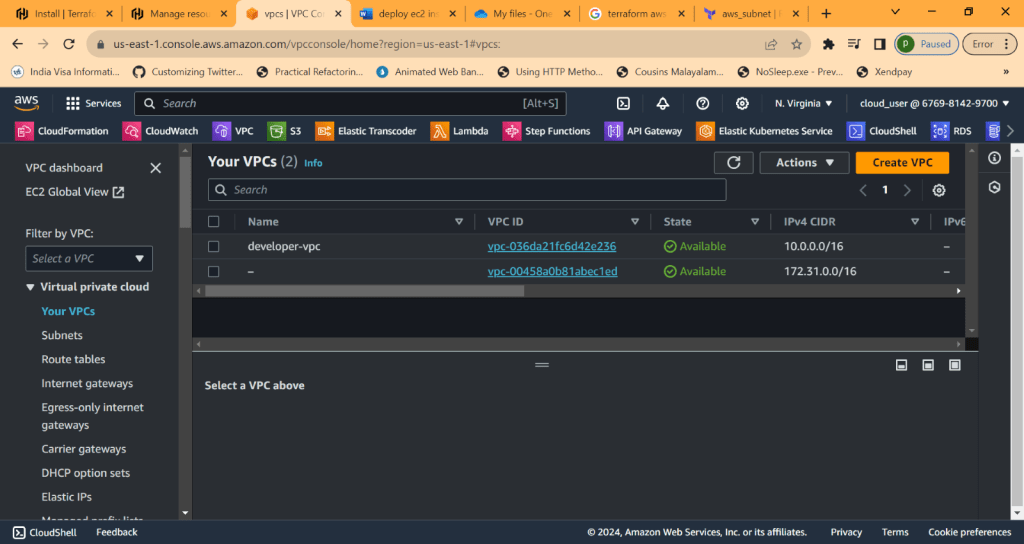
we can see cider block
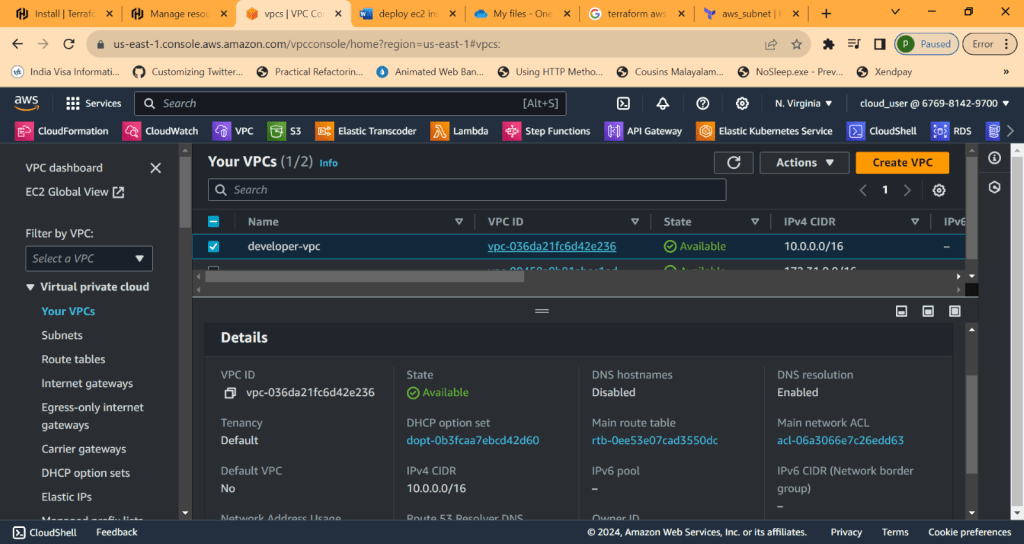
Now lets go to subnet

There are default subnets created 

Lets see one created and you can seee vpc this subnet resides in 

And cider block 10.0.1.0/24

Also the order doesnt matter in code, you can create resource subnet first and then vpc. Terraform doesnt care about that 

Form console you can see code is writtern as subnet first and vpc later , 

In console, terraform creats vpc first and subnet later 

Note: after terrfaorm apply, we dont need to do yes all tht time. To overcome that just use 

terraform apply –auto-approve

Now lets do small project. please check the code

1. Create VPC

    2. Create Internet Gateway

    3. Create route table

    4. Create subnet

    5. Associate subnet with Route table

    6. Create security group to allow port 22, 80, 443

    7. create a network interface with an ip in the subnet that was created in step 4

    8. Assign an elastic IP to the network interface crated in step 7

    9. Cretae ubuntu server and install/enable apache2

    Code can be found in my github

    https://github.com/pbndru/Phani-Terraform/blob/main/main.tf

    Before running the code, you need to set 2 things access_key and secret_key where you can find them in your AWS account security credentials. create new access key from here. save the keys somewhere. Later it will be difficult to get it
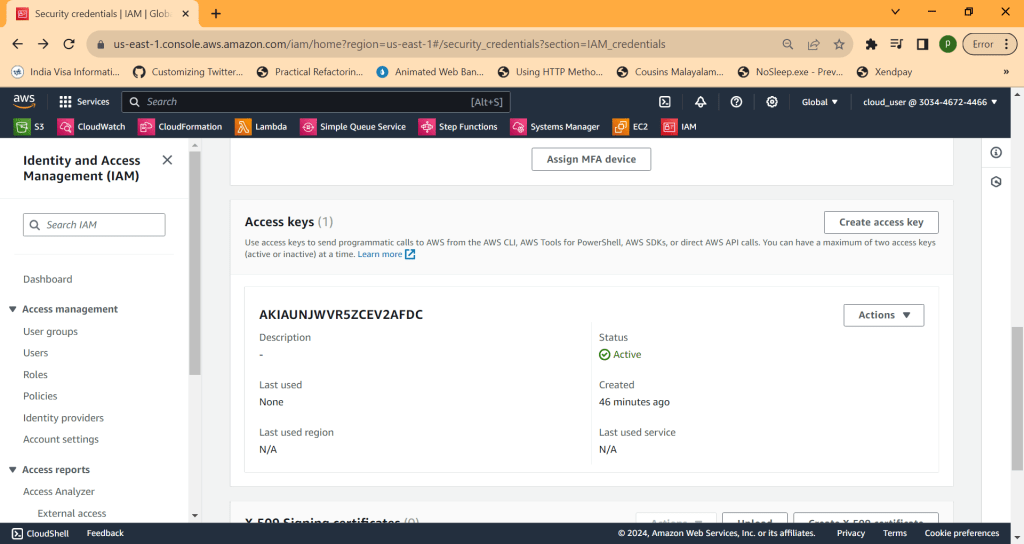
    provider "aws" {
    region = "us-east-1"
    access_key = "" //set these values
    secret_key = ""
    }

    And you need to create key pair. go to EC2 Instances and go to key pair and create one. here i created main-key for webserver instance. it will be created with pem file. we need this file later

    key_name = "main-key"

    Now run terraform apply, it will create all resources in aws

    Now lets use putty and putty gen. please download these. we need these for connections to webserver with different protocols

    open putty gen
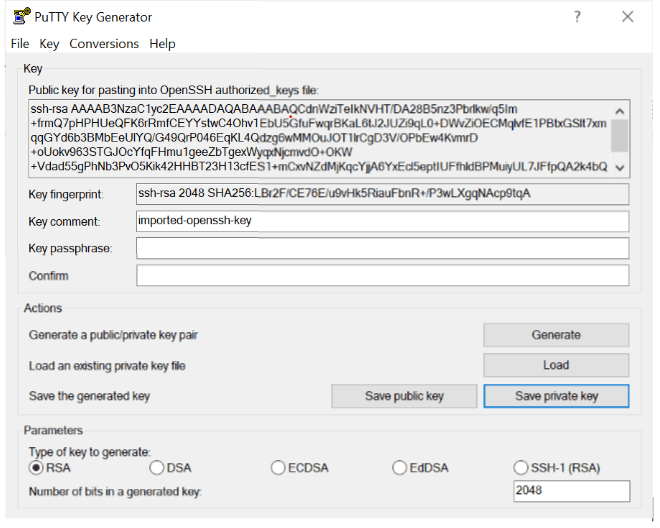
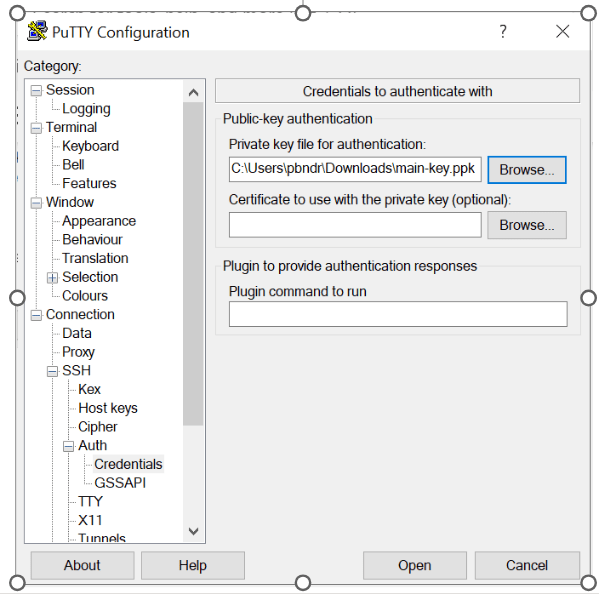
    Load the main-key.pem file created before and save private key to pkf file format 

    Now open putty 

    We need pem files for mac and ppk files for windows 

    Open putty and add host as ubuntu@ipaddress 
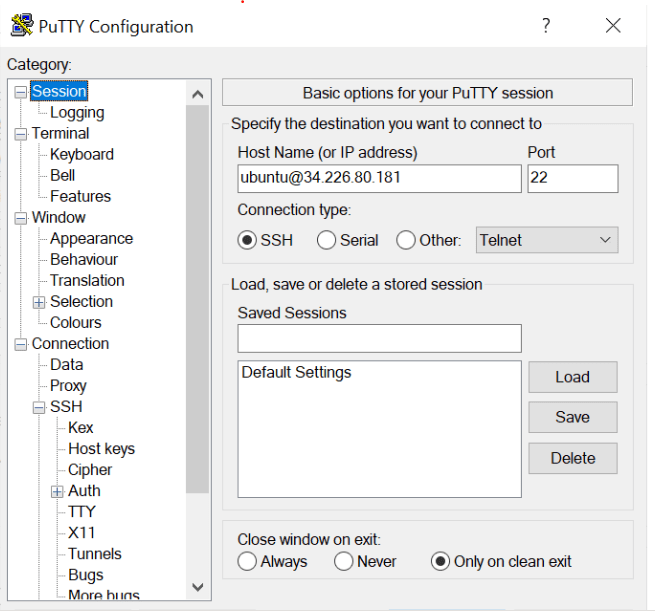
    Now load the ppk file. Now you will be connected to device 

    FOR MAC

    For MAc 

    We need to use  

    Chmod 400 main-key.pem 

    And then 

    Ssh –i main-key.pem ubuntu@34.226.80.181 

    Now you will be connected to device 

    TERRAFORM STATE COMMANDS

    If you want to see all resouces in command line quickly 

    RUN Terraform state list 

    Now you wll see all resources 
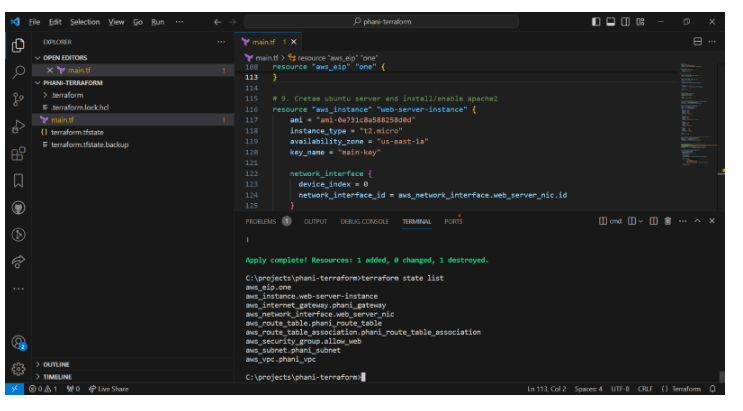
    to look into parituclar resource like aws_eip

    >terraform state show aws_eip.one
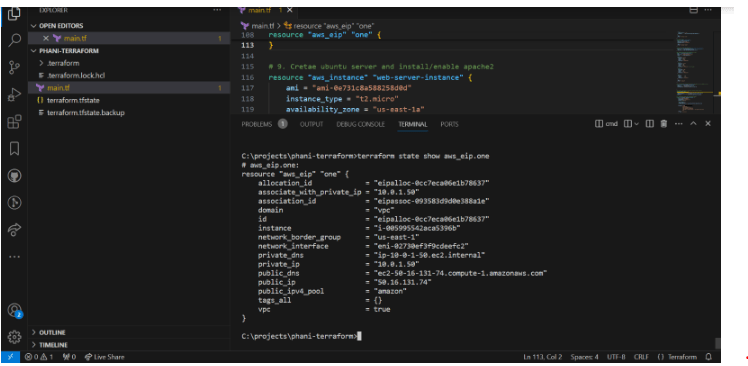
    We can see actual details like id , id instance, network interfae , ppublic ip and more

    TERRAFROM OUTPUT

    Everytime seeing state list and showing is bit typing 

    What about terraform do it when using terraform apply 

    We can use output and value to do what you want
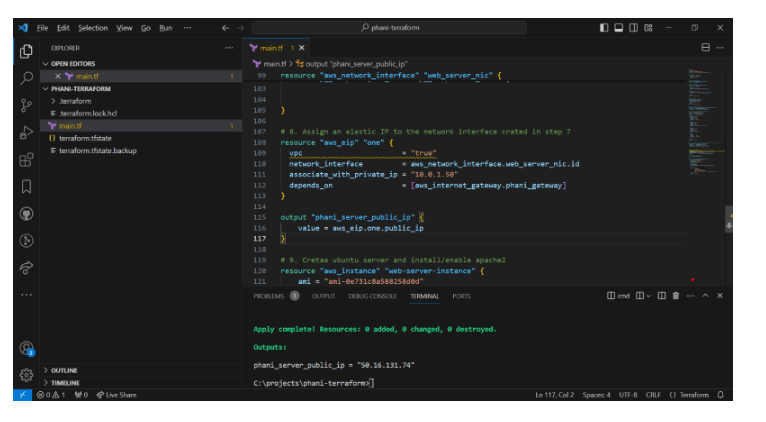
    Here you can see , i created output which is like a log showing for 

    output "phani_server_public_ip" {
    value = aws_eip.one.public_ip
    }

    Output result as 

    phani_server_public_ip = "50.16.131.74" 

    You can also use terraform output to output all values for those resouces

    Now we dont want to accidently delete or deploy 

    We can use terraform reresh whichrefresh the state

    To delete paritcular resource we can use  –

    terraform destroy -target aws_instance.web-server-instance 
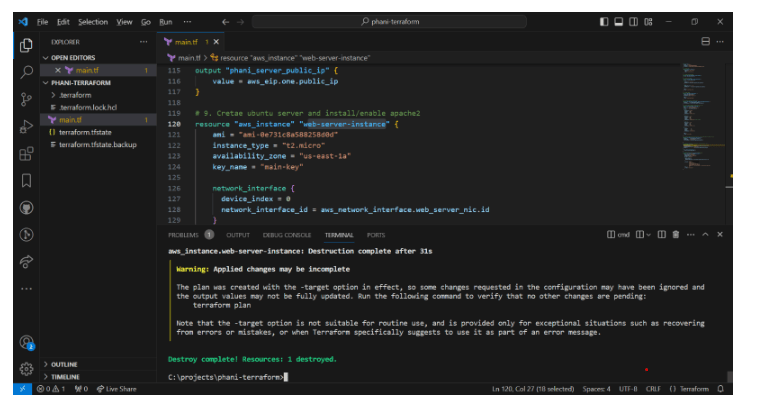
    To create it back use 

    terraform apply -target aws_instance.web-server-instance  
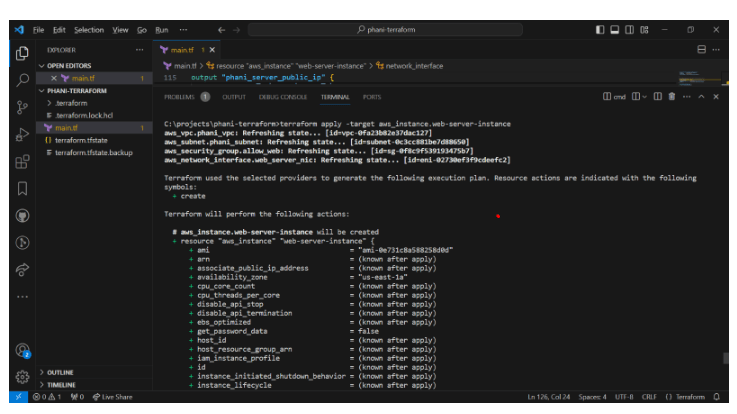
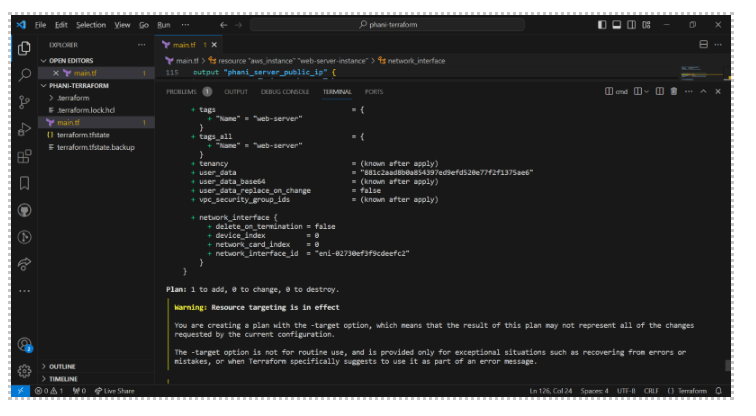
    Now you can see only 1 plan created 
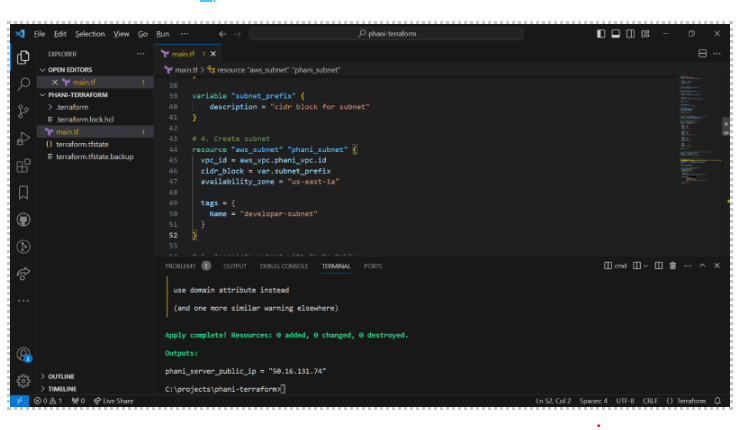
    VARIBLES

    Here i creaed subnet_prefix variable and used in subnet 
    i created a file for variables trraform.tfvars where we use the variables

    subnet_prefix = ["10.0.1.0/24"]

    hope you enjoyed the article.

    Code in my github https://github.com/pbndru/Phani-Terraform/tree/main
    Strategy Design Pattern

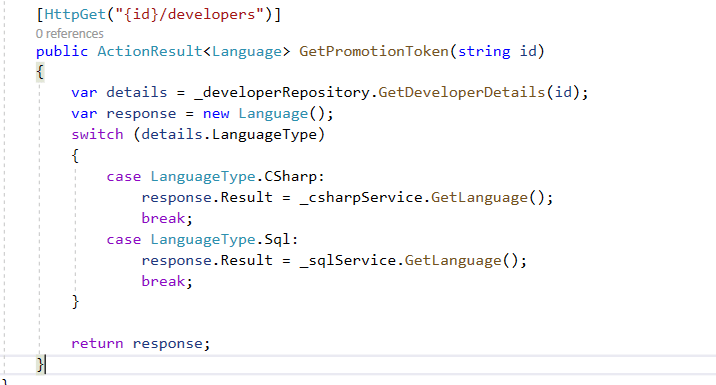
    Before showing how this pattern works, please look at the code which has issues

    https://github.com/pbndru/Phani.ToRefactor

    Here in this code you can clearly see there is a tight coupling between services and the controller class

    When adding a new service language or removing one required changing SWITCH statements in the controller

    Also we need to change the unit tests

    Now this code can be changed using Strategy pattern

    Code for Stragey Pattern: https://github.com/pbndru/Phani.StrategyPattern

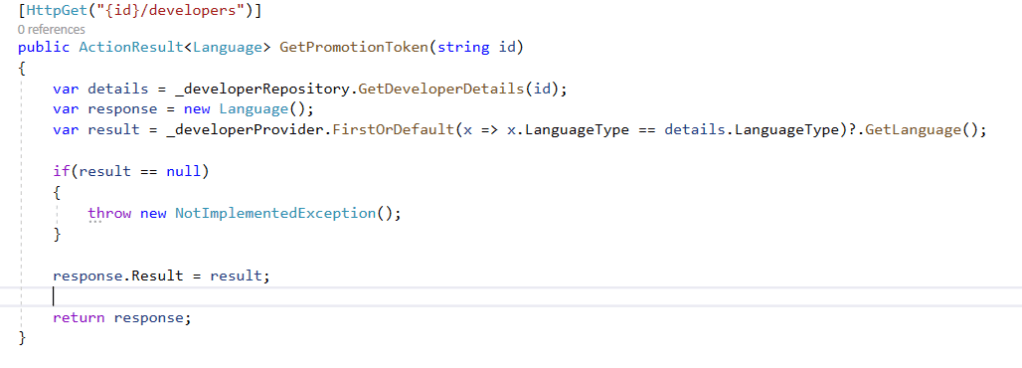
    In this code, you can see there is no tight coupling between developer provider classes and controller.

    Also when adding or removing provider, i dont need to change anything in this controller code

    Changing unit tests will be easy as we dont need to mock providers

    When adding new provider, we just need to add new LanguateType enum and

    add new provider . Asusual we need to registe the provider using Dependcy Injection

    .Net Core Api Cancellation token

    On API call, we usually get data from database or through Http request. Here in our API call, we get custom list of records and we add to console and check the results

    when we run through postman, we can get those results and the console output results

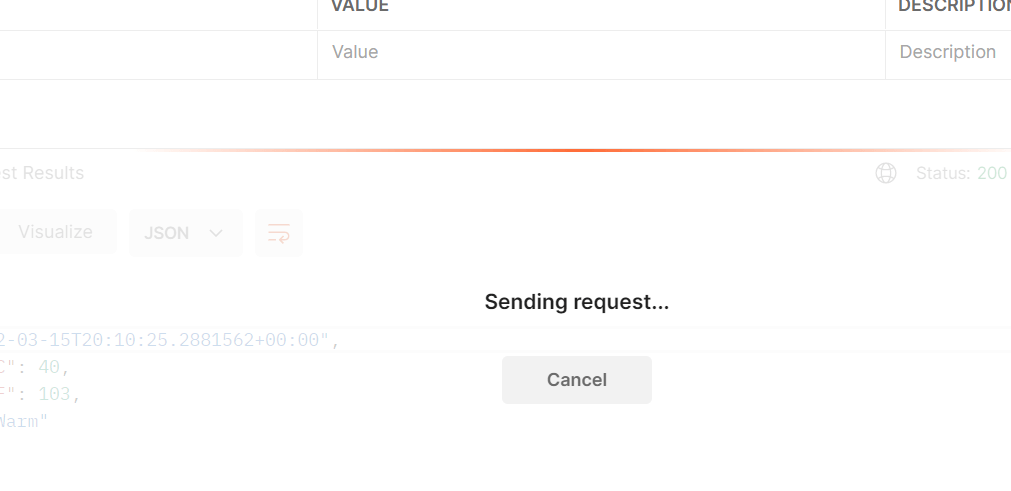
    Now , lets cancel the request in postman and check the output results

    Now i cancelled the request but still the results are returned

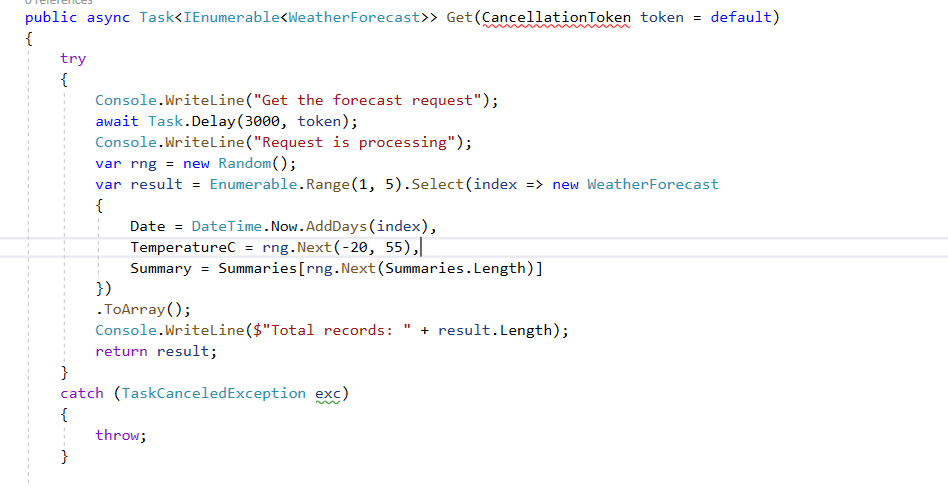
    To save the resources returning the results we can use cancellation token.

    Now when we cancel a request, it will throw TaskCancelledException

    By using this we are saving resources and thread pools and saving time by not running the task

    Code in my Github: https://github.com/pbndru/Phani.CancellationToken

    Nodejs Rest Api

    Lets build simple nodejs app with CRUD database operations

    I will be using MongoDB for DB

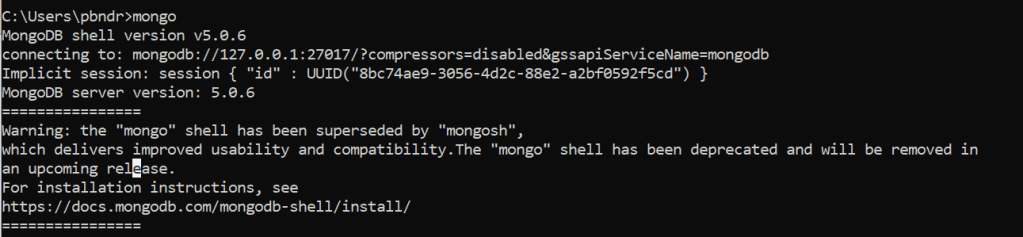
    Please install mongodb and check the server is runing by running mongo demon and mongo server:

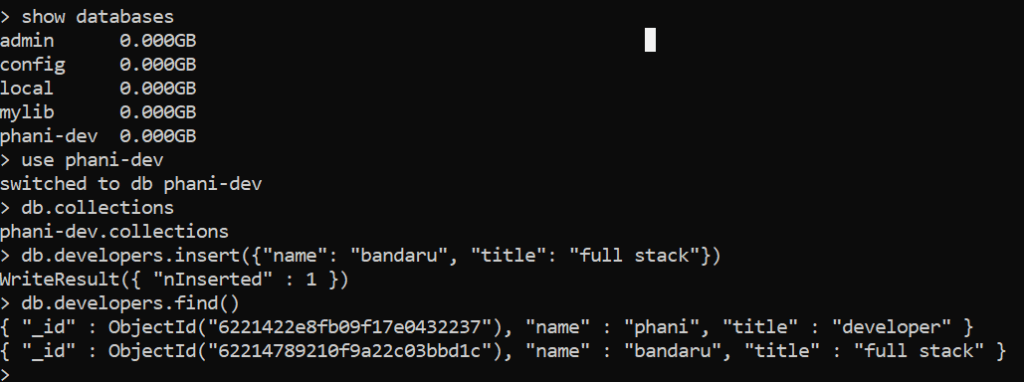
    Now, lets create a database and a table

    I created phani-dev database and developers table and inserted rows.

    use above commands to insert

    Install the below npm packages

    express, morgan, helmet, monk, body-parser, eslint, nodemon, dotenv, joi

    express is a nodejs framework

    morgan is a middleware logger

    helmet is for HTTP header security

    monk: Its a tiny layer which provides improvements for MongoDb usage

    nodemon: Automatic restarting of our application when any file changes

    joi: its a validator

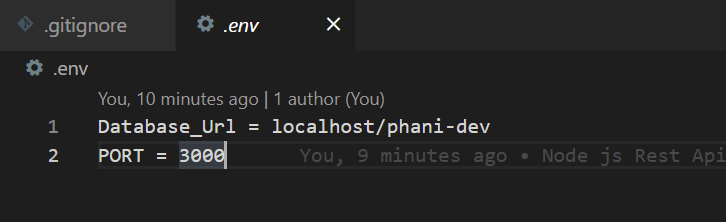
    Create an env variable file for our database

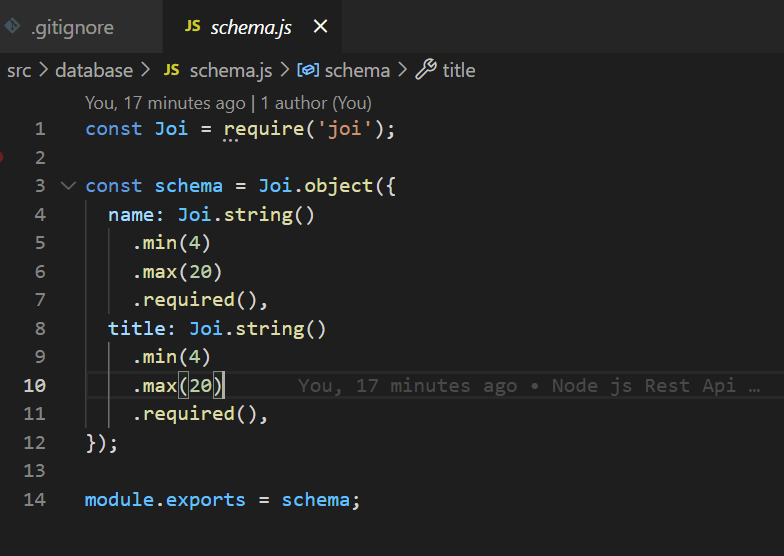
    Create a schema for our database

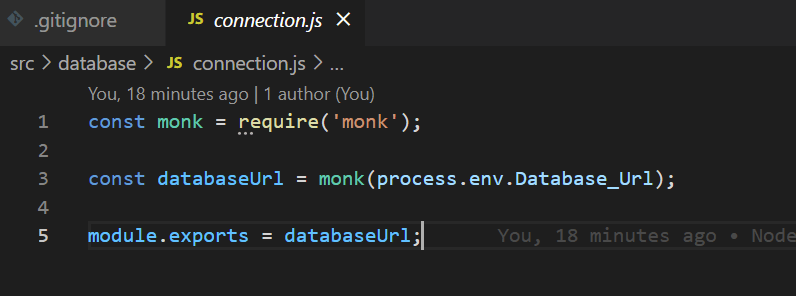
    Create a database connection

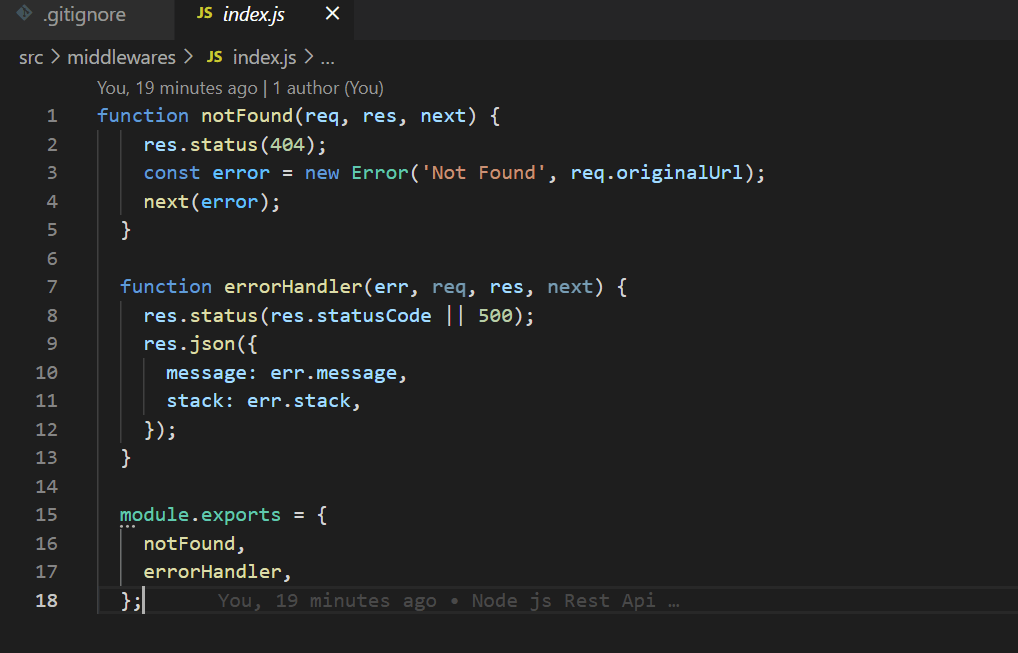
    Create middleware for handling errors

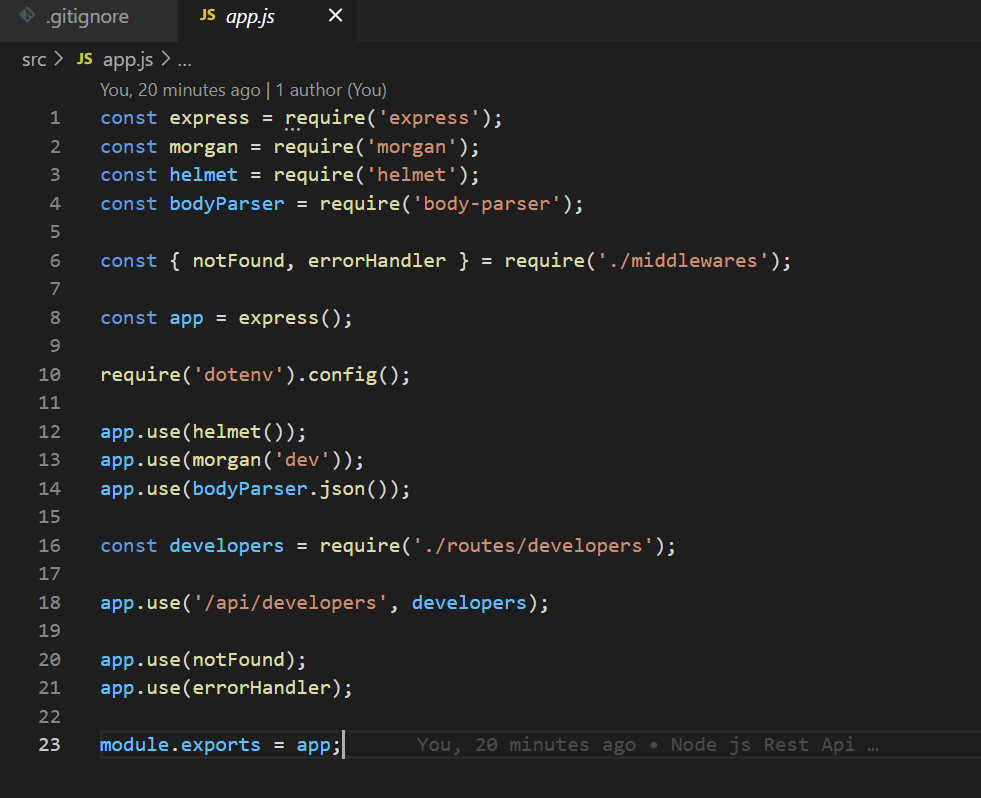
    Now in our main app lets use all the packages mentioned above and add a developer route
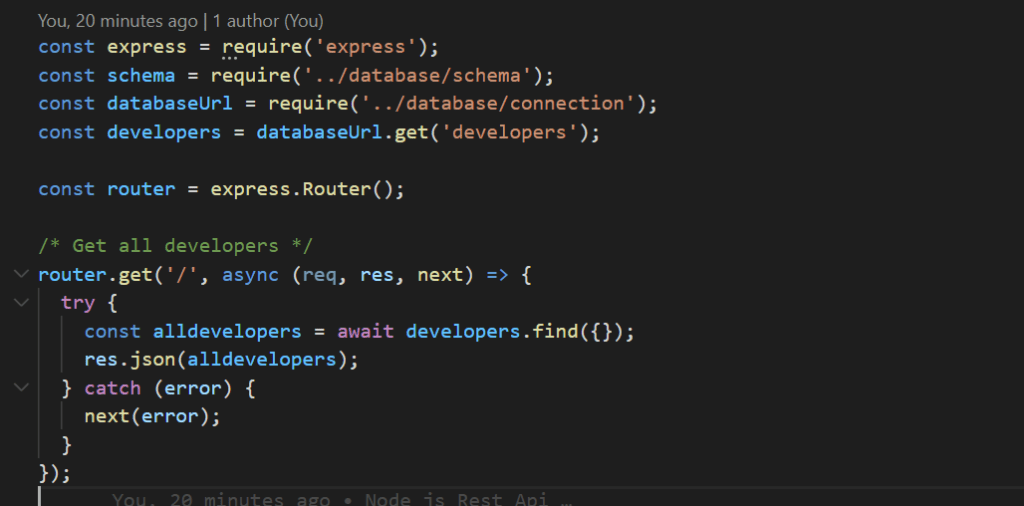
    Now, lets create a developer route with CRUD operations

    I created for all types of requests here

    api/developers – GET – return all developers

    api/developers/id – GET – return specific developer details

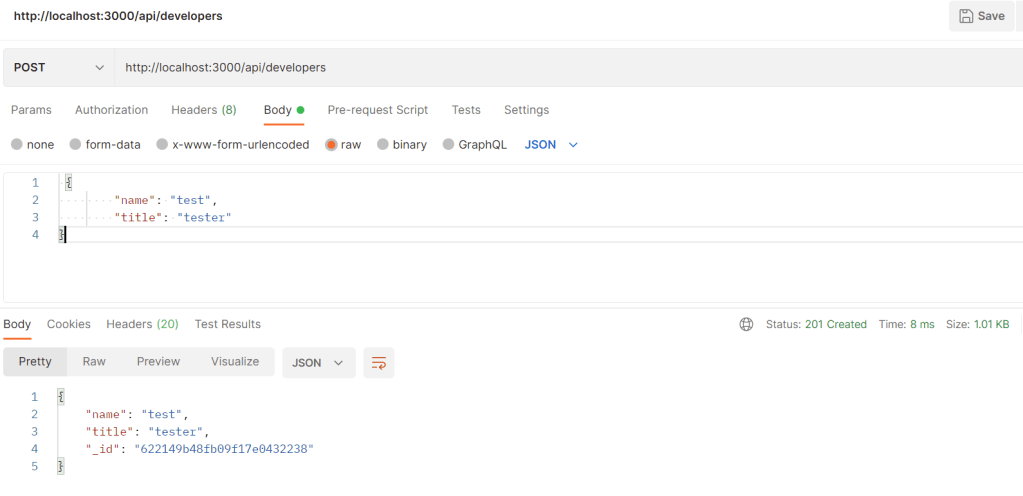
    api/developers – POST – add a new developer

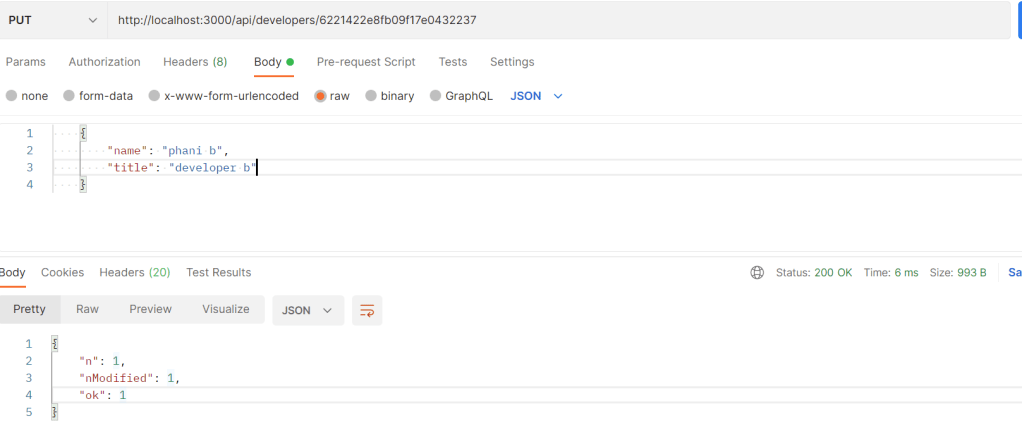
    api/developers/id – PUT – update details for an existing developer

    api/developers/id – DELETE – delete developer

    Now, we are ready to run our application

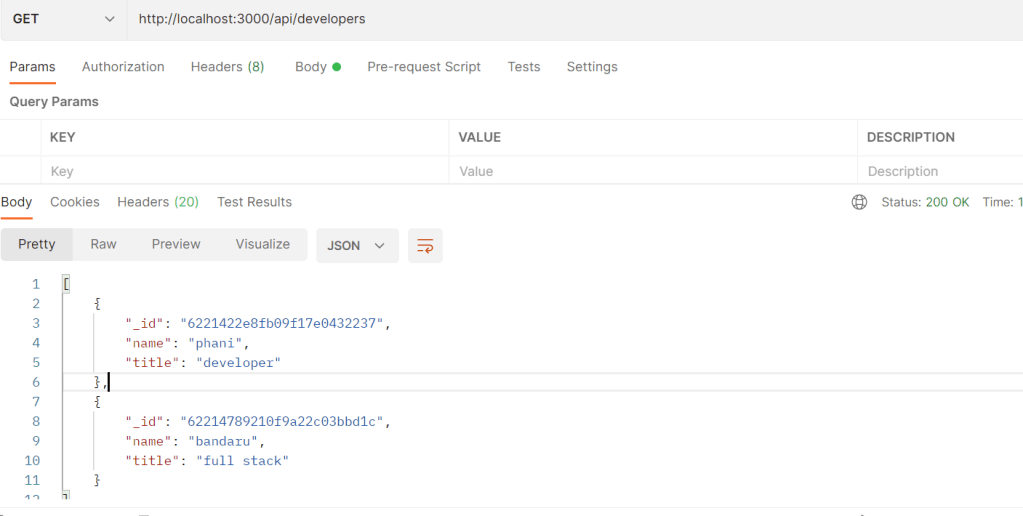
    Get all developers by running: http://localhost/3000/api/developers

    Note: port is not specific

    You can see statuscode with success response

    Lets add a developer

    Lets update an existing developer

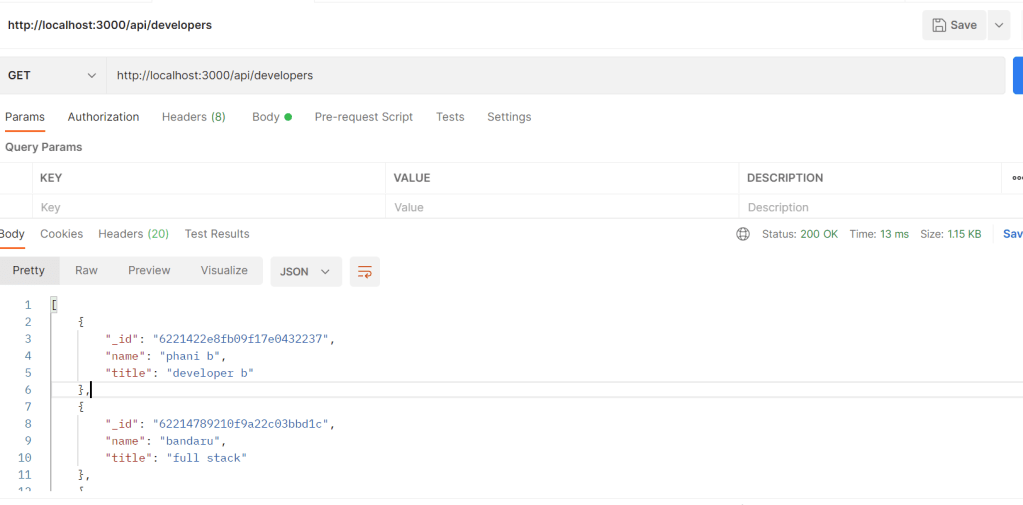
    Now lets see the updated results

    I updated by adding “p” to the end

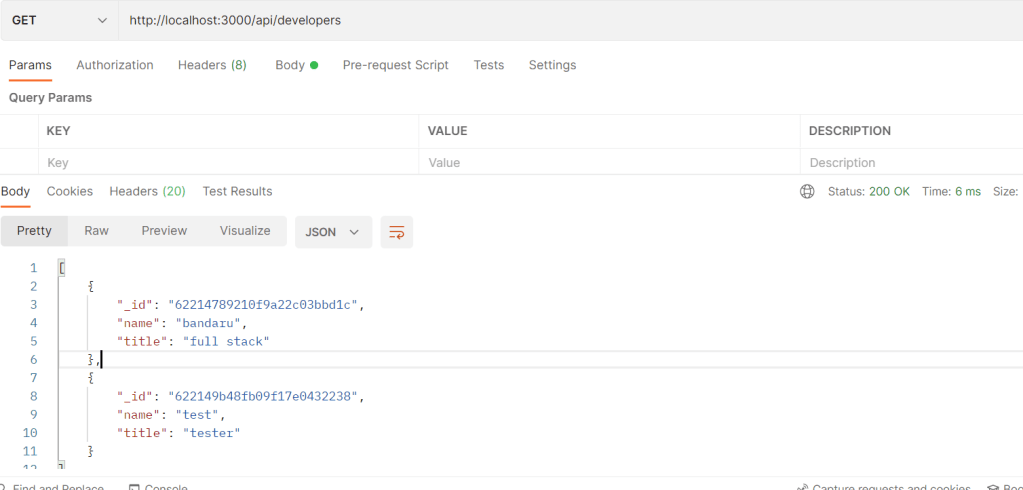
    Lets DELETE a record

    Now run and see the results. we will see phani b developer deleted

    Thats it. hope you enjoyed the article

    Code in my Github: https://github.com/pbndru/phani-express-api

    Understanding Yield returns

    I have seen people get confused when using yield

    I will give a simple example

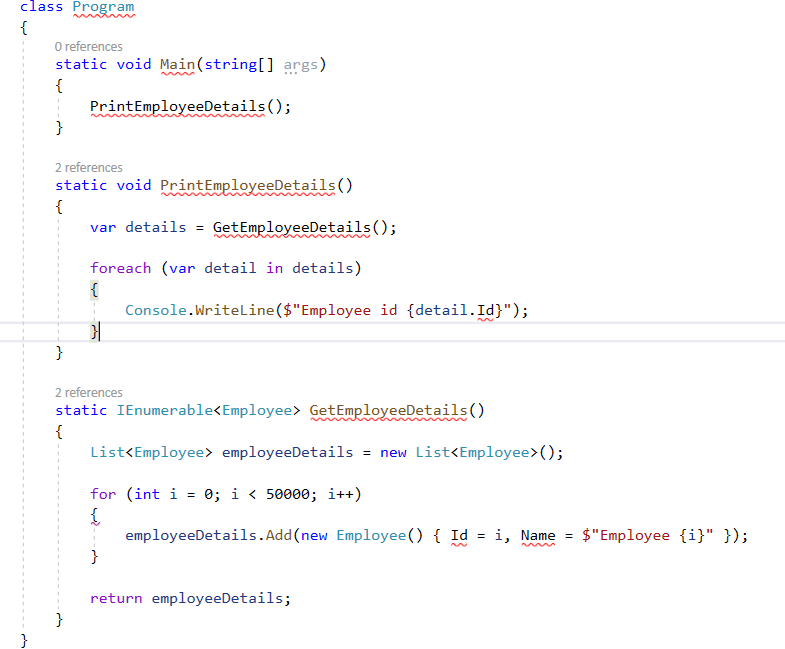
    In our app, we are getting list of 50,000 employee details and printing them

    Usually without yield, the code looks like

    Here, we are getting list of 50,000 records which we can assume they are getting from api or from db.

    Looping through the details and printing them

    If we have lots of records, and iterating them will be a heavy process and affects memory usage and performance

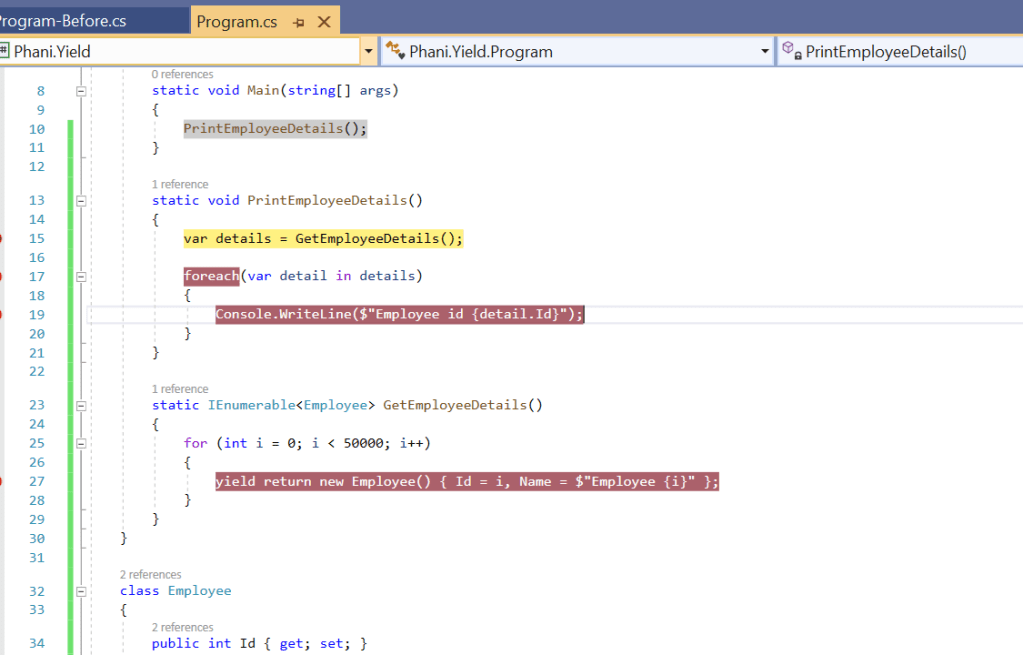
    One of the simple way is to use yield return to handle these type of situtations

    The only change we do is remove list of details to return and just return only single yield return in for loop

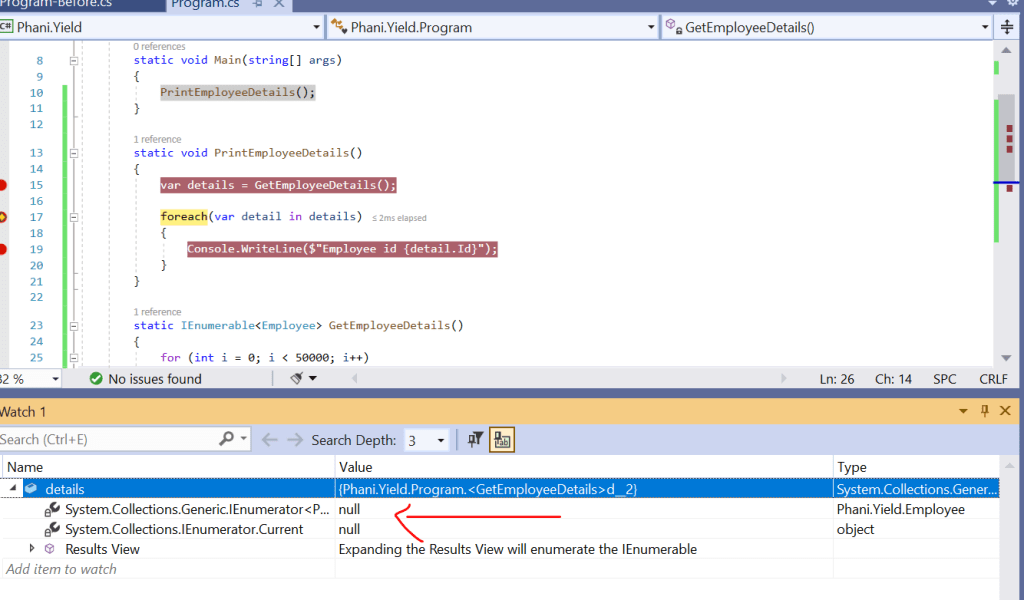
    Lets debug and see the results

    Here in watch window, you can see the details is empty. which doesnt have 50,000 records.

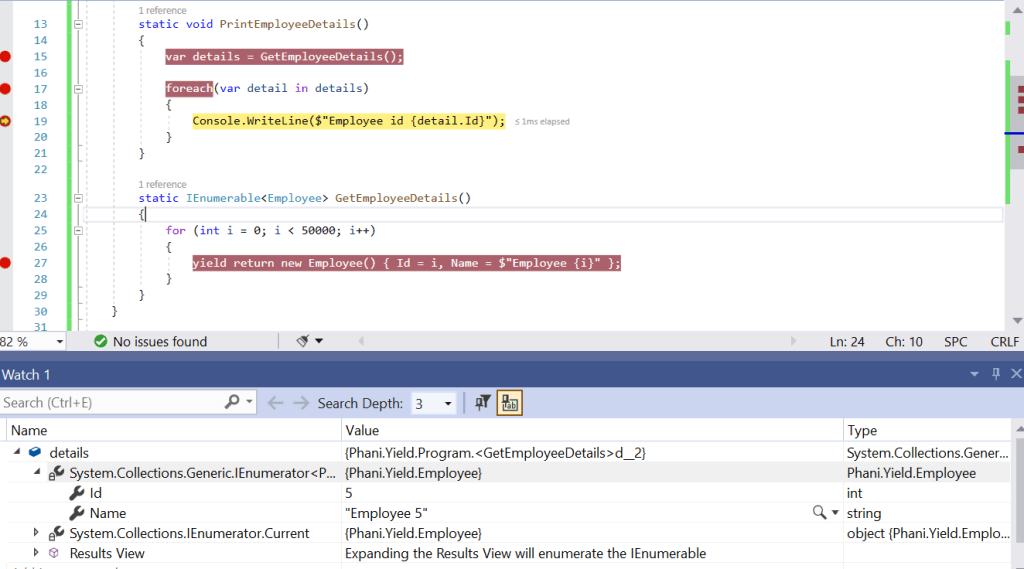
    When looping through we get the single record and only stores single item in memory .

    Now, i looped 5 times and you can see details object will have only one record. so it doesnt matter how many records the list will have.

    Code in my Github: https://github.com/pbndru/Phani.Yield

    Node js Express sessions using Redis

    Express session is used as express middleware session for data persistence

    Redis is an in-memory data-storage which uses key-value pair

    Lets talk about simple example how the whole thing works

    Lets think our application is using a load balancer like Nginx

    so, when user logged in , our express middleware will create a cookie and session id and stores it in redis storage and cookie is saved in users browser. the cookie saved in browser will be used to identify the redis session

    after login, the user will be using the access pages. so here when accessing pages, our express middleware will get the browser cookie and send it to redis to find matching session id. the express session variables can be accessed using req.session objects.

    Lets dive to example.

    Install redis https://redis.io/download

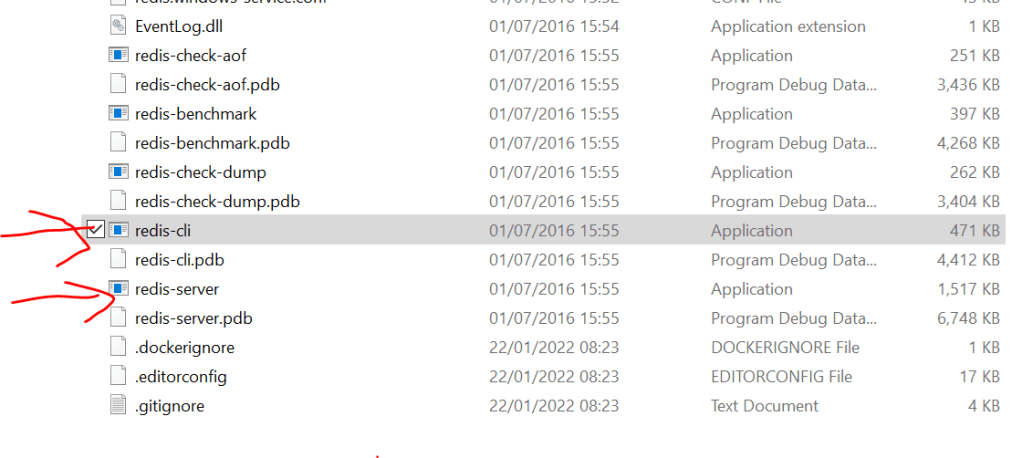
    After installing redis, run redis server and redis client

    These files will be in the path of download

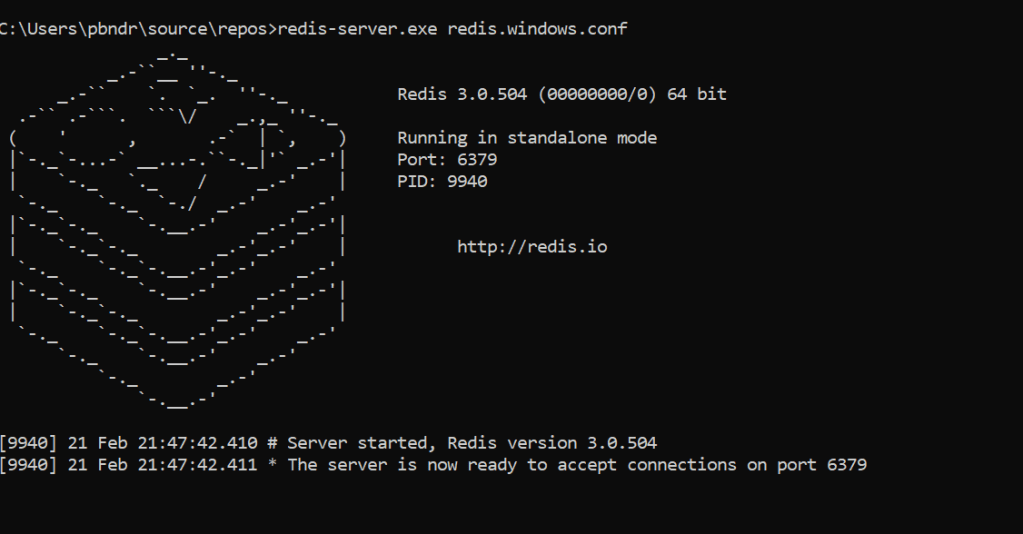
    Lets run our redis server with the refis.conf file path specified

    redis-server.exe redis.windows.conf

    Now the redis server is running. it says port 6379. it will be the default port of redis client

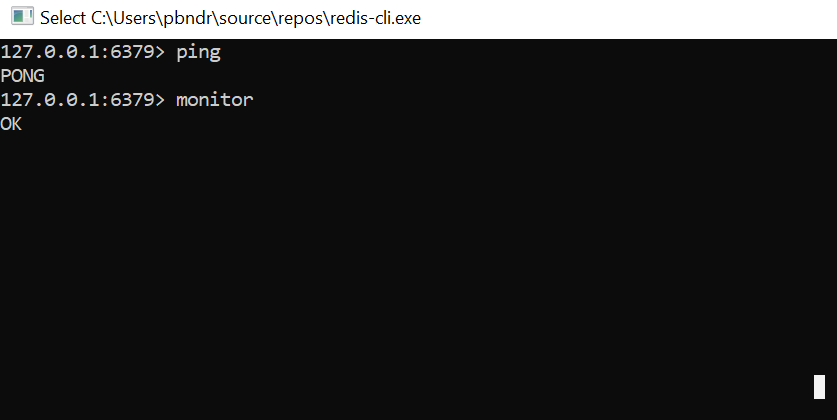
    Now, run redis client by using redis-cli

    Test the client able to communicate with server by entering ping and server will respond with pong

    Now enter monitor to see sessions for client request

    Here we run a simple app

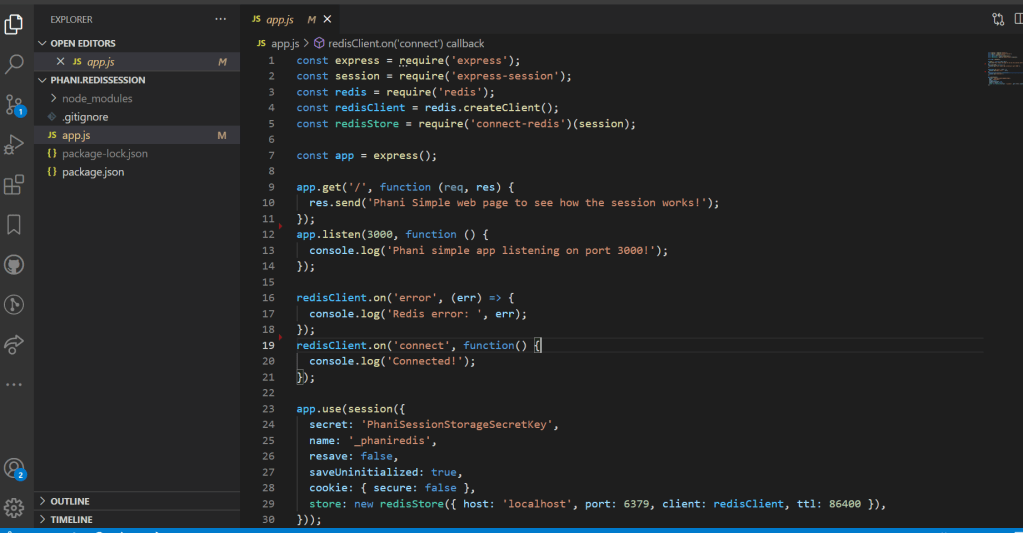
    Now, create a simple nodejs app and install required dependencies

    Now, our app server has the express session with port 6379 and running a simple web app on port 3000

    When run our app in browser, you can see our monitor redis client app will show the session id and cookie information with access and refresh tokens

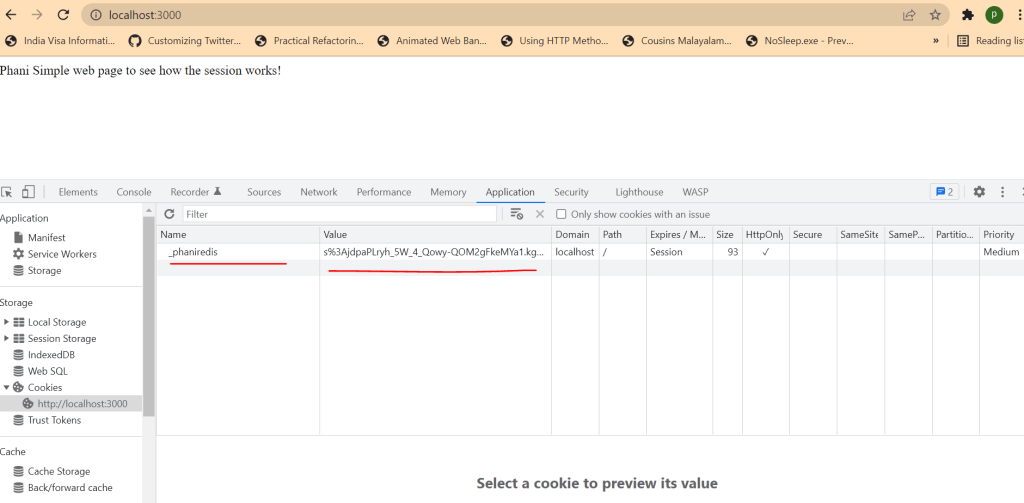
    If you open the browser you can see the cookie results with cookie name and value which will match session id in redis

    Code in my Github: https://github.com/pbndru/phani.redissession

    Asp.Net Core Health Check

    Asp.net core has health check middleware which reports the health of our application.

    Health checks are done through Http endpoints where we can see live monitoring of the services. We can alos see disk spaces, memory and server resources performance

    Lets dive to the code

    I created 3 projects where Phani.DeveloperApi and TesterApi are services and Phani.HealthChecks is a monitoring service

    Lets install packages for our monitoring service. UI health checks is for better UI visiblity for dashboard.

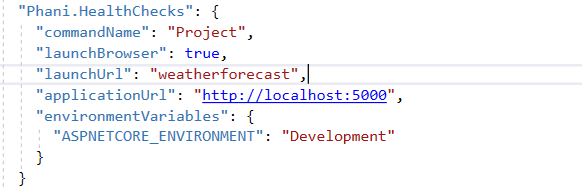
    run on port 5000

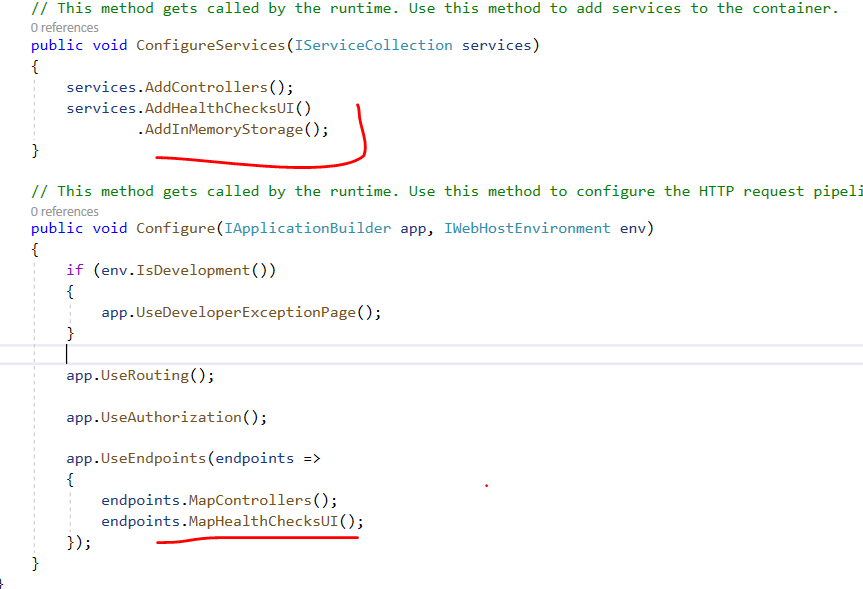
    Now configure our services and middleware in starup

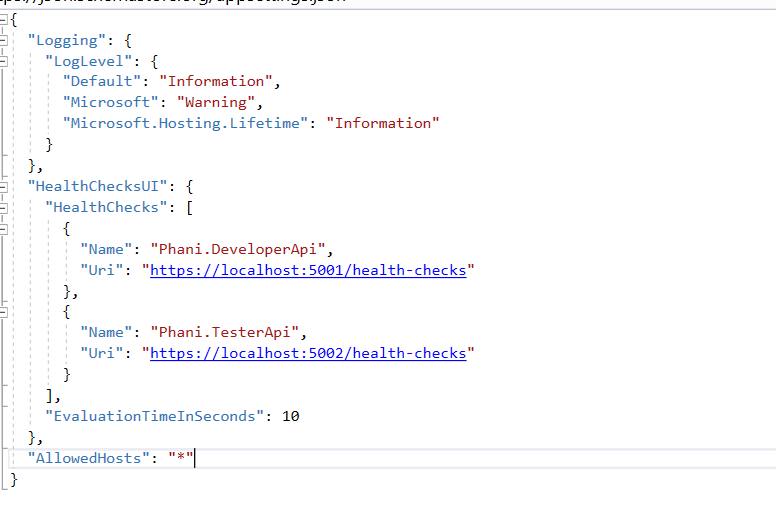
    And add the health Uri for both Developer and Tester services in appsettings.json running on port 5001/5002

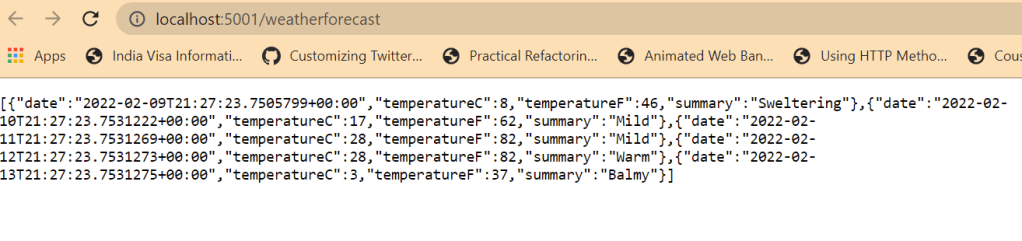
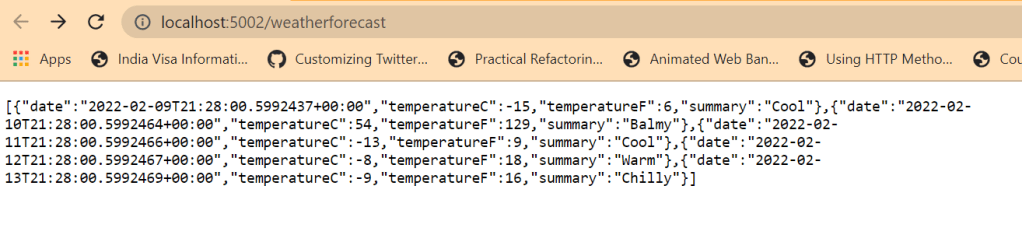
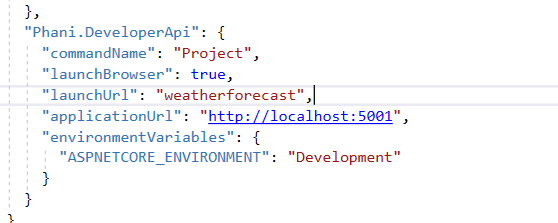
    Now in DeveloperApi , we run on port 5001 and TesterAPI on port 5002

    Install packages

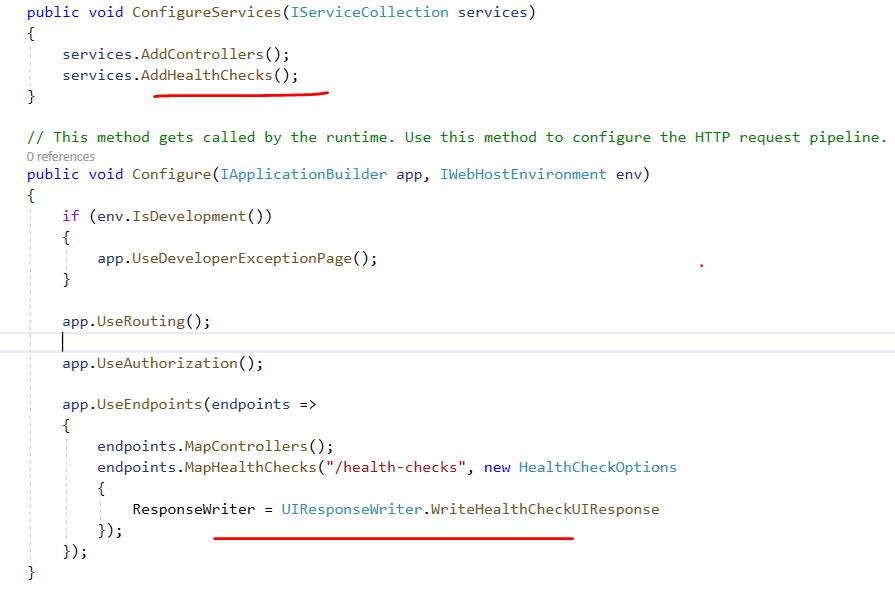
    Here we will be adding healthchecks in services and middleware

    Now, lets run our 3 services

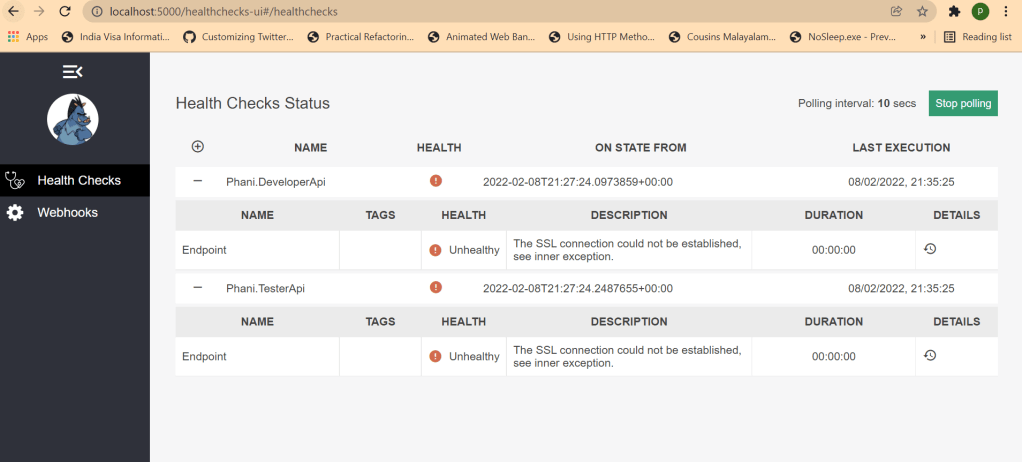
    Now for the health checks , we can use the url: http://localhost:5000/healthchecks-ui

    Here we can see the 2 services Phani.DeveloperApi and Phani.TesterApi are running and can see the health status. There will be different health check statuses like Healthy, UnHealthy,Degraded.

    Code in my Github: https://github.com/pbndru/Phani.HealthChecks

    Mocha Testing

    Mocha is a JavaScript test framework for Node.js

    Lets build a simple application to test this

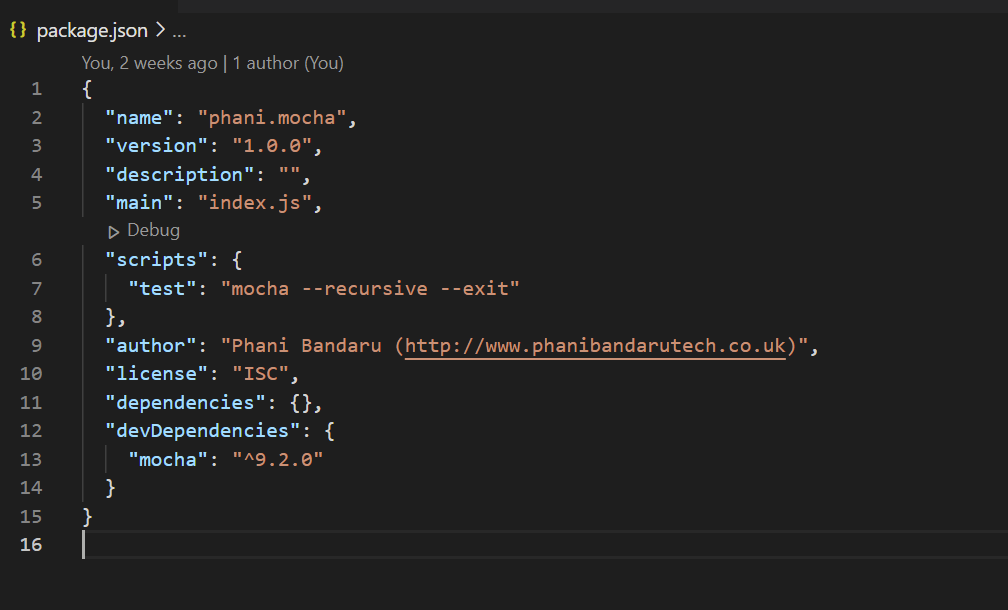
    Install mocha package as dev dependency

    Now in test folder, we will be adding a simple test js file

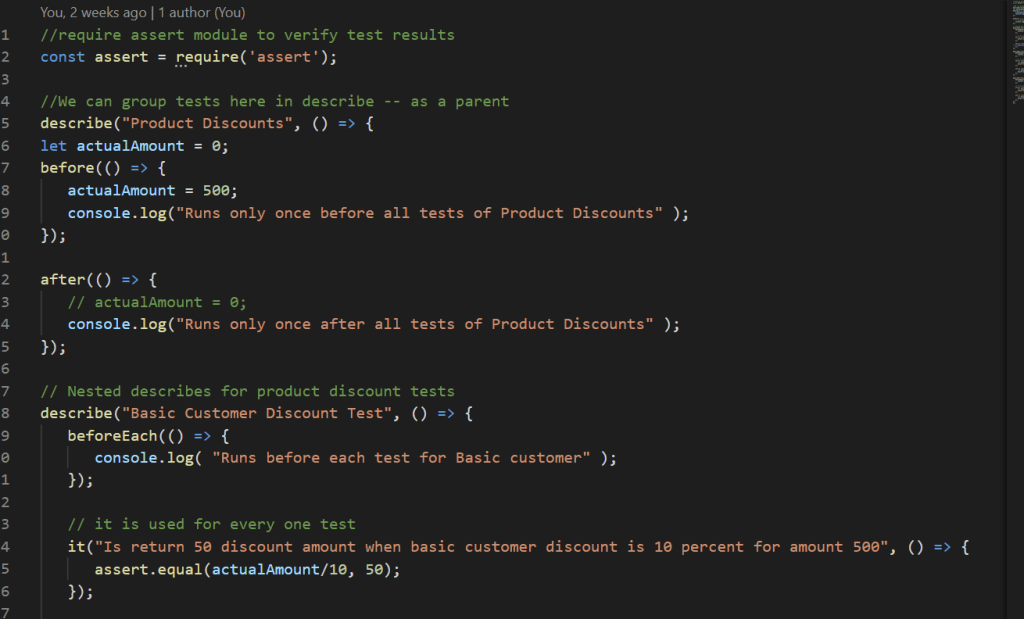
    Here we created a file named mochatests file in test folder.

    The pattern for Mocha is

    describe() – what group we are testing and can have nested describes for each feature

    and for main parent we can set some values in before() and after() functions to execute something for once
    And for child beforeEach() here it executes before each feature is completed. It means here after it() function we can set a value back and it() describes the test.

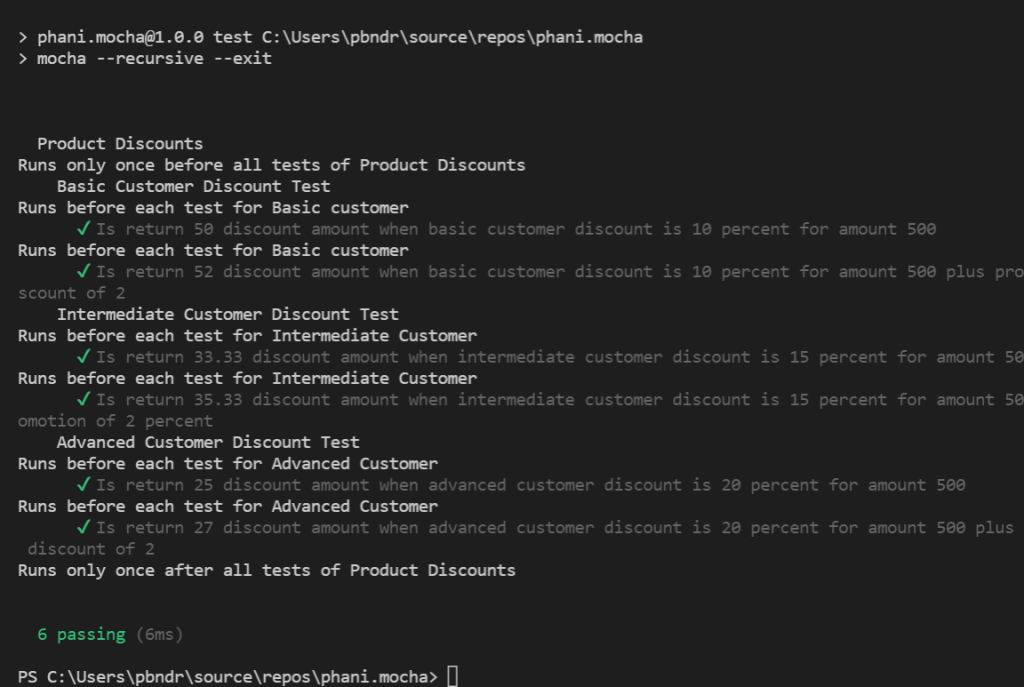
    to run test, use npm run test in terminal

    You can see all the tests are passed

    Code in my github: https://github.com/pbndru/phani.mocha

    Jest Testing

    Jest is a javascript testing framework.

    Lets build a simple application to test this

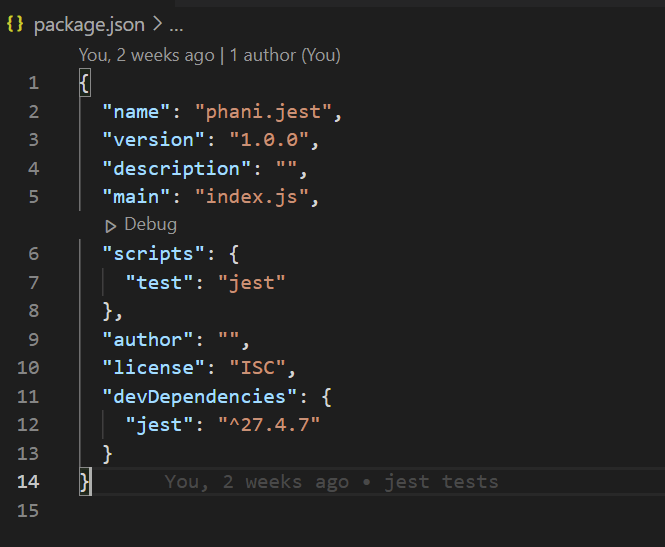
    Install jest package as dev dependency

    Now in test folder, we will be adding a simple test js file

    Now in test folder, we will be adding a simple test js file

    Here we created a file named phanidiscounts file in test folder.

    The pattern for Jest is

    describe() – what group we are testing and can have nested describes for each feature

    and for main parent we can set some values in beforeEach() and afterEach() functions to execute something for once

    And for child beforeEach() here it executes before each feature is completed. It means here after test() function we can set a value back and test() describes the test.

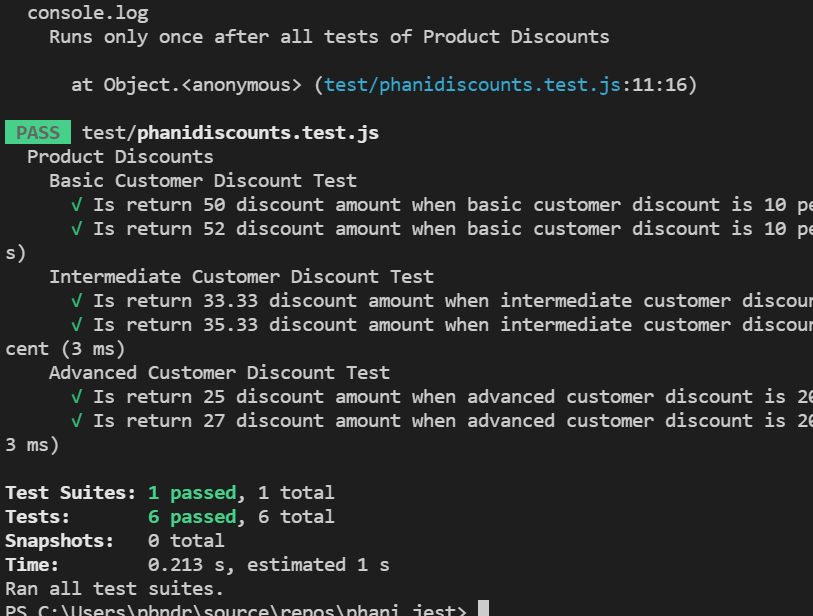
    to run test, use npm run test in terminal

    You can see all the tests are passed

    Code in my github: https://github.com/pbndru/phani.jest

    Chai Testing

    Chai is a BDD/TDD assertion libraty for javascript testing framework

    Lets build a simple application to test this

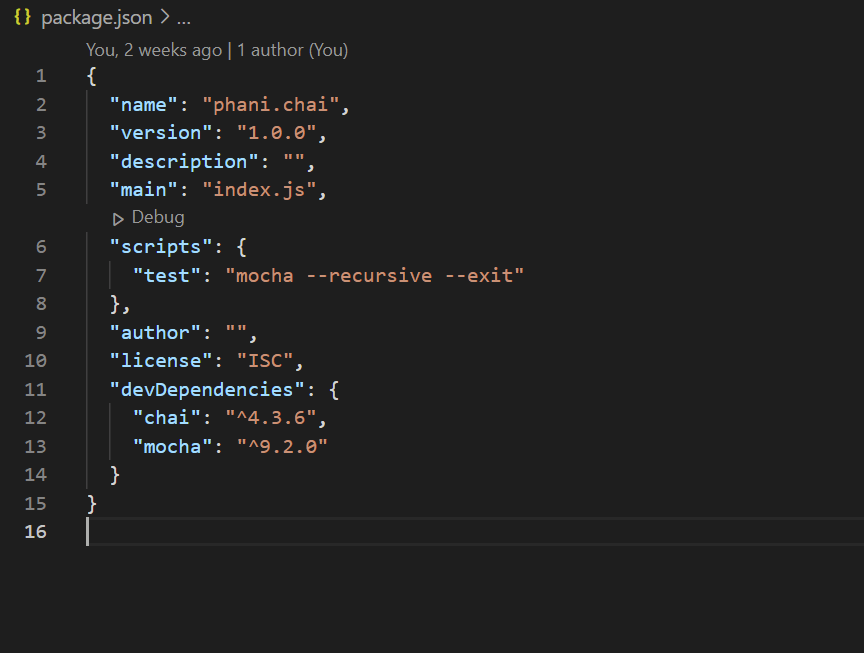
    Install chai and mocha test runniner packages as dev dependencies

    Now in test folder, we will be adding a simple test js file

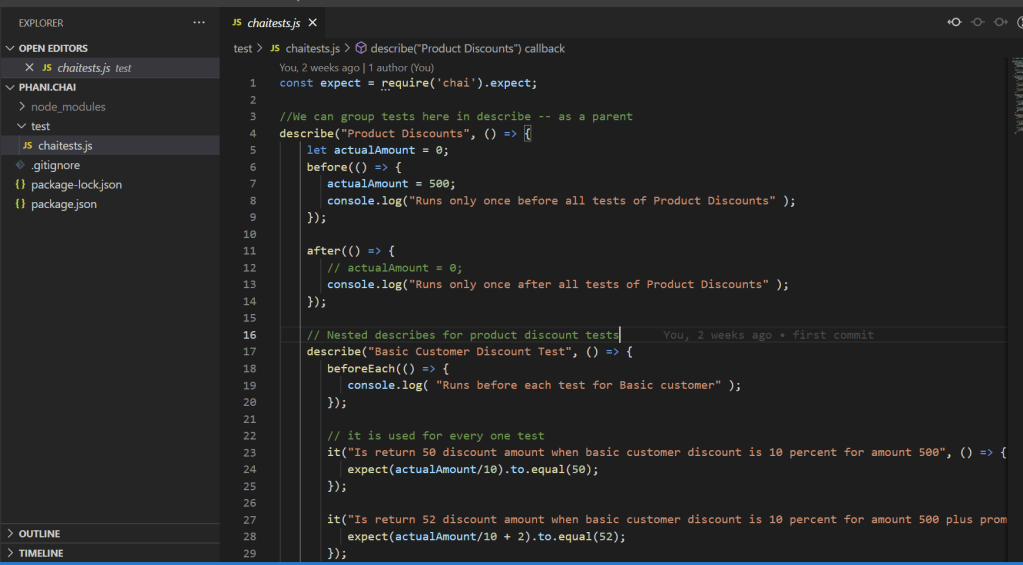
    Here we created a file named chaitest file in test folder.

    The pattern for chai is

    describe() – what group we are testing and can have nested describes for each feature

    and for main parent we can set some values in before() and after() functions to execute something for once

    And for child beforeEach() here it executes before each feature is completed. It means here after it() test function we can set a value here and it() describes the test.

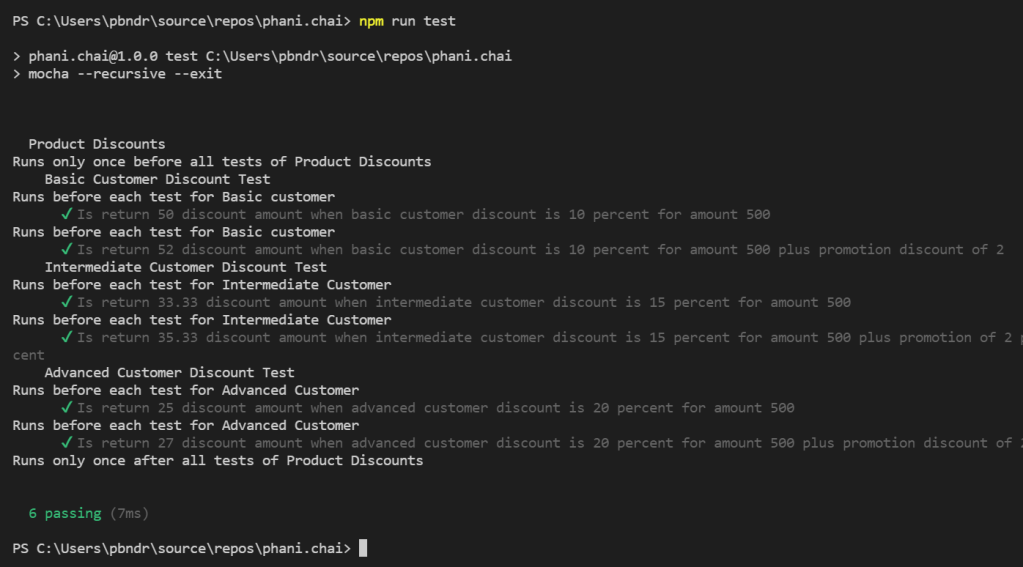
    to run test, use npm run test in terminal

    You can see all the tests are passed

    Code in my github: https://github.com/pbndru/phani.chai