IAM in AWS is an AWS service which will be doing authentication and authorization
Root user have access to everyone who will be devops person
Note: users, p0licies, groups are important to know
Roles is next we discuss later
Create a user named phani-user, by default a policy is created which is to change password for that user.
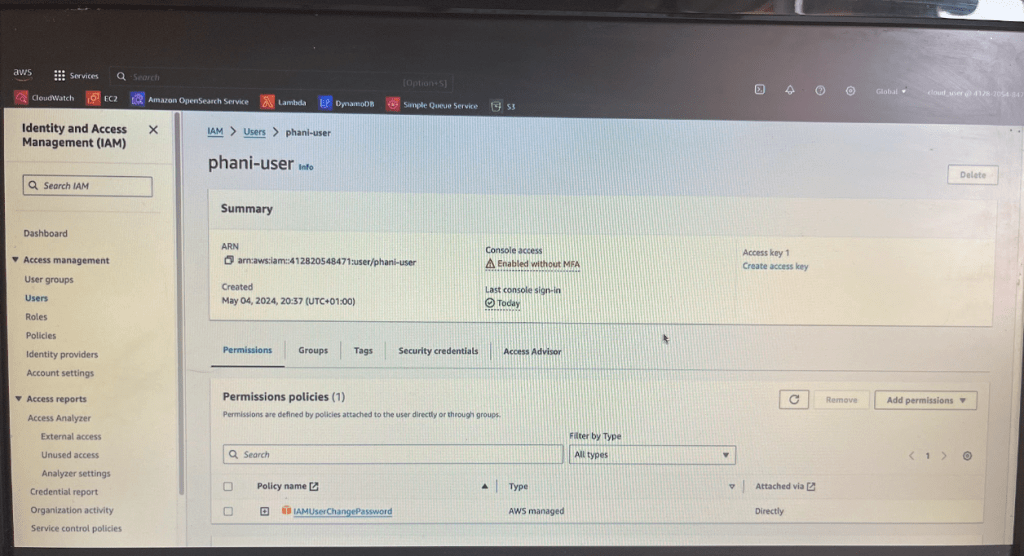
if want to add more policies, click on Add Permissions button and now you will see below screen
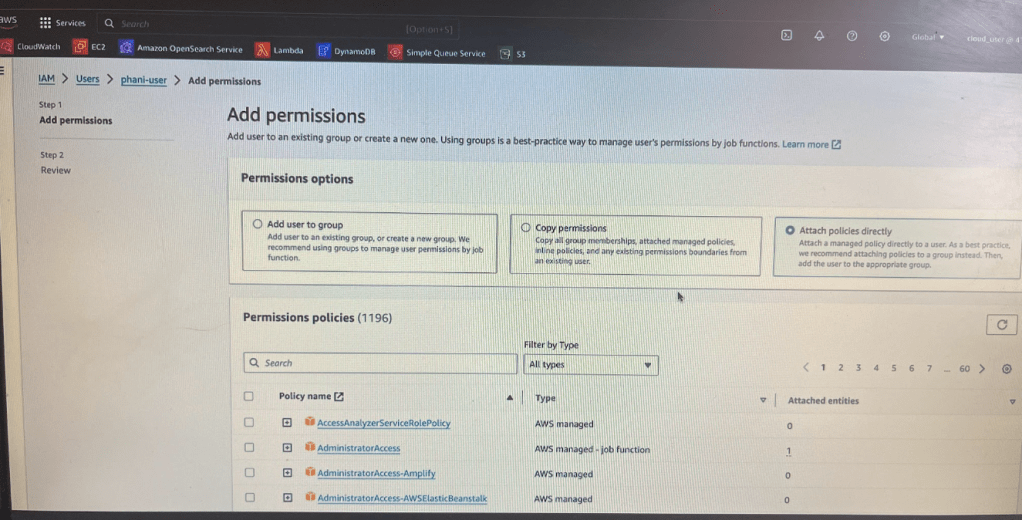
After creating a user, we can throw that user in a specific group. Like if you are a developer you will be added to developer group
some scenario like someone came to you to create a user for them and then you just said okay let me create a user so you’ll create an user in IAM dashboard
if you create a custom password then it will be very difficult for one person you create a password for another person to remember
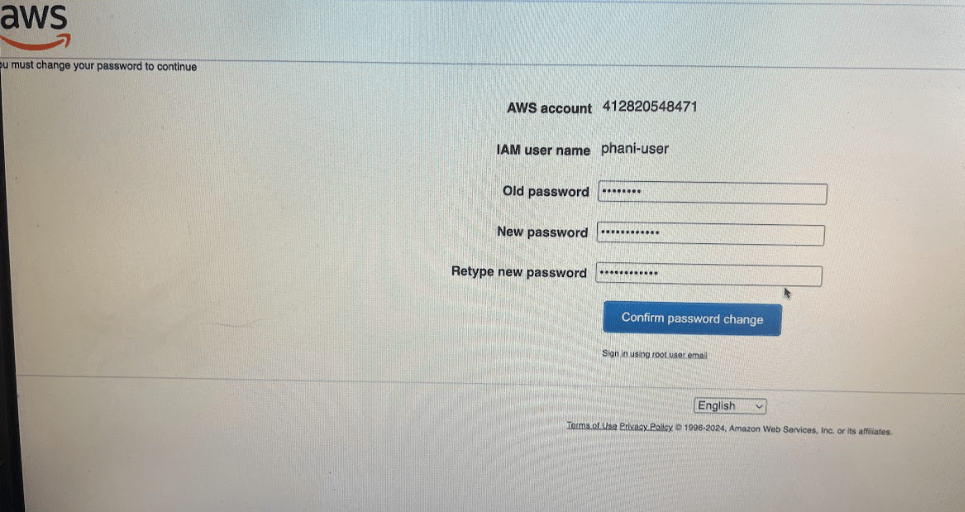
Always use Auto generated password and use this option when creating user. When that user (phani-user) try to log in with the username and password that you have given, next time in the login they have to reset the password themselves.
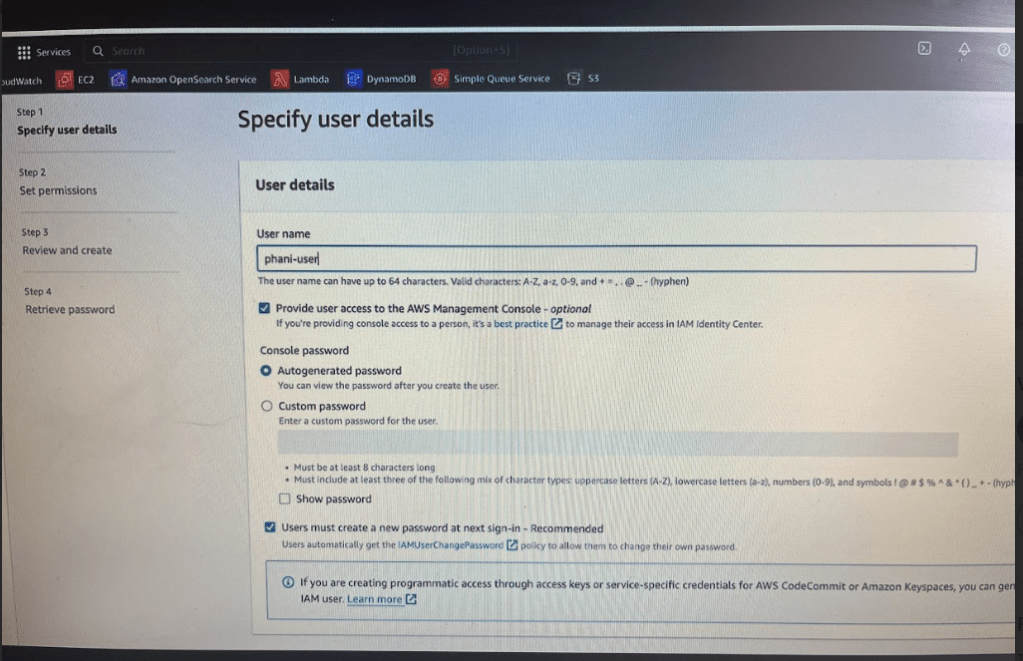
At the moment we are not setting any policies when creating IAM user
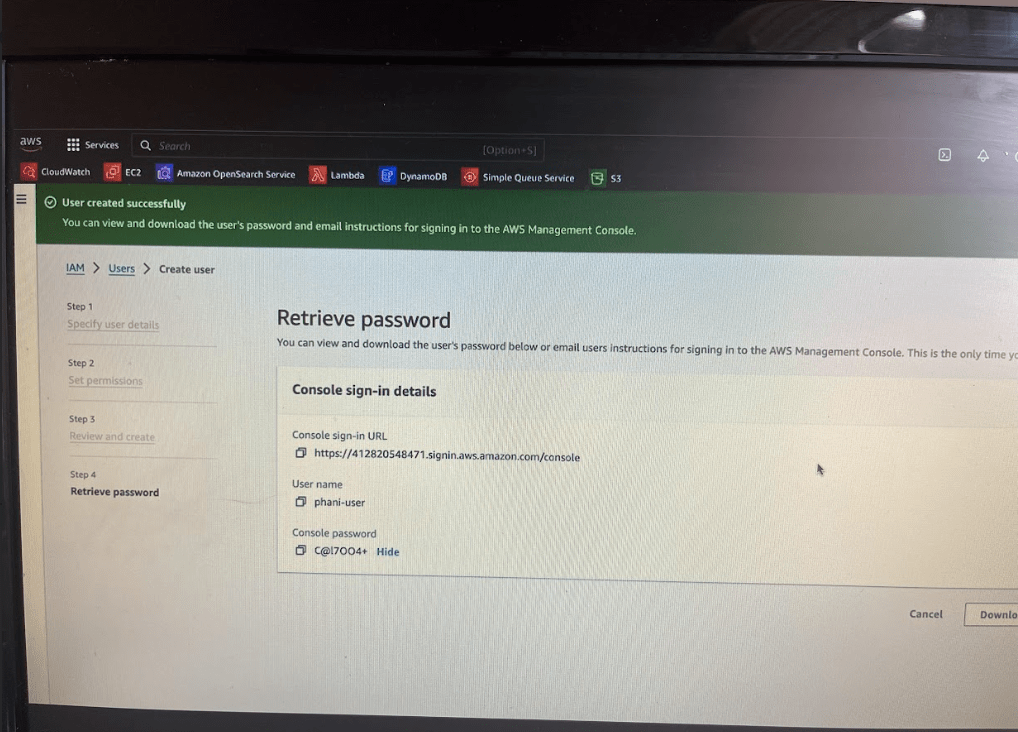
Give this temporary password to the user.
Now lets log off and try to login with new user phani-user
Remember the aws account id and now login
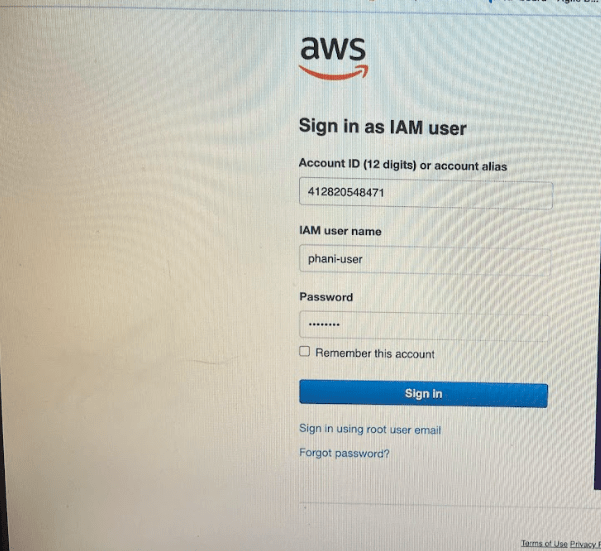
Once you logged in, It prompts to change password
Now after login, if you just go to the bucket section and try to view the buckets list.
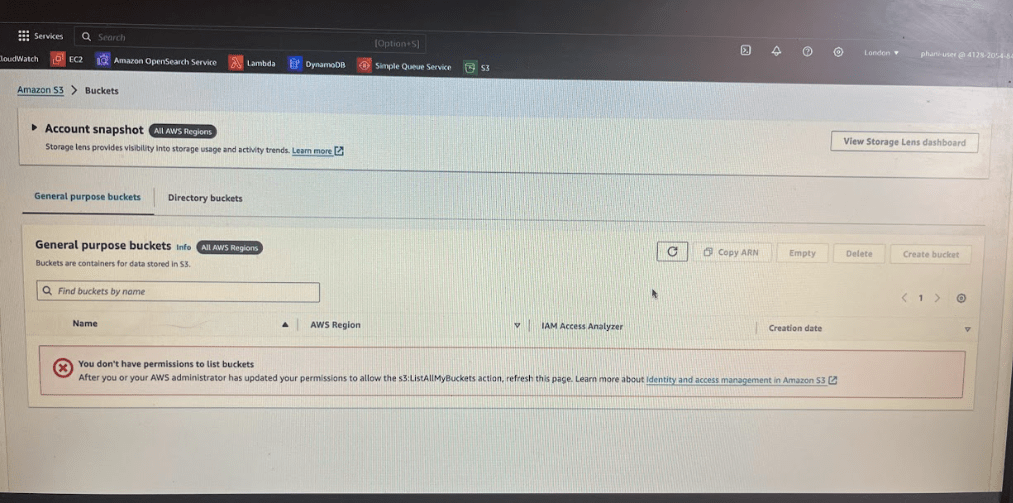
you will be seeing access denied permission issue.
This is not only about buckets anything you will not be able to do on this AWS account . Same for EC2 instances you don’t have access to to anything or any resource
To solve this problem to get access to specific resource
Example:
I should see all the buckets available in this account
So devops engineer will attach some policy called s3 list all my buckets to the user
Now login to root user, lets provide access to Phani-user
let’s click on the phani user and let’s try to attach some permissions. Now i am providing phani-user full access to s3 buckets
Now phani-user will be able to do everything in S3 like create, delete list and everything. Now you can see you have s3 bucket policy
Now log off and see that you are ableto see list of s3 bucks
Now go to s3 and see list of buckets. Now you don’t see any permission issue error
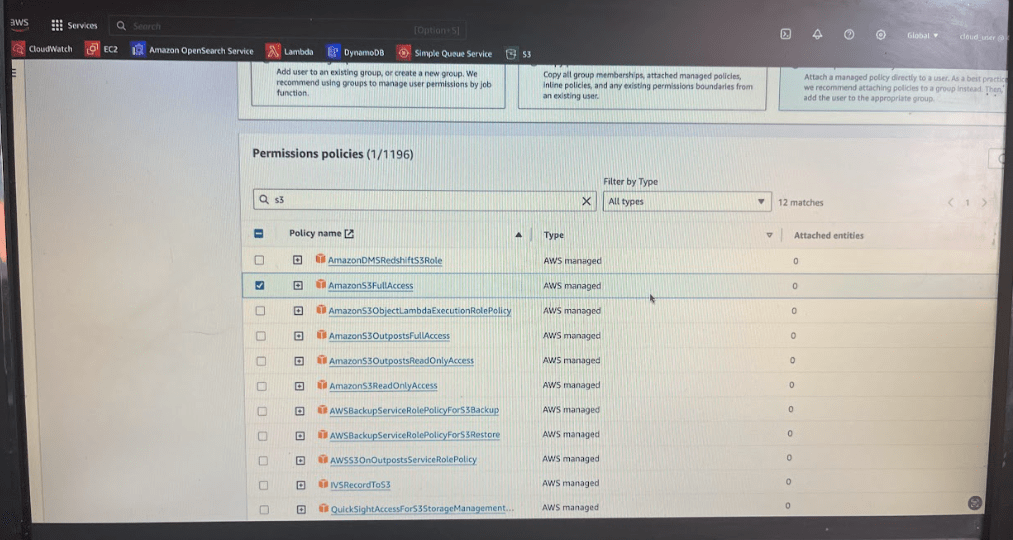
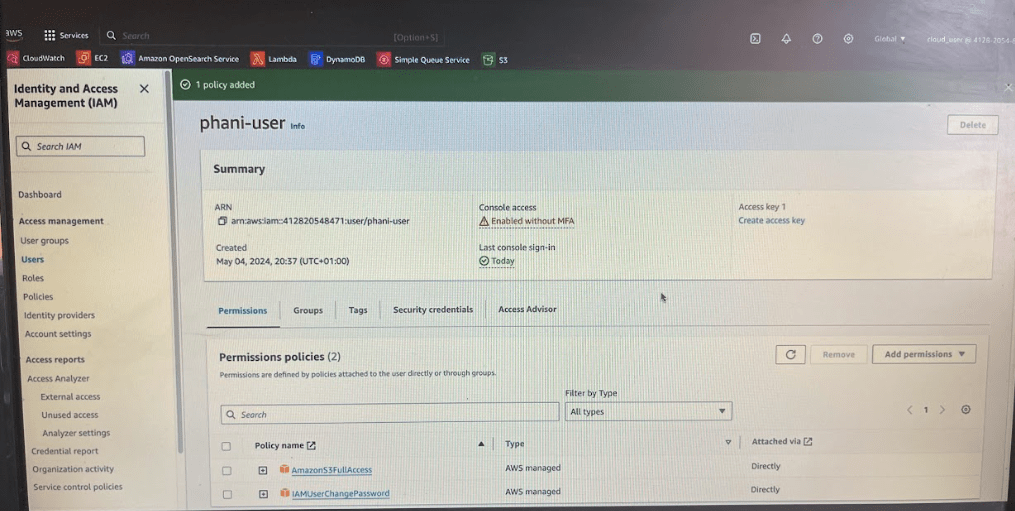
For example, To only view specific set of bucket types or anything specific related to that so in such case what you will write a custom policy you will not use a AWS manage policy
So depending on aws managed policies we can provide permission to access to IAM user particular services
So using user you can authenticate to AWS account and then you have policies where you can authorize few things for that user in AWS
Groups:
Lets create a group for deevelopers. let’s call them as Development Group and you provide them a policy with S3 list .
In future if they come back to you and say they want access to some other resource as well, then you can simply go to the group and you can just attach that new policy where all of them will get the access for
I created a development group with s3 full access policy
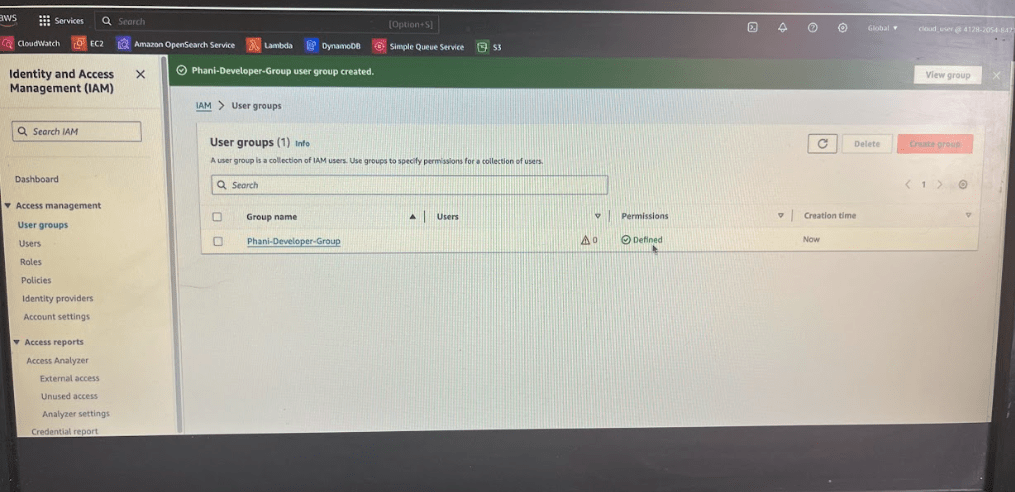
Go to User Groups in IAM and create phani-developer group
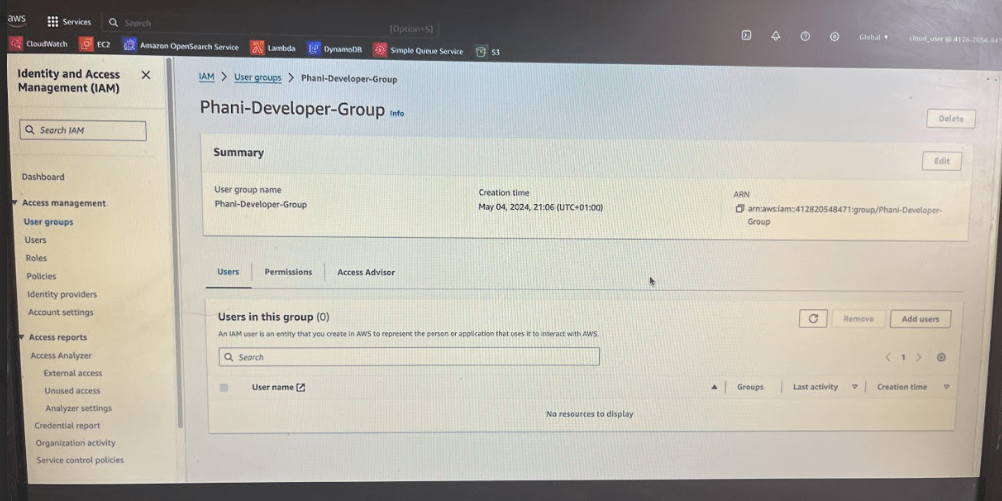
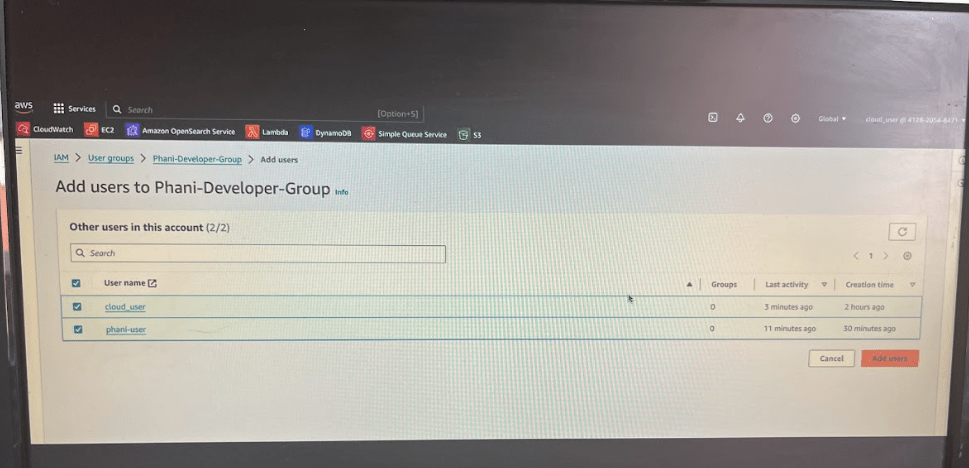
Now lets add an user to the group
Click on add users button
Now lets add phani-user to the group
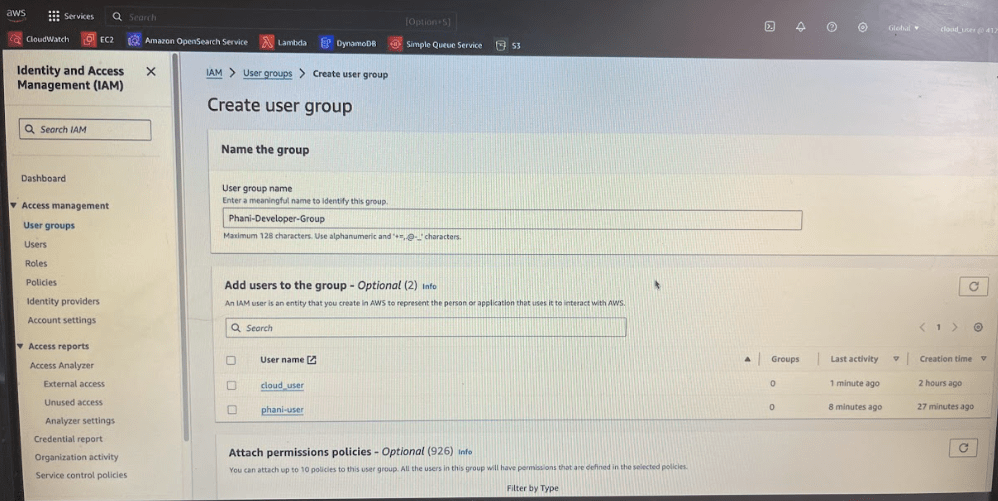
if developers come back to you and say that want with this S3 full access they also want full access to EC2 .
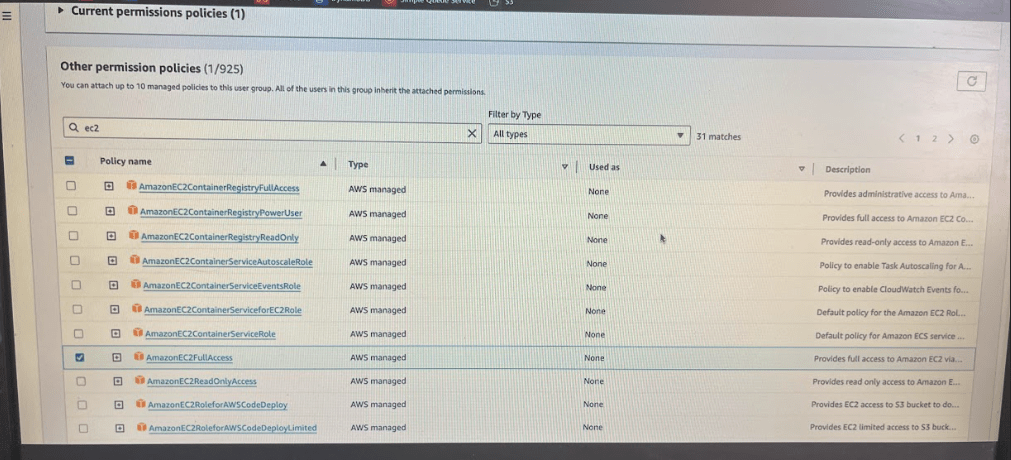
Then instead of going and adding policy permission of these users, you can go to user groups – click on group – click on the permissions button and along with the S3 full access you can just come here and search for ec2 and click on the attach policies.
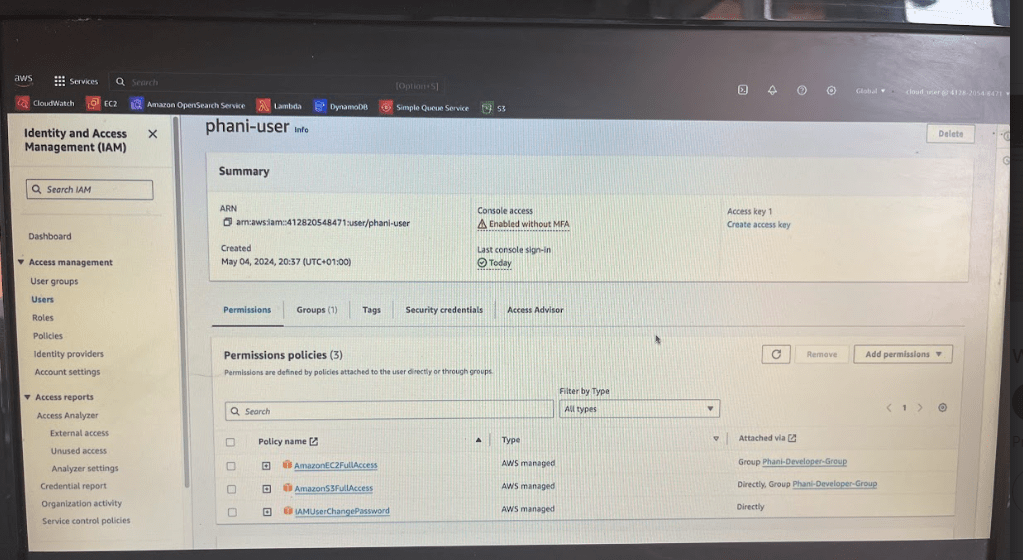
Now as you added ec2 permission , the users will automatically get access to EC2. If you go to Phani-user you can see those 2 policies s3 bucket and ec2 policies
 Phani Bandaru